Capacity Management
Spay/Neuter Capacity Overview
Capacity management allows you to set up categories and limits for the number of Spay/Neuter appointments you want on your calendar. In this section, you will set up the global parameters for your calendar. Individual daily adjustments will be made directly on the Spay/Neuter Calendar.
Note: Capacities set here are ONLY for spay/neuter appointments. Do not create other capacities such as Wellness, Dentals, or Misc. Surgeries. Those are handled with time-based Rooms on your Wellness Calendar. See Suggested Rooms and Create Wellness Calendar Rooms.
VIDEO ON THIS HERE
Here are what the following settings represent:
- Title: Name of the category such as "Large Male Dogs". This title is displayed in the Tiles menu.
- Code: Three character code that displays on the daily calendar tiles, such as "LMD" for Large Male Dogs.
- Daily Max: The maximum number of appointments you want to allot for this category.
- Species: Categories' species, if Any is selected, tile will include all species your clinic serves.
- Sex: Categories' sex, if Any is selected the tile will include Male and Female.
- Weight from: Minimum weight in this category.
- Weight to: Maximum weight in this category.
- Animal Type: Further filter by animal ownership status or miscellaneous filters.
Note: If all of your capacities have a weight set from "Any" to Any" then entering a weight will not be a factor when scheduling appointments. If you would like the estimated weight to be entered during scheduling, you must have at least one capacity set with a weight requirement. For example Male Dog: 1 - 150lbs or Male Dog Small 1-20lbs.
Updating Capacity Settings
To edit your clinic's base capacity for the spay/neuter calendar, go to Settings > Capacity Management.
Use the pencil icon to change an existing capacity or create a new capacity.
Note: When you modify an existing capacity, it will automatically update the calendar tiles for all days, including past and future dates. Additionally, any days that you have already customized directly from the spay/neuter calendar using the "Adjust capacity for today only tool" will also be reset.
If you increase capacity, past days won't be available for online booking. The E-appointment form only shows future dates.
Species-based Considerations
If your clinic adds a new species for spay/neuter services, you’ll need to create a calendar tile for those appointments. Spay/neuter appointments cannot be created without a matching capacity slot, so you must also set up a new capacity for the corresponding species. You may choose to create separate capacities for males and females, or set the sex to “Any” if the same tile should apply to both.
Troubleshooting Capacity Settings
Calendar Doesn’t Add Up
Sometimes the calendar doesn’t appear to balance correctly. This usually comes down to capacity or setup conflicts.
Check for these issues:
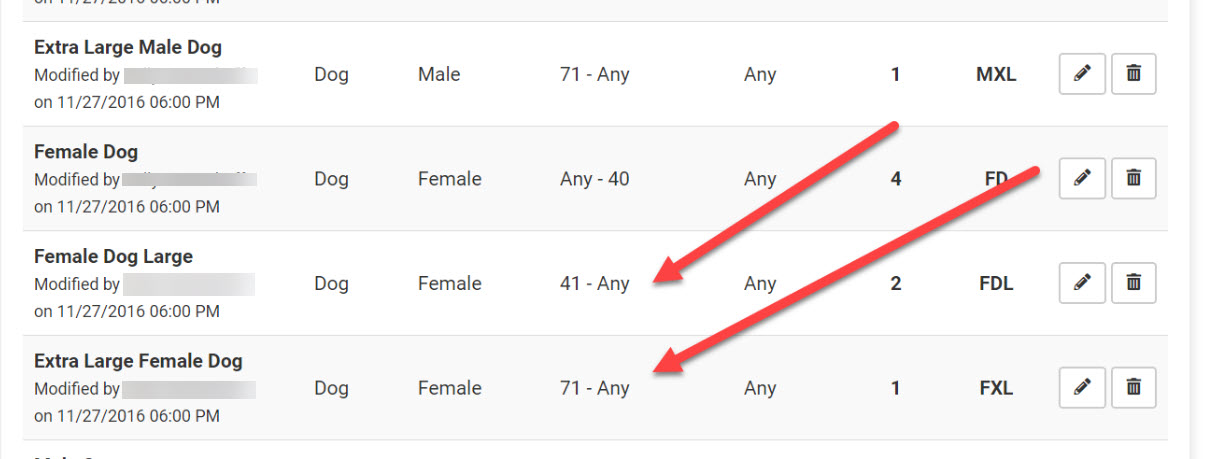
- Overlapping weight ranges – Ranges must not overlap. Example:
- Correct: Female dogs 2–20 lbs, next range starts at 21 lbs
- Incorrect: 2–20 lbs followed by 20–40 lbs (animals at 20 lbs appear in both tiles).
- Open-ended weight ranges – Avoid using “ANY” as it can duplicate animals.
- Mismatched animal types – Example: restricting a tile to Owned animals but scheduling an appointment as "Foster".