Microchip Preferences
Microchips are an essential part of patient records in HQ. While your clinic can use any microchip brand, HQ offers several integrated partners that provide added benefits, including automatic registration and access to discounted chips. This section of settings is where you link your clinic to our integrated partners and set your default chip provider.
Default Microchip Provider
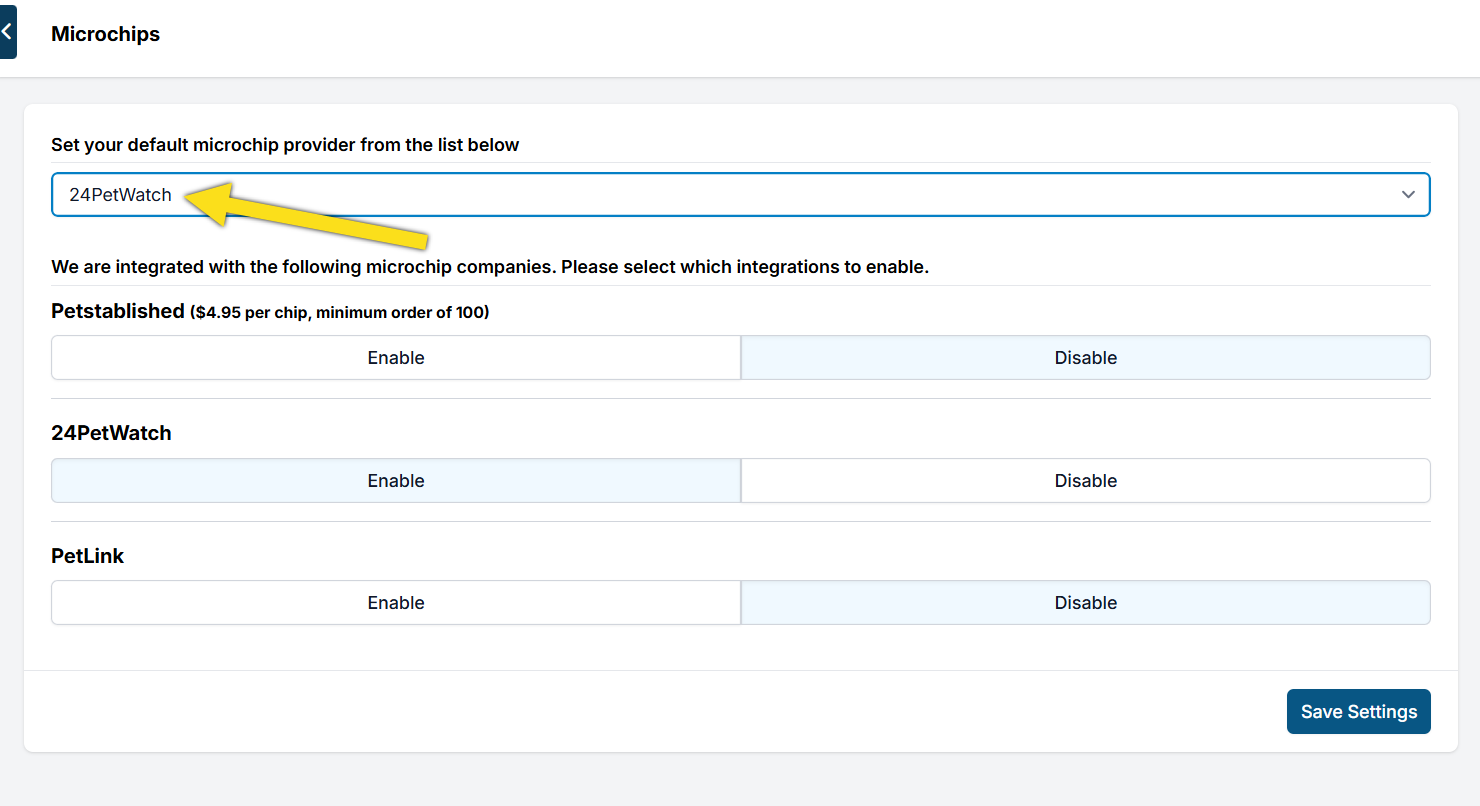
The "Provider" is the company your clinic orders chips from. Here you can set the microchip provider used by your clinic, such as 24PetWatch, found Animal, Home Again, etc. When you enter a microchip number for an animal, this provider will automatically be selected. The default provider is for all appointments -- public or volume. If most of your animals come from volume clients who provide their own microchips, this may not be a beneficial setting to enable.
Integrated Auto-Registration
Microchip auto-registration means clinic staff and pet parents do not need to manually register the microchip. Each night, Clinic HQ sends a data dump to the provider and the chip is registered. If an animal receives a microchip from 24PetWatch or Petlink and the animal has an owner listed on the appointment, the animal's chip will be registered through the integration. For Petstablished chips, the integration registers all public and volume clients.
- Go to Settings > Microchips
- Underneath the Microchip Registration company, click Enable.
- For Petstablished, add your Petstablished ID.
- For Petlink, enter your Petlink login credentials.
- Save Settings When an animal meets the chip requirements for auto-registration, the chip will be automatically uploaded to the coordinating registry company.
For a microchip to be auto-registered the following criteria must be met:
- Auto-Registration must be properly enabled in Settings > Microchips.
- The animal must have an owner listed on the appointment. An owner could be the Public Client or the Volume Client Owner. (With the exception of Petstablished, volume clients are also suitable.)
- On the animal details for the chip number, the provider must be either Petstablished, Petlink, or 24PetWatch.
- Client and animal fields must be complete.
- The appointment must be in a Checked Out status.
Petstablished
Read about ordering chips and registration with Petstablished HERE. If you enable the integration, you will need your Petstablished ID#. This is provided by Petstablished when you begin ordering chips.
24PetWatch
Read about ordering chips and registration with 24PetWatch HERE.
Other Microchips
Microchips from other companies will not be included in the auto registration. You should still record these chips on the appointment and medical record but they will not be auto-registered. For Example, if you enable 24PetWatch auto-registration the microchip listed on the animal's record must be a 24PW chip Fi-Nano, HomeAgain, and Found Animals chips will not auto-register through the 24PetWatch integration.