All Topics
    • Settings Overview
    • Clinic Profile
    • Users
    • Vets
    • Services & Products
    • Packages
    • Custom Fields
    • Clinic Tags
    • Vaccine Setup
    • Integrations Setup
    • Divvy Setup
    • Patient Flow Setup
    • Medical Notes Setup
    • High Risk Waiver Setup
    • Prescription Labels
    • Microchip Preferences
    • Capacity Management
    • Wellness Settings
    • Templates Settings
    • E-Appointments
    • E-Payments
    • Mobile Location Settings
    • Confirmations and Reminders
    • Medical Records Request
    • Email Attachments
    • Call & Text Add On
    • e-Lobby
    • Invoices
    • Donations
    • Funding Partnerships
    • Subsidy Settings
    • Grantors
    • VC Custom Pricing
    • Tax Info
    • QuickBooks
    • Chat Settings
    • OneLink E-Appointments (Multi-Clinic Only)
    • VCP Settings
    • Inventory
Settings

e-Lobby

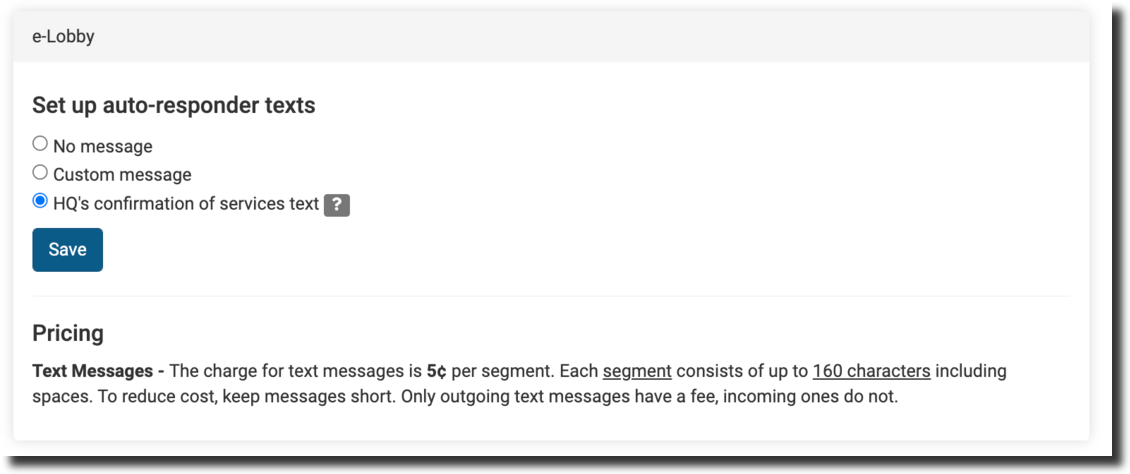
Configure auto-response messages for E-Lobby client communications.

Here in settings, you can set up a custom or HQ default auto-response message for eLobby messages. Tick the relevant box and save.
Call & Text Add On

Set up text and robo-call reminders with the Call and Text add-on.

Invoices

Customize the email template sent with volume client invoices.

© 2010–1970 Clinic HQ