Settings
VCP Settings
Control volume client Portal permissions and required fields.
VCP settings allow you to control portal user permissions for volume clients connected to your clinic.
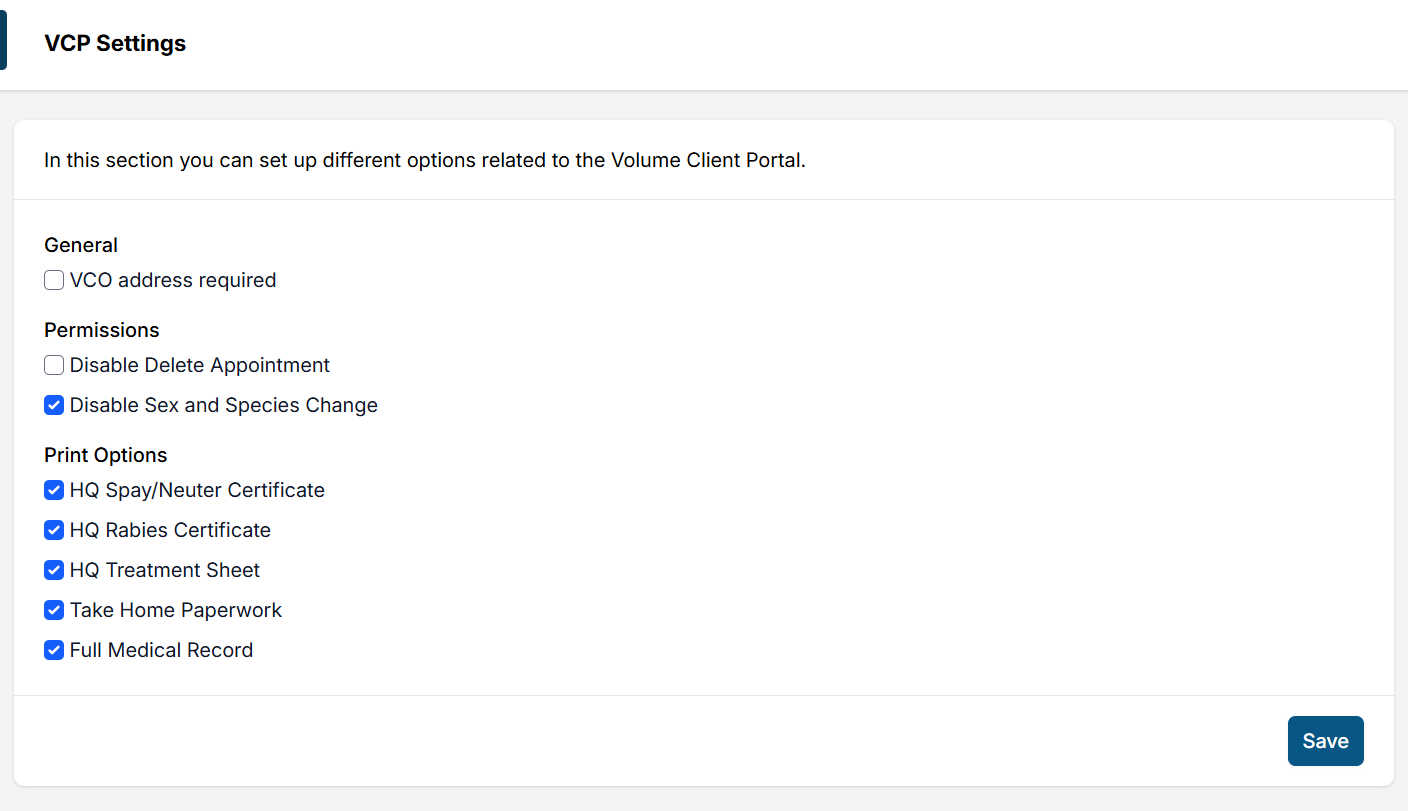
General
- VCO Address Required: If there is an Owner listed on the animal's appointment, this setting allows the clinic to decide if an address should be required for data collection.
Permissions
- Disable Delete Appointment: Selecting this will prevent users of the VCP from deleting appointments. If this is enabled, the VC user will need to contact the clinic when there are appointment spots they cannot fill.
- Disable Sex and Species Change: Selecting this will prevent users of the VCP from changing species/sexes on their allotted appointments. If this is enabled, the VC user will need to contact the clinic to request a different surgery type.
Note: If you have a multi-clinic setup, the settings applied in one profile will be the same for all of your clinic profiles.
Print Options
Choose which Paperwork is available for the VC user to download/print from their Portal:
- HQ Spay/Neuter Certificate
- HQ Rabies Certificate
- HQ Treatment Sheet
- Take Home Paperwork (Uploaded and assigned in Templates)
- Full Medical Record
Editing Available Services
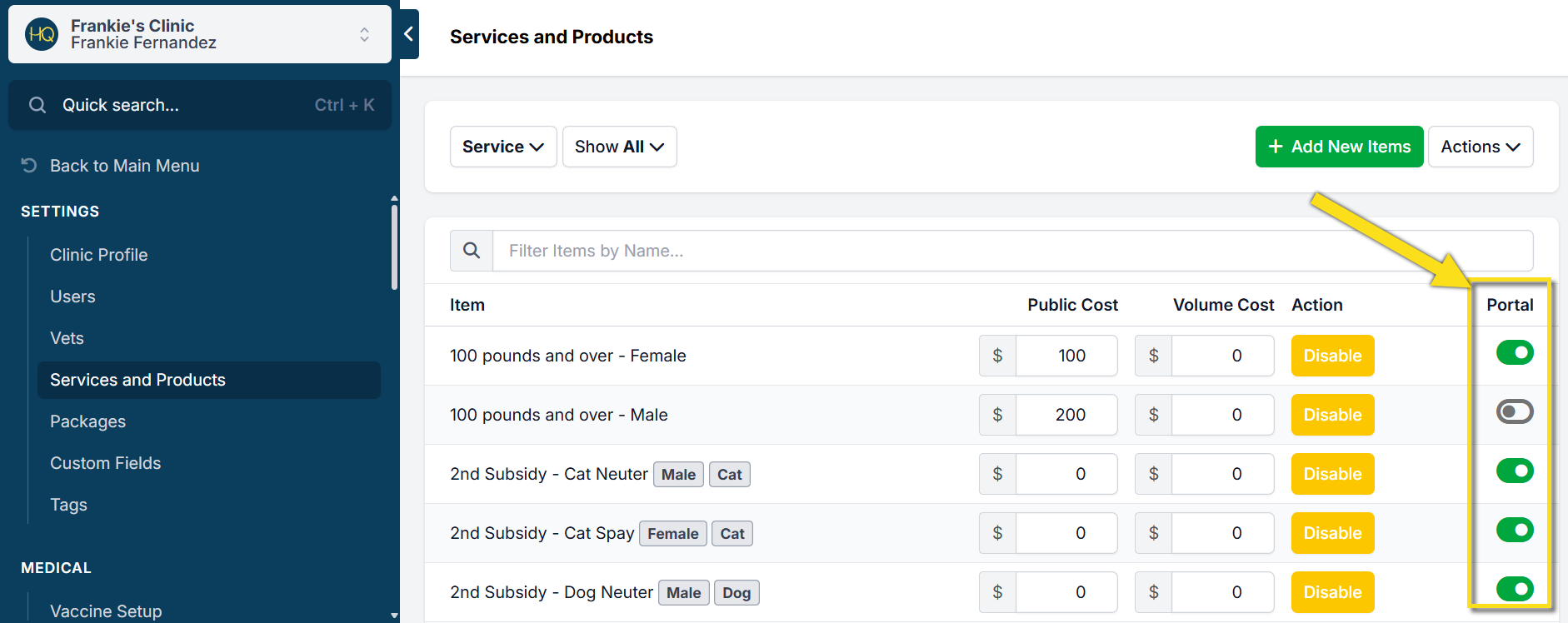
Line items or Packages displayed in the Portal are not configured in VCP Settings. Go to Settings > Services and Products or Settings > Packages. Then, locate the column titled Portal. Use the toggle to turn items and packages on or off for VCP users to select.