Grantors
In Clinic HQ, you must always indicate the source of a donation—either an individual or an organization.
What is a Grantor?
A Grantor is an organization or entity (e.g., Petco, Bissell, or a local foundation/donor) that provides pre-paid donations or grants. Unlike volume clients, grantors typically do not bring animals to your clinic and are not invoiced.
Grantor profiles are used to log donations and grants received from these entities. Creating grantors allows you to store contact information, send thank-you emails, and track donation history.
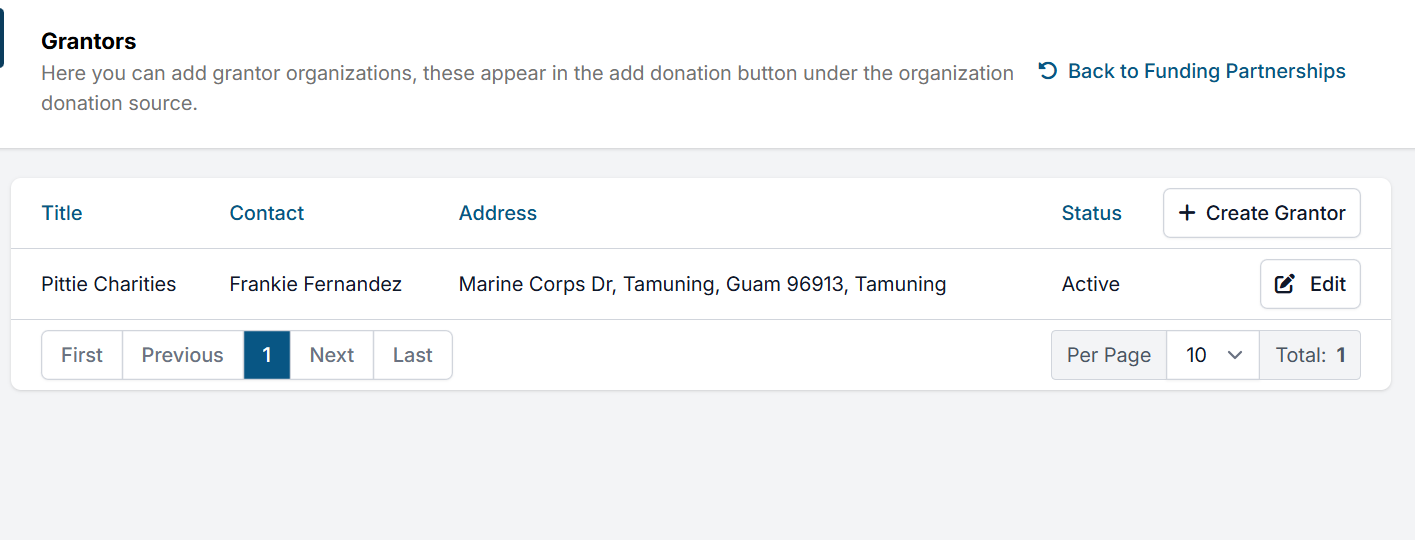
Create a Grantor
To set up a grantor, go to Settings > Grantors > Create Grantor, enter the relevant contact information, and save. The "Title" will be what is recorded on reports and what your clinic searches by when recording donations.
Receiving Grantor Donations
Once you have created the grantor profile, you can record donations/grants received from them. When the entity sends a donation, go to Take Donation. Choose the Donor Type as Organization. Then, type in the grantor title and select from your existing grantors.