Technology Suggested

Technology is one of the most powerful tools in your clinic’s toolbox.
The right computers and systems can automate repetitive tasks, streamline communication, and support better patient care. In fact, technology costs should be considered on par with anesthesia machines and other essential surgical equipment.
We’ve tested many types of computers and tablets, refined what works best in common clinic workflows, and can confidently recommend reliable options at the lowest possible cost.
What follows is a clear framework of the technology your clinic needs—from start to finish.
Computers
Buying computers for your clinic is like getting a new puppy exciting at first, but quickly a reminder of the need for solid budgeting! We know this is a significant expense, so here are some tried-and-true recommendations that balance performance and cost. There are no minimum requirements, except for the ability to load and access the Chrome browser.
How many devices do you need?
1 computer at the front desk 3 tablets for curbside check-in and exams 1 tablet or computer per 3-person surgery team (veterinarian, vet tech, and vet assistant)
Every clinic is different, but the key is ensuring staff always have a device nearby to keep workflow smooth.
PCs vs. Macs
We recommend PCs over Macs, since not all peripherals are compatible with Macs. We also prefer the Microsoft ecosystem for its overall compatibility and ease of use.
Recommended setups
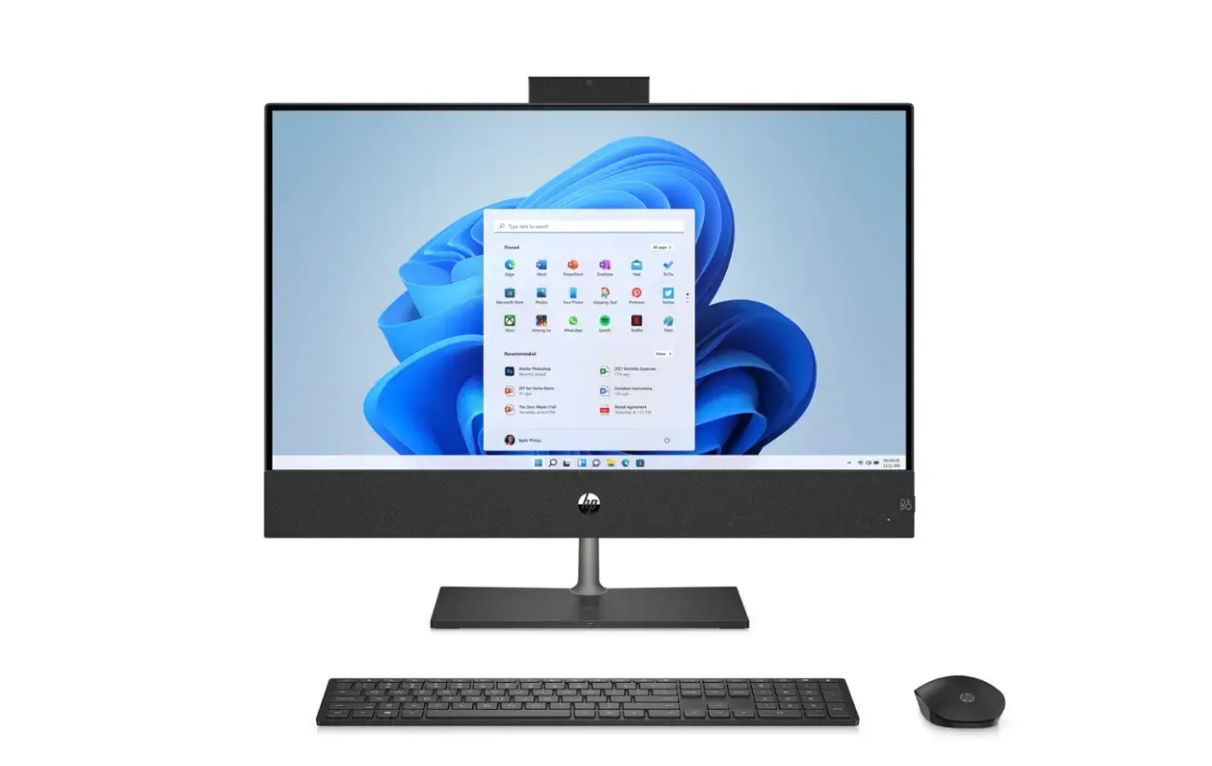
All-in-One Computer: A good option for the front desk or drug-drawing station is something like the HP All-in-One touchscreen. These units have the tower built into the screen, saving space. Look for a version with wireless mouse/keyboard support and touchscreen capability. Expect to spend around $1,000.
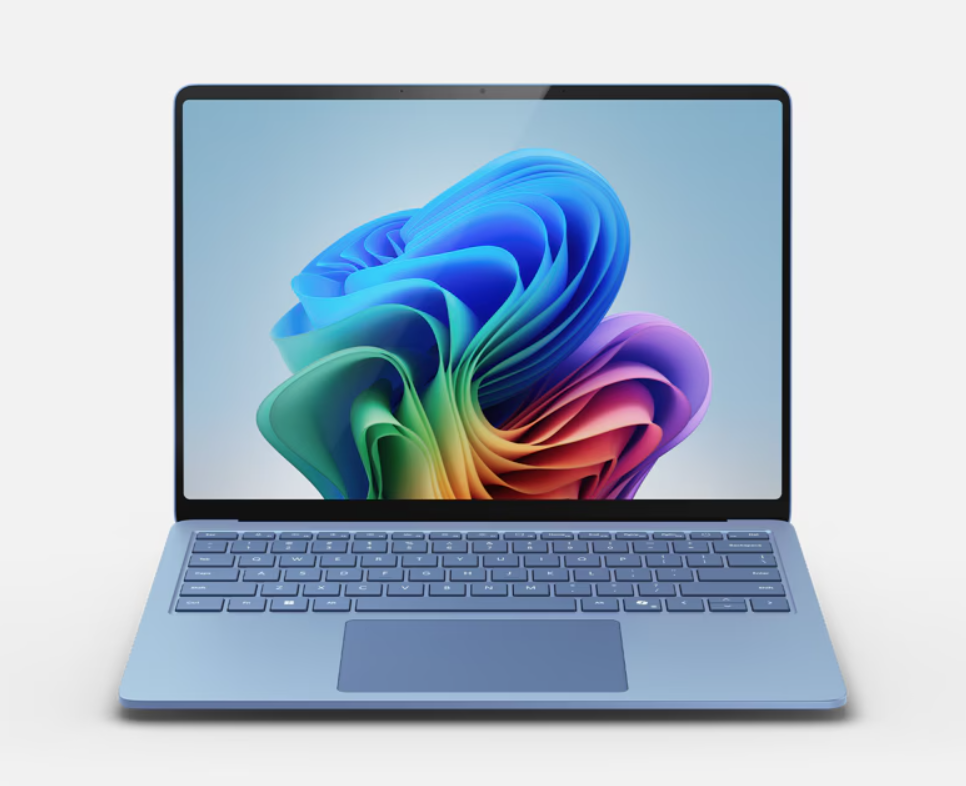
Work Laptops: The [ASUS ExpertBook](<<<<https://shop.asus.com/us/expertbook-p5-p5405.html)>>>>;;;; offers a fast, affordable processor and is built to handle daily clinic demands. If your budget allows, the Microsoft Surface Pro is a versatile favorite, though it costs closer to $1,500 - $2,000, depending on the exact model.
Donated Laptops: Donated computers are fine as long as they can run the Chrome browser. No other minimum requirements apply.
TechSoup.org
Techsoup is a nonprofit organization that connects other nonprofits, libraries, and charities with donated and discounted technology products and services from major companies like Microsoft, Adobe, Cisco, and Zoom. It's a really good place to look if you're not picky about what you're buying and would just like the cheapest option possible.
Tablets
Buying tablets is secondary to buying computers. Using tablets is a game-changer for high-volume veterinary clinics. Tablets save time by going paperless and offer greater flexibility in managing your workflow.
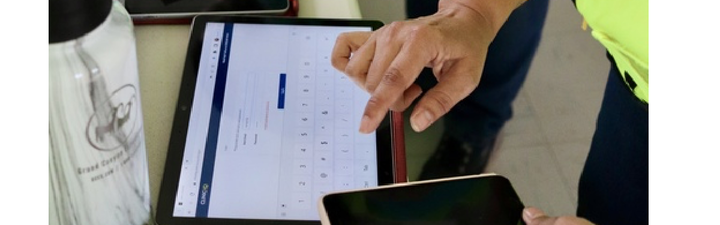
Question: What can you use tablets for in HQ?
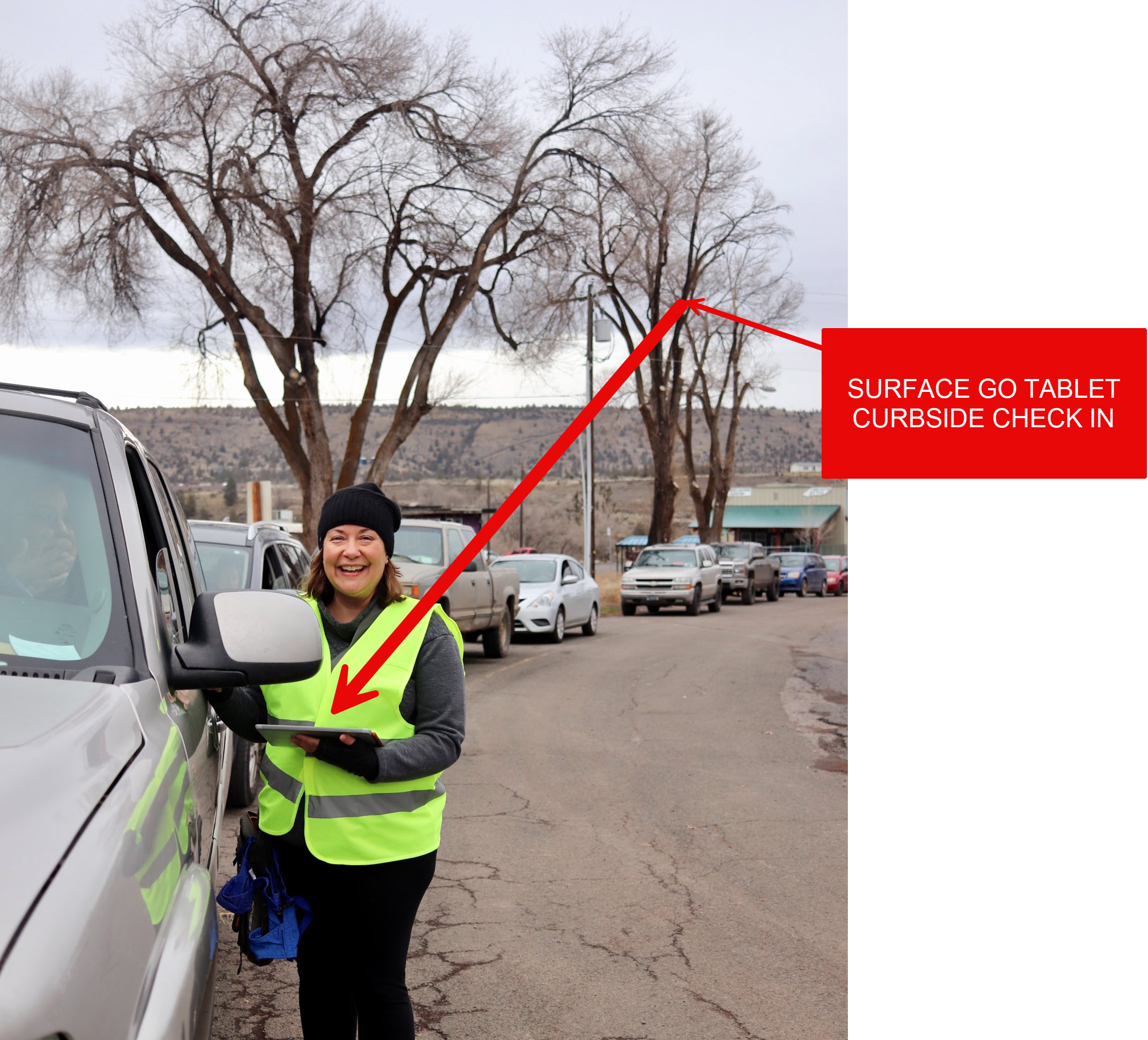
- Curbside Check-In: Many clinics continue to use curbside check-in. HQ’s e-Lobbyallows staff to stay inside while communicating with clients outside.
- Most check-ins are handled on a regular computer, but tablets are useful in specific situations where mobility helps.
- Our vision: complete e-consents and e-pay before clients even arrive, maximizing efficiency.
- Transport Programs: Tablets make it easy to meet owners in the parking lot, collect electronic consent forms, and mark groups as Arrived in HQ. Back inside, this helps staff track who has and hasn’t checked in.
- During Surgery: Patient Flow is a tool for exams, medical note-taking, drug logging, and completing digital treatment sheets. Designed for use with tablets and specifically tablet pens, it replicates the process of writing notes on paper treatment sheets. Since pen use is essential, the stylus becomes a key part of the experience.
- Check Out: Though a tablet is not technically necessary, the portability of the tablet in your fast-paced clinic is a definite perk.
✅ Pro Tip: HQ works with standard devices, so your clinic doesn’t need special hardware. You can collect signatures using a tablet, phone, or computer mouse (Signature pads don’t work in HQ).
Buying a Tablet
We’ve tested many tablets on the market and can provide you with our top recommendation:
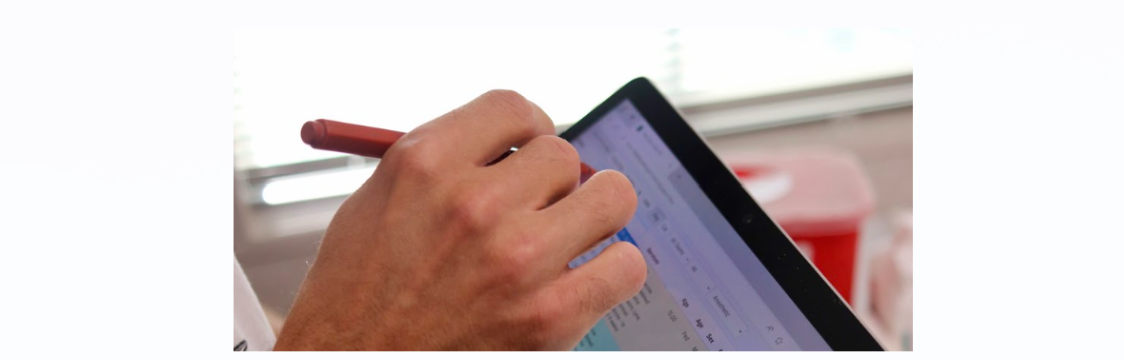
Our top recommendation: Microsoft Surface Go
- Lightweight with detachable Pen (≈$20) and Keyboard (≈$50).
- Runs Windows, which supports high-value peripherals such as Dymo LabelWriter, Zebra printers, HQ credit card machines, and wireless printers.
- Enables printing labels, processing payments, and wireless printing across the clinic.
- Magnetic pen attachment prevents loss—ideal for mobile clinics.
- Superior handwriting functionality compared to iPads, making it ideal for HQ.
- Seamless integration with Microsoft 365 and Excel, essential for downloading the Excel-based Drug Log.
✅ Pro tip: These tablets are popular and may go out of stock. If unavailable, try resellers such as Best Buy, Amazon, or refurbished options. Best Buy often has Surface Go and Surface Pro 2-in-1 laptops at affordable prices.
Will other tablets work with HQ?
Yes, if they meet these requirements:
- Long battery life.
- Ability to run the latest version of Chrome (first- and second-generation iPads cannot).
- At least 8GB of RAM.
Caution: Cheaper tablets often have poor touchscreen sensitivity, limited handwriting support, and weaker connectivity with printers and payment devices.
Here is a breakdown:
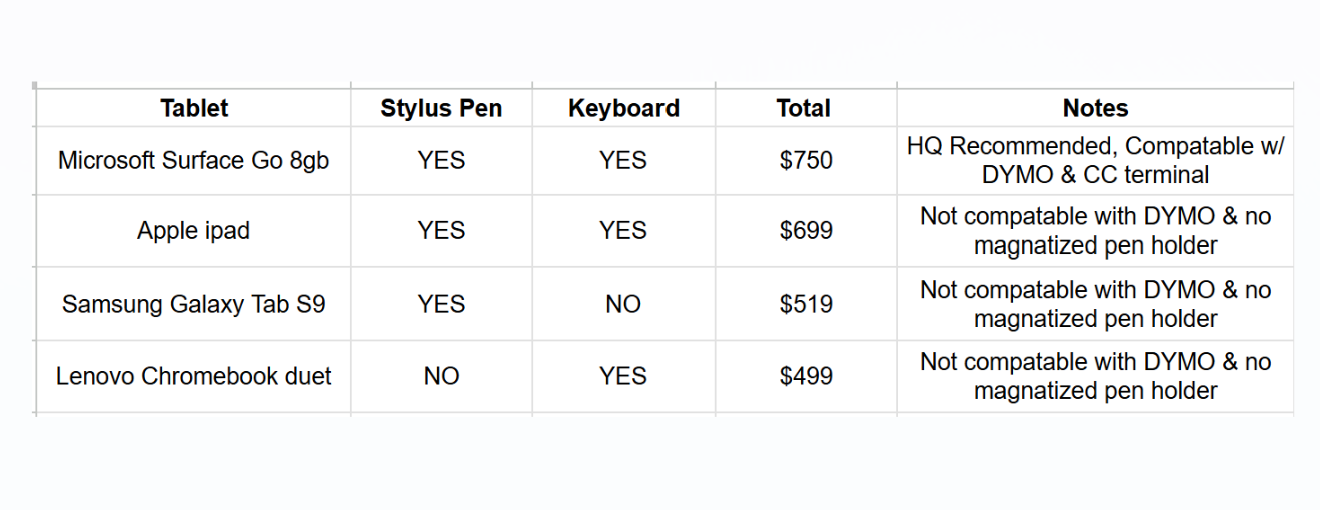
Cost-Saving Options
- TechSoup.org – Nonprofits can access discounted or donated technology from Microsoft, Adobe, Cisco, Zoom, and others.
- Amazon Wish List – A simple way for nonprofits to request donated tablets.
- Best Buy – Often has competitive pricing for tablet keyboard pen combos.
❌ Caution : Older donated tablets may not support the latest Chrome version. Always confirm before accepting. If Chrome cannot be installed, the device is not suitable for HQ.
Tech in Real Life
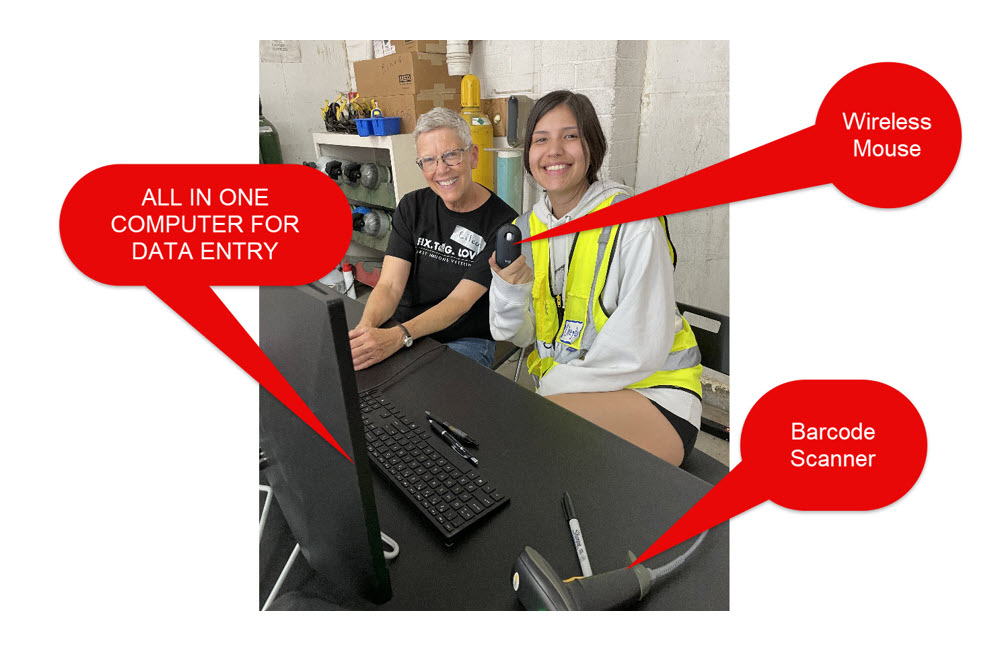
It might be hard to visualize how computers and tablets might be used in your clinic. Here are some real life images of computers and tablets being used in clinic:
Curbside Check in
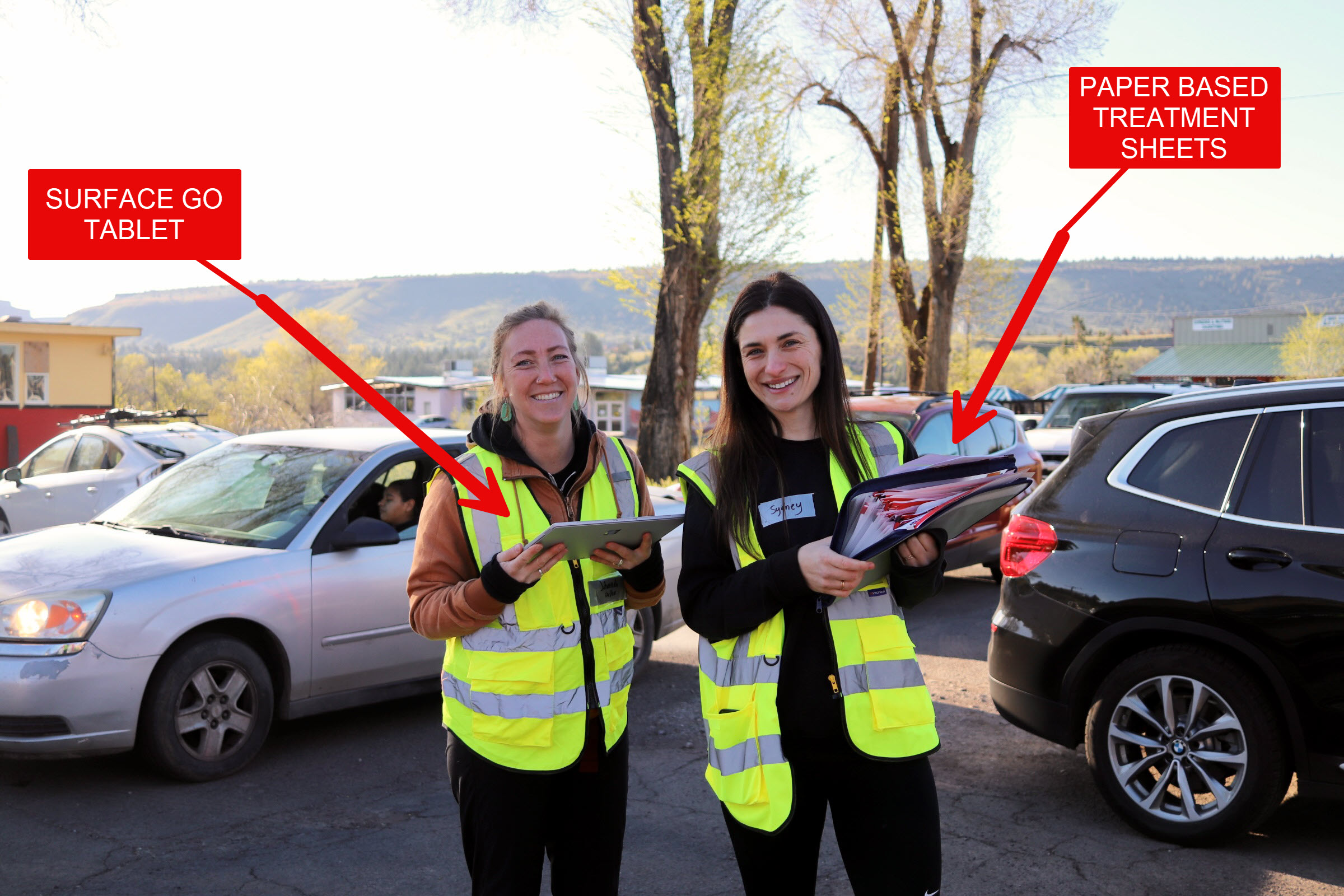
Drug Drawing Exam & Pre-Med
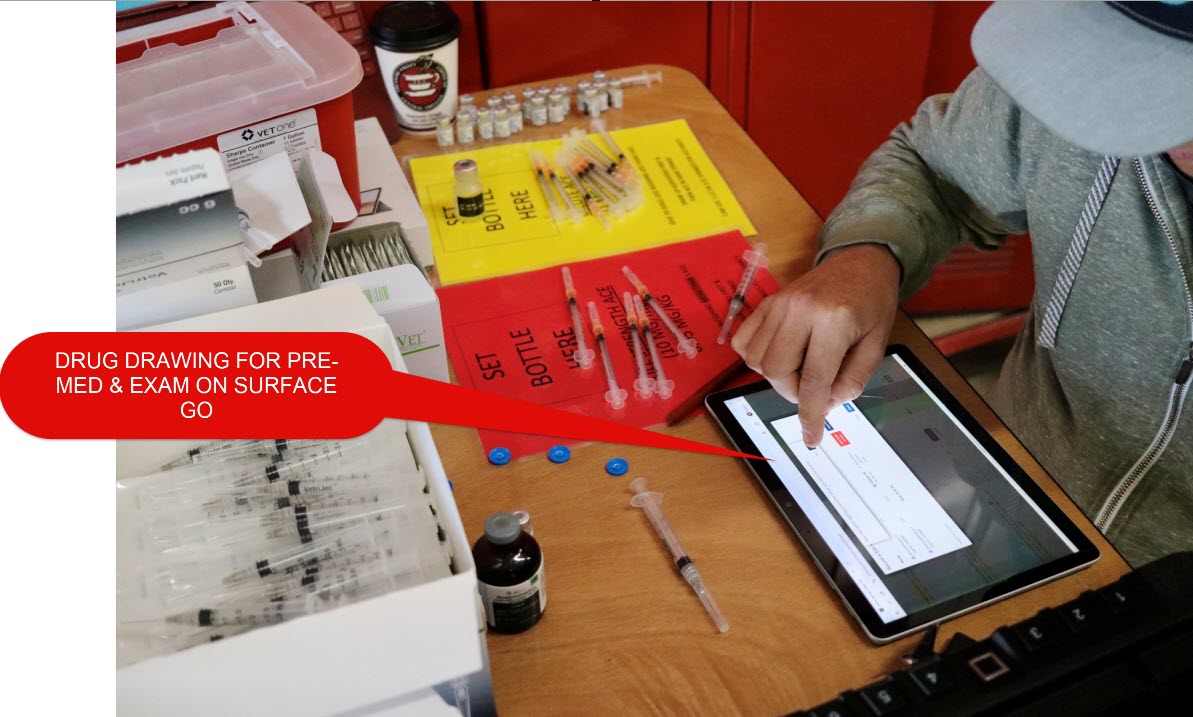
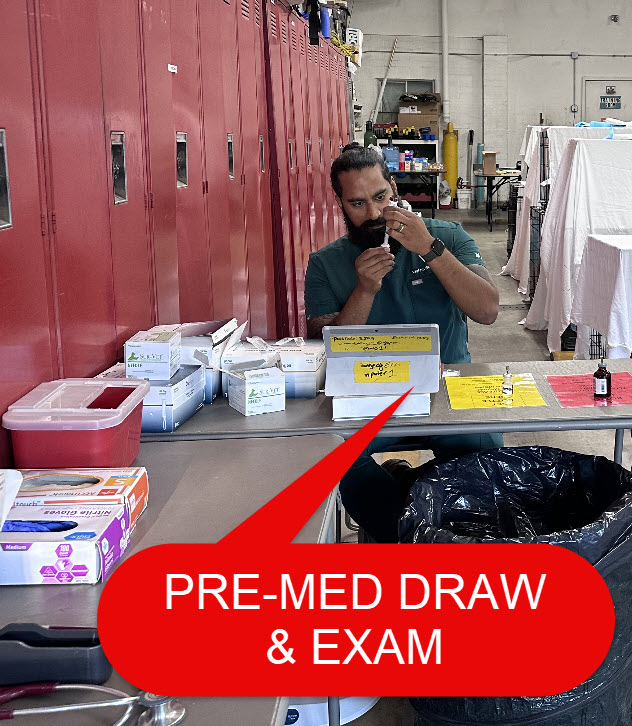
Using a tablet:
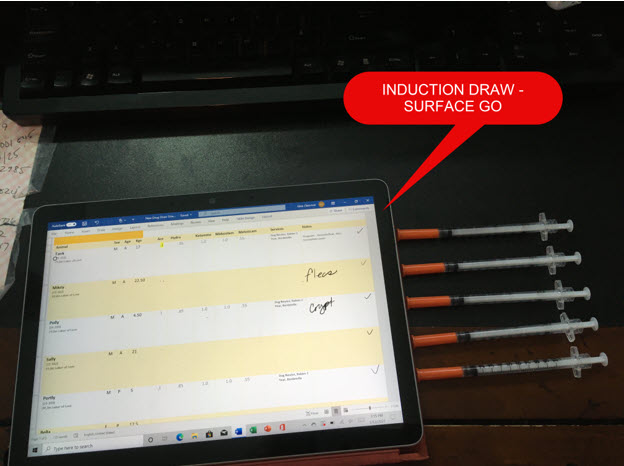
Using an All in One:
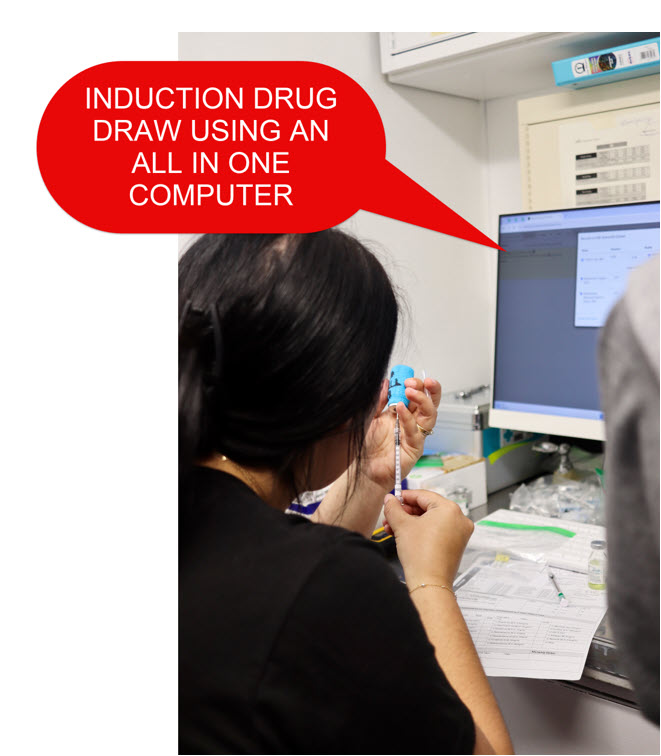
Entering Data:
Printers
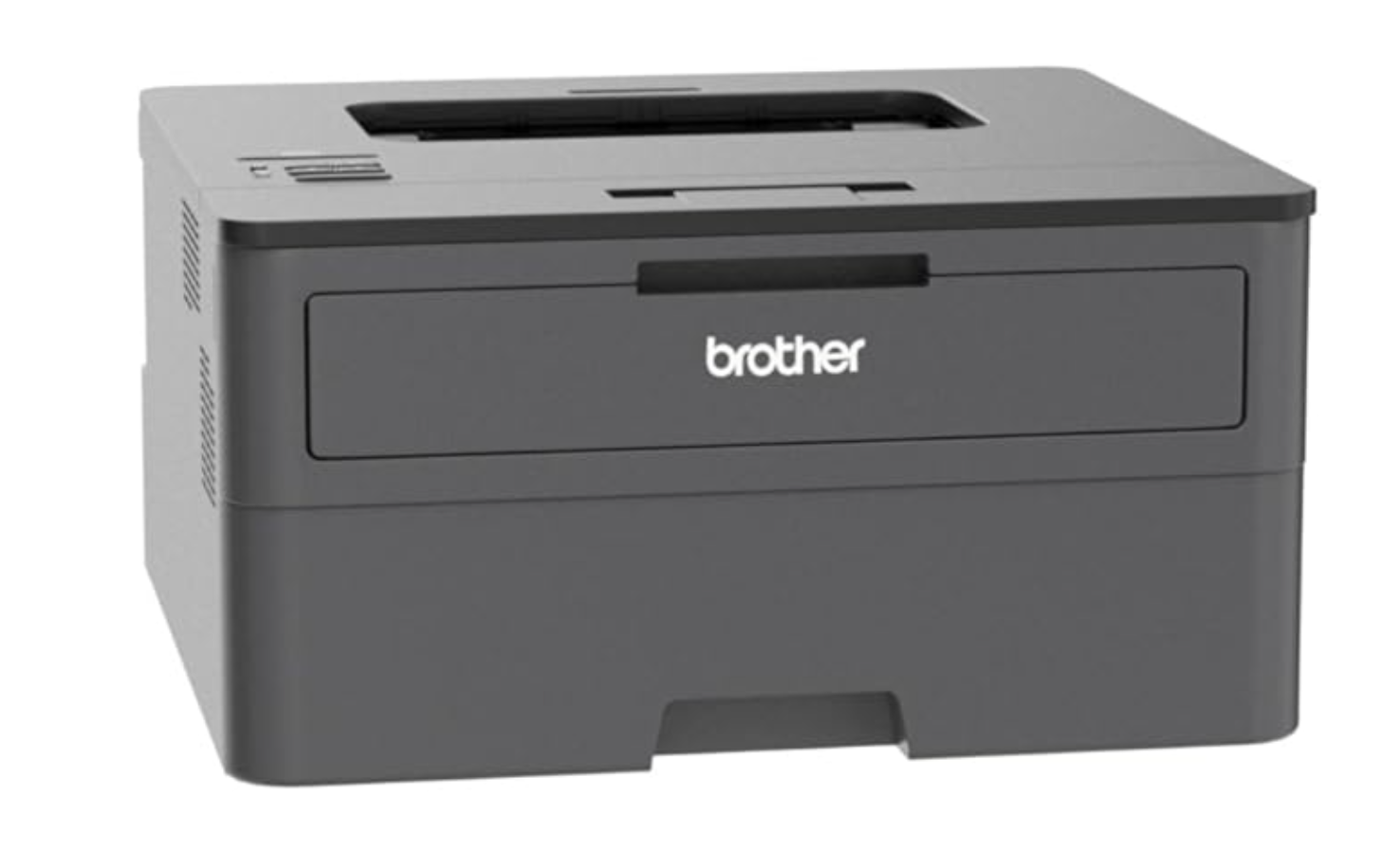
A good printer is essential — we’ve all had one that only works when it’s in the mood! For clinic use, we recommend a black-and-white duplex laser printer. Our favorite is the Brother HL-L2370DW model.
Why we like it:
- Reliable toner – Unlike inkjet cartridges, toner won’t dry out between clinics. Laser printing is faster, and the ink won’t smudge if you highlight over it. Tip: Always have backup toner – Running out mid-clinic can stop you in your tracks. Keep an extra cartridge on hand.
- Wireless printing – Works seamlessly with Google CloudPrint from any of our recommended computers.
- Auto-duplexing – Prints on both sides of the page automatically. This is essential for clinical templates and saves staff time.
Prescription Label Printers
A label printer is a helpful tool for creating clear, accurate labels for medication bottles and containers. This ensures patients go home with the correct information and improves clinic efficiency.
Label Printer Options in Clinic HQ
Clinic HQ supports two types of label printers for patient and medication labels:
❌ Caution: If you are using this brand, Clinic HQ only supports the DYMO Wireless LabelWriter. We cannot provide support for any other DYMO models. Help tickets related to non-wireless DYMO printers will not be answered.
- Widely used in clinical and laboratory settings, Zebra printers are now fully supported in Clinic HQ. They are an excellent alternative for clinics that already use Zebra devices or prefer this brand.
We recommend using either the DYMO Wireless LabelWriter or a Zebra label printer with Clinic HQ.
Recommended Labels
- While many sizes are available, we recommend 2 ¾” x 2 1/8” labels with a caduceus watermark. These provide a professional appearance and ensure information is easy to read.
- You can view and order the recommended labels HERE
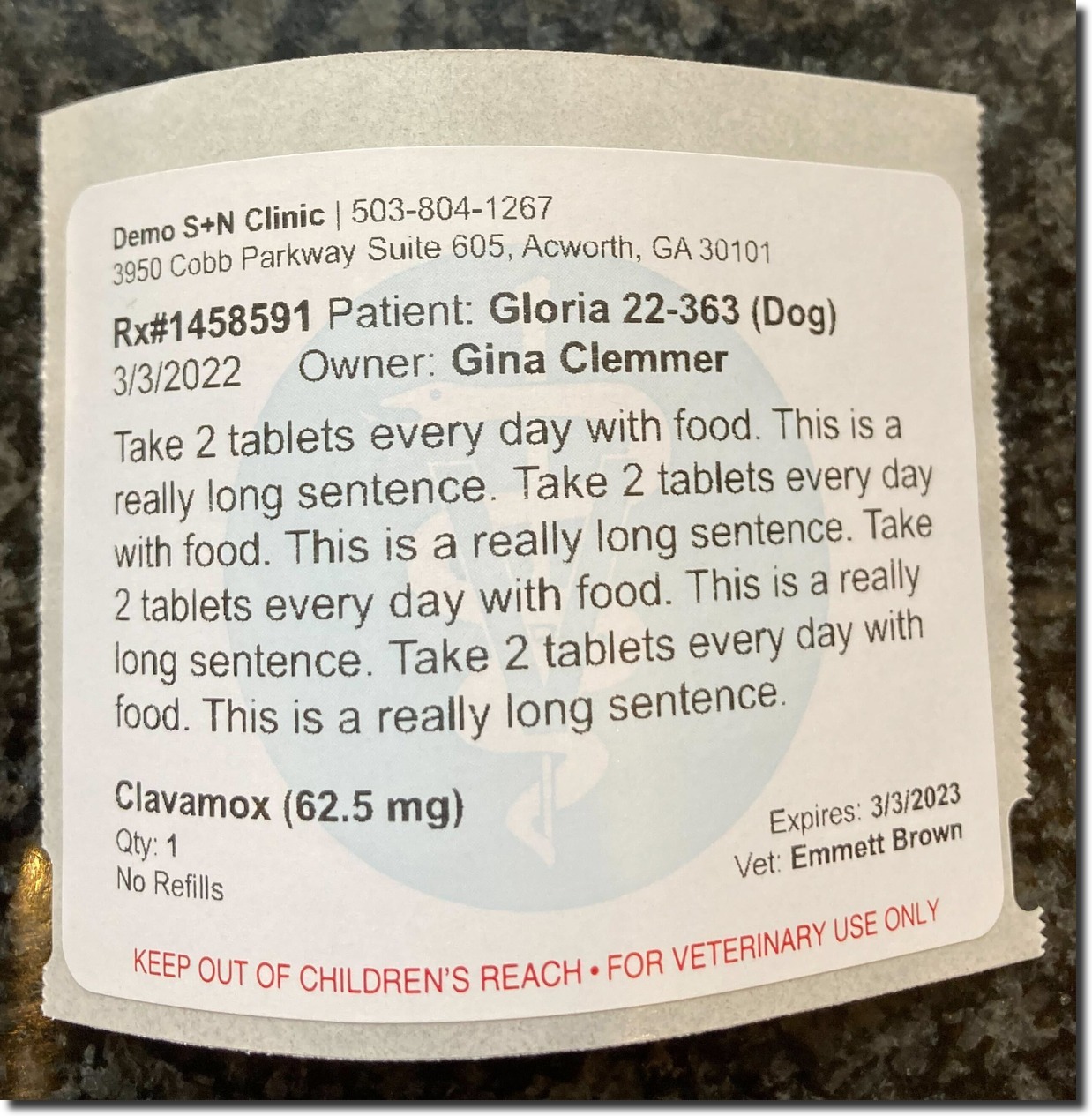
See our section in the manual on how to set them up.
Barcode Scanners
A handheld barcode scanner makes clinic life easier.
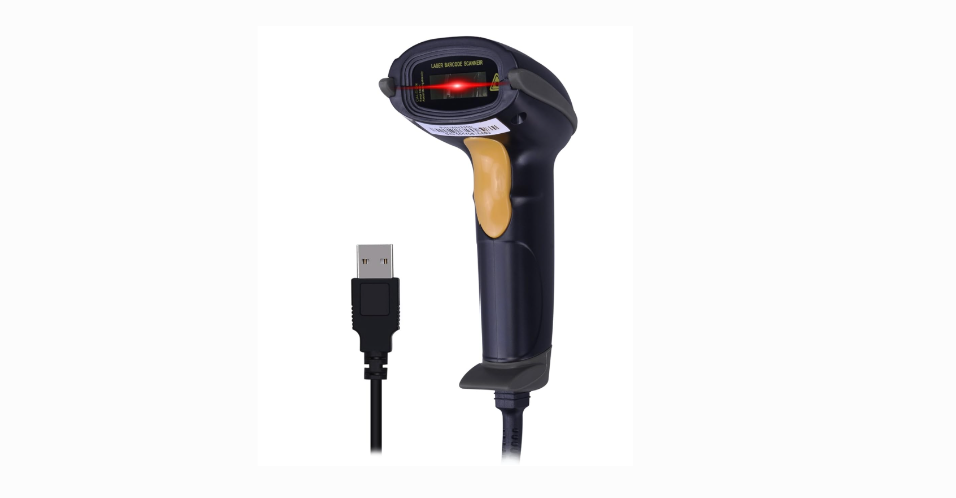
Place your cursor in the microchip field, scan the microchip sticker, and the number will automatically populate. This saves valuable time during checkout.
Wired vs. Wireless
We initially preferred wireless scanners, but forgetting to charge them before clinic often caused problems. For reliability, we now recommend a wired scanner.
Important Notes
- Most scanners connect via USB. The recommended Surface Go tablets do not have a built-in USB port, so you’ll need an adapter like THIS ONE
- If you still prefer a wireless option, THIS MODEL is a good choice.
Wifi Hotspots
Internet is a must-have for cloud-based software — without it, everything else is just a pricey paperweight with a power button! If you are running a mobile veterinary clinic, a secure Wi-Fi connection is the backbone of keeping your clinic functioning smoothly.
Mobile Hotspot
- A mobile hotspot acts like a mini internet hub, keeping you connected even in remote locations.
- We tested the Nighthawk and it works great. At our mobile clinic, we use two of them — one for curbside check-in and one for drug logging and checkout inside the rig.
- All of your devices can connect to the hotspot, and it works with most mobile phone carriers (be sure to confirm first).
- This particular model works with T-Mobile and AT&T once you sign up for hotspot service.
Cost: Around $250 for the device, plus a monthly fee ($10–$30) through a carrier such as AT&T or T-Mobile.
Cellular Hotspots
Most modern smartphones can also function as a hotspot. Simply enable the feature, connect your computer, and HQ is ready to go.
This works well for MASH clinics, outdoor vaccine clinics, or occasional mobile clinics. Just confirm your phone supports hotspot capability before heading out.
Limitations to Consider:
- Phone-based hotspots may not support both a laptop and printer at the same time (we experienced this with AT&T).
- Device limits are common (usually up to 5 connected devices).
- Wireless credit card machines require the hotspot’s IP address to be entered in advance — always test before clinic day.
Credit Card Machines
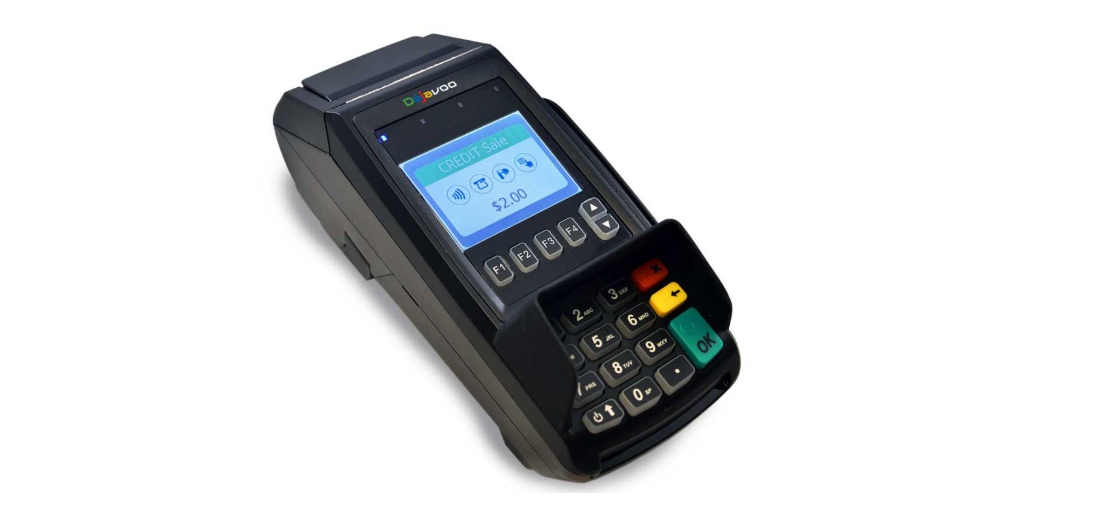
To use integrated HQ credit card processing (where transactions automatically update in HQ), you must use our processing partner, MP Group You’ll need to purchase a Dejavoo credit card machine from MP Group. These devices come pre-loaded with software that works seamlessly with HQ.
Why we recommend Dejavoo
- Accepts both swipe and chip cards.
- Prints carbon copy receipts — one for the clinic and one for the customer.
- Available in two models:
- Wired version – for stationary use.
- Wireless version – ideal for mobile clinics.
Visit HQ University to learn more about using credit card machines with HQ.
Purchasing a Dejavoo Terminal
- To order a Dejavoo terminal, you must be set up with MP Group for card processing.
- If you already have an MX Merchant account through MP Group and need to purchase a terminal, email Amanda at amanda@gompgroup.com
Setting Up Your Dejavoo Machine
Once your terminal arrives, follow the step-by-step instructions outlined HERE