Services Down

This section covers contingency procedures for when Clinic HQ or your internet connection is unavailable, so your clinic can continue operating with minimal disruption.
In the event that Clinic HQ's site is down here is what you can do.
HQ Status Page and Email Alerts
- Go to the status page: https://status.clinichq.com/
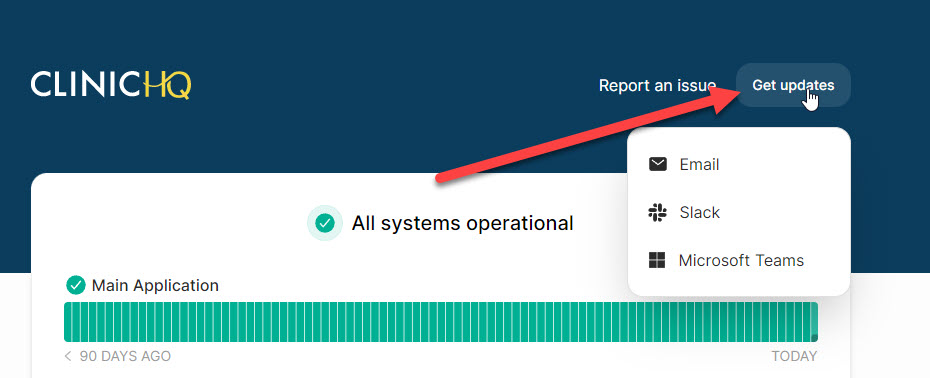
- Subscribe to alerts: click Get Updates.
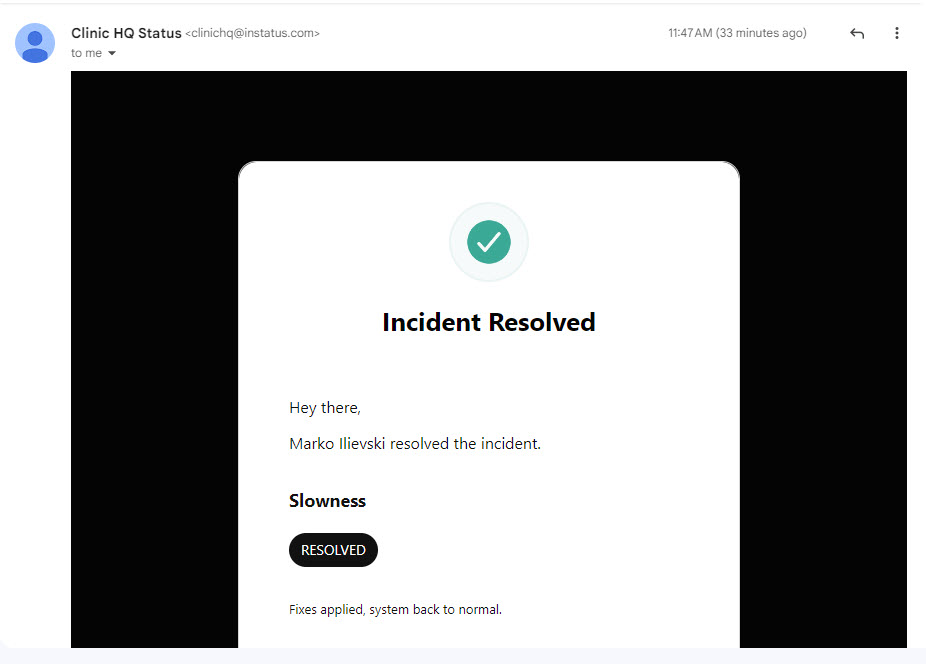
Updates include notifications when an issue is identified and once it's resolved. You will get an alert like this:
Now is the time to fall back on all the plans you have in place for when HQ is down. To see what we suggest you do ahead of time, jump to our page: What to do to prepare for the day when HQ is down.
How To Prepare For The Day When HQ Is Down
We never want HQ to go down but things happen and it's possible that HQ could be down. It may last only a minute or all day. In either event, spay/neuter clinics are busy places and it's in your self interest to ask your HQ administrator to put the following actions in play.
Sign up for our status page
In an emergency communication is key. If HQ were fully down, we'd not be able to post memos or communicate with you in any way. So we've created a page outside of our HQ eco system that will be up no matter if HQ is down. Every person who routinely uses HQ should go to this status page and input their email to get emailed updates when HQ is down and subsequent status updates.
Join Spay Neuter Central on Facebook
Our first communication spot will be our status page. But an informal communication spot is Spay Neuter Central. Users will often post here first say - Hey, the site is down. This may be helpful for you. We may or may not update there. But we will for sure update the status page. See how to sign up here.
Set up The Vault
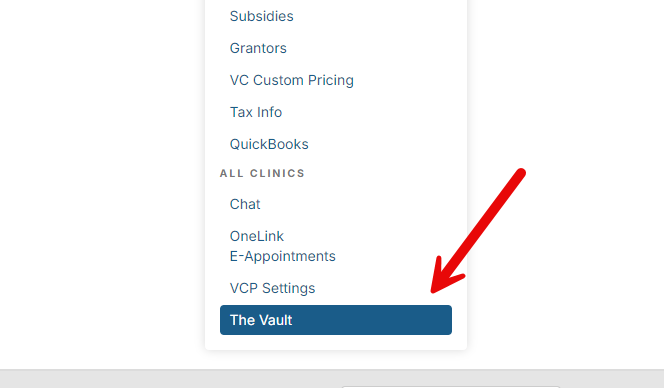
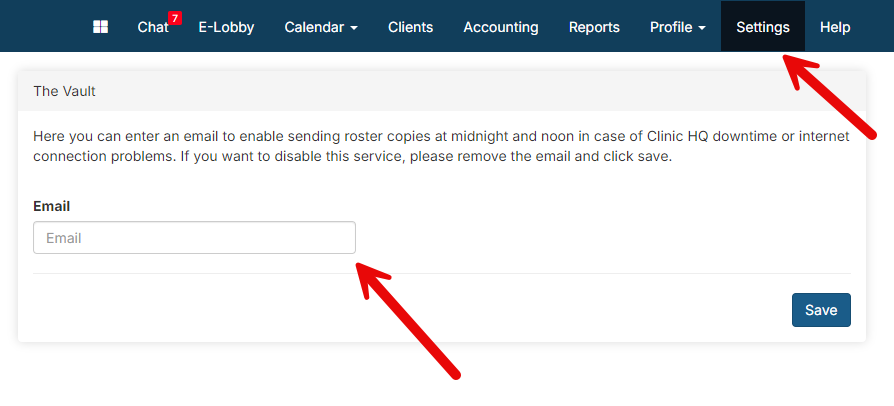
Setup your email in "the vault." The vault sends you a copy of the daily roster at midnight for the upcoming day. This ensures that you always have a copy somewhere of who was scheduled and for what. This is an easy, no effort way to make sure you at least have a copy of who is coming into clinic the next day. To set this up, go to Settings, down at the bottom of page click on The Vault page, and enter your email and Save.
Download the Drug Log Backup Tool
The Drug Log Backup is a tool that allows you to download the drug log and the roster should either the internet or Clinic HQ go down. This tool allows you to have the necessary information in regards to your patients and any drugs they have received. To enable this tool do the following.
- Click this link to go to the Chrome Store:
https://chromewebstore.google.com/detail/clinic-hq-tools/mnkjojkkflemmfphpefojghbijildbck
- Add the extension to your Chrome browser.
- If HQ were down, you could click on the extension and download the drug log and roster to your computer.
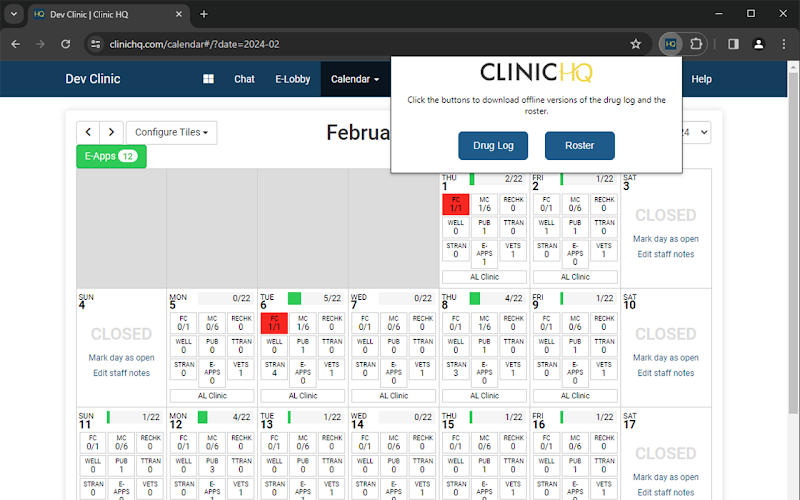
- Your Clinic HQ Admin should ensure this extension is on all key computers!
Have blank templates at the ready
Create blank templates of your paperwork for consent forms and medical travel sheets. Use can use the Clinic HQ Recommended Templates but remove the merge fields.
It is highly recommended to keep a stack of pre-printed forms handy in case of a system outage. These forms should be used to manually record important information such as logging exams/medical notes, drugs used, and services received.
Once the system is back up, you can enter the data from the hard copy paperwork into the Patient Flow system.
Additionally, once the data is entered, you can scan each page and attach it to the appointment in Checkout before properly disposing of the hard copy.
Drug Log Backup Tool
The Drug Log Backup Tool is your backup plan if Clinic HQ goes down. Both the drug log and roster are backed up every five minutes. If Clinic HQ goes down, you can click the extension in the Chrome browser and produce a copy of your drug log and your roster. The Chrome extension will work even if Clinic HQ is offline! The Vault Extension stores local history, keeping these files inside your browser which significantly minimizes security risk.
Chrome Extension
To download the extension, click Here and select 'Add to Chrome.' If you have Clinic HQ open when you install the extension, please be sure to REFRESH Clinic HQ for the extension to take effect!
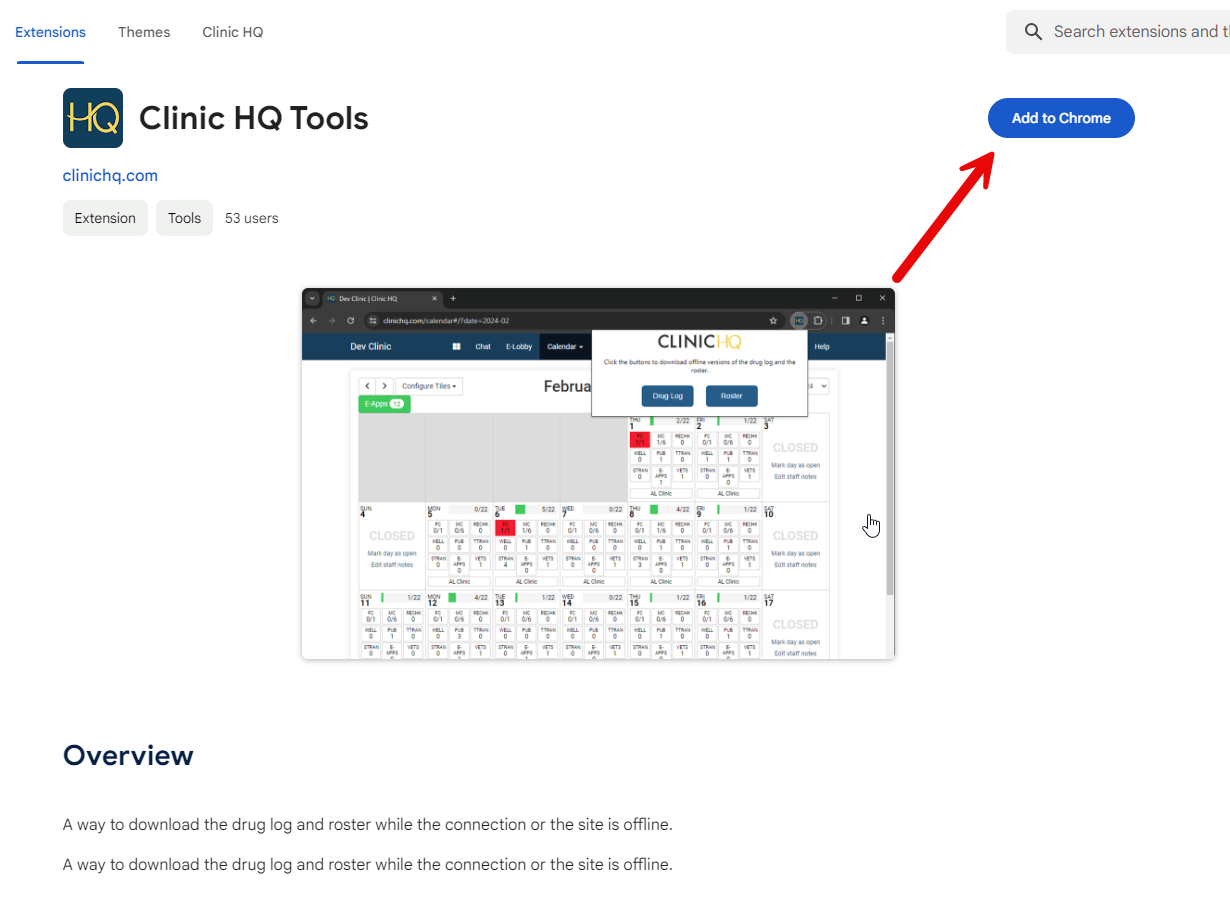
Once the extension is added to Chrome, go to your extensions tab near the top right corner of your screen. Click on the 'HQ' extension, and you will see the options to download your Drug Log and Roster:
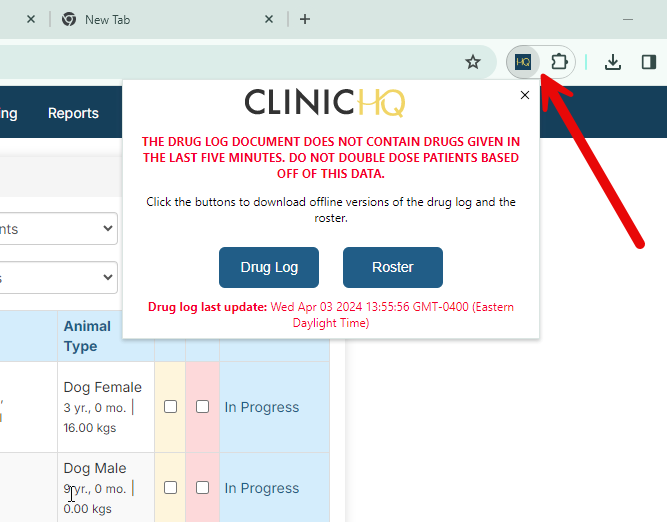
Once you click on 'Drug Log' or 'Roster', they will populate in the downloads section of your browser:
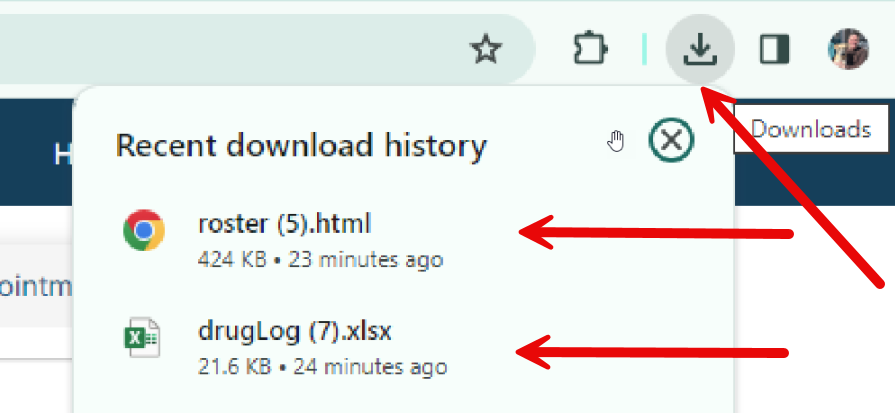
The Vault (Email Backup)
You can also have your roster emailed to you at midnight and noon in case Clinic HQ goes down or there are internet connection issues. Go to Settings > The Vault > Add your email in the textbox provided.
When MX Merchant is Down
These options would be used in an emergency situation such as if MX has an outage, or if your internet or HQ went down. It's good to have a back up plan (no matter what processor you use) so here are some solutions for how to keep moving forward if you don't have access to your processing tools.
- If you use HQ processing, one option is when the system is back up, send E-Payment requests to clients.
- Order blank credit card slips from Amazon and have them on hand. We recommend these Although most credit cards these days do not have raised numbers, you can tally what they owe, write the digits on the slip and staple it to their paperwork. Then when HQ is back online, you use the Credit Card (E-Payment) option to manual type in the information. Here is the information you would need to collect:

- If you're super anxious about your processing going out, MP Group can set up a stand alone terminal that is not tied to HQ or MX where you can simply initiate a sale, the machine beeps, you put the card in and it processes it. The cost of the machine would be $200, plus shipping. It would still batch out in MX Merchant when it comes back online and would be at the same low processing rate you have set. This would work in case of an outage with MX again.