Recheck Appointments

Why Rechecks Cannot Be Wellness Appointments
Overview
Recheck appointments are specifically linked to an animal’s spay/neuter surgery. When scheduling a recheck, you must reference both the animal and their original surgery appointment.
These appointments are critical for tracking surgical outcomes. Recheck data reflects:
- Post-surgical complications.
- Client compliance with aftercare instructions.
- Overall surgical success rates.
❌ Important: Using recheck appointments for Wellness visits disrupts this data and undermines your ability to analyze surgical quality.
Recheck Statistics in HQ
You can review and analyze recheck data in several ways:
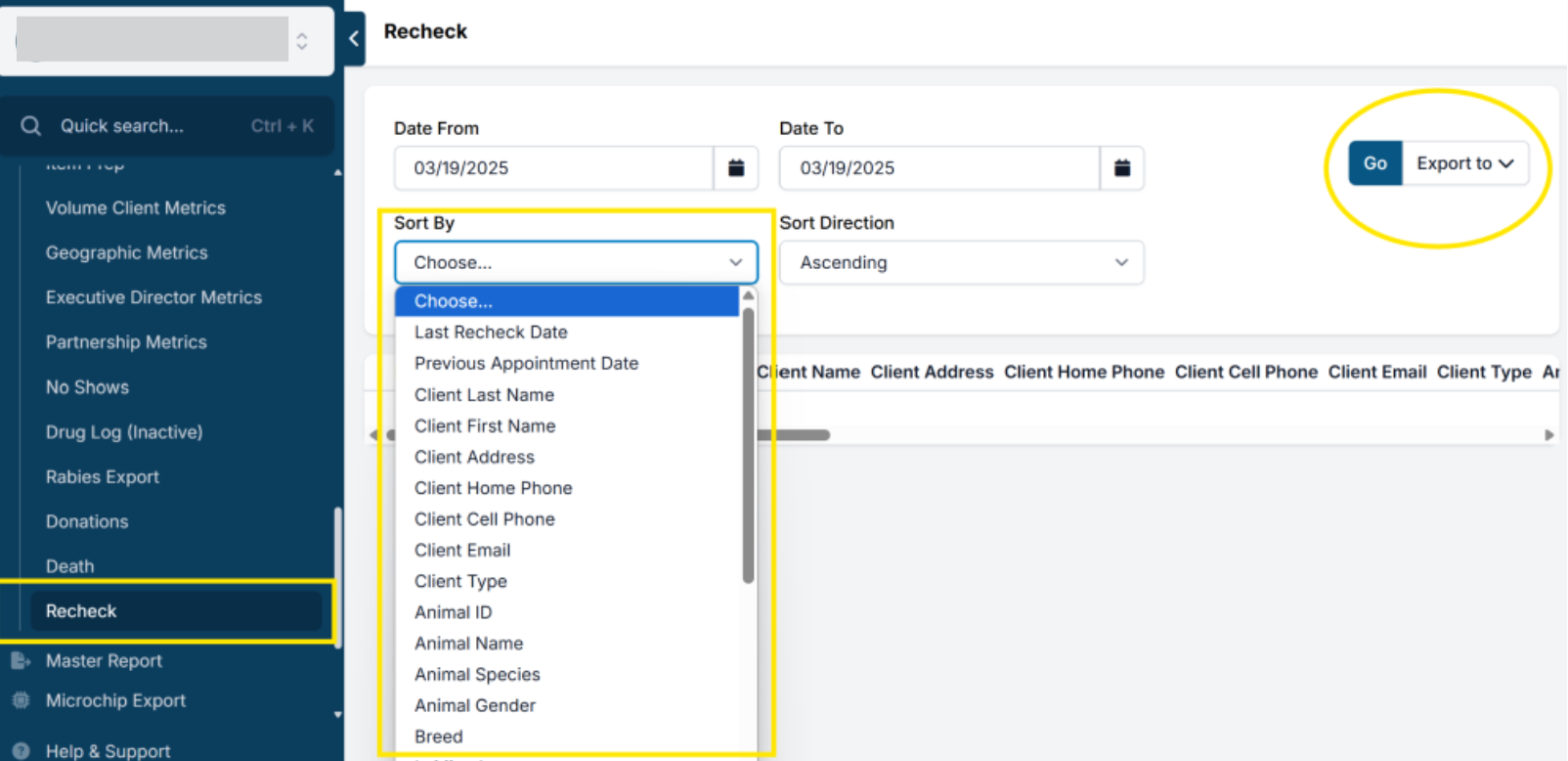
- Go to Reports > Rechecks.
- This is the primary report for recheck analysis.
- Use the filtering options to sort results in different ways (e.g., by complication type, date, or clinic).
- Input a date range, then click Go to view data.
- To export results, click Export to and choose Excel.
Scheduling Recheck Appointments
Recheck appointments can only be scheduled internally in HQ. This ensures staff create the correct appointment type and discuss the need and urgency of the visit with the client.
- Rechecks cannot be booked through E-Appointments.
- They must be scheduled from the Spay/Neuter Calendar.
- Some clinics do not offer rechecks. In these cases, clients should be referred to another veterinarian.
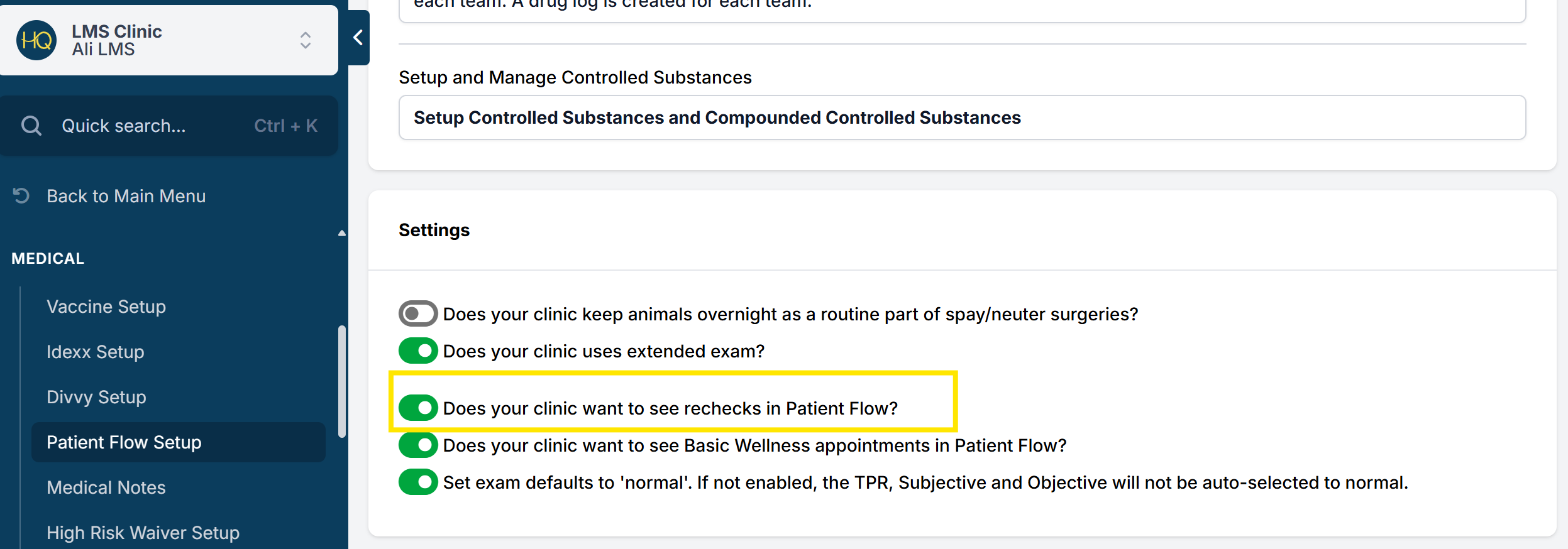
✅ Pro Tip: To include recheck appointments in Patient Flow, go to Settings > Patient Flow Setup and enable Recheck appointments.
Using Recheck Appointments to Document Post-Op Concerns
Recheck appointments are intended for follow-ups after spay/neuter surgeries. They can also be used to document client conversations about post-op concerns—even if the patient is not seen in person.
- Schedule a Recheck Appointment on the day of the discussion.
- Keep it active until the issue is resolved.
- To distinguish remote rechecks, create a service item such as “Recheck (by phone, email, or text)”.
Details to record during a recheck:
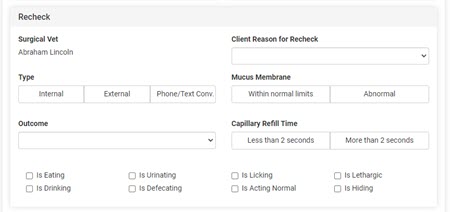
- Type of recheck: Internal, External, or Phone/Text Conversation.
- Client’s reason for the recheck.
- Outcome: document whether the concern was related to a surgical complication.
Documenting a Recheck
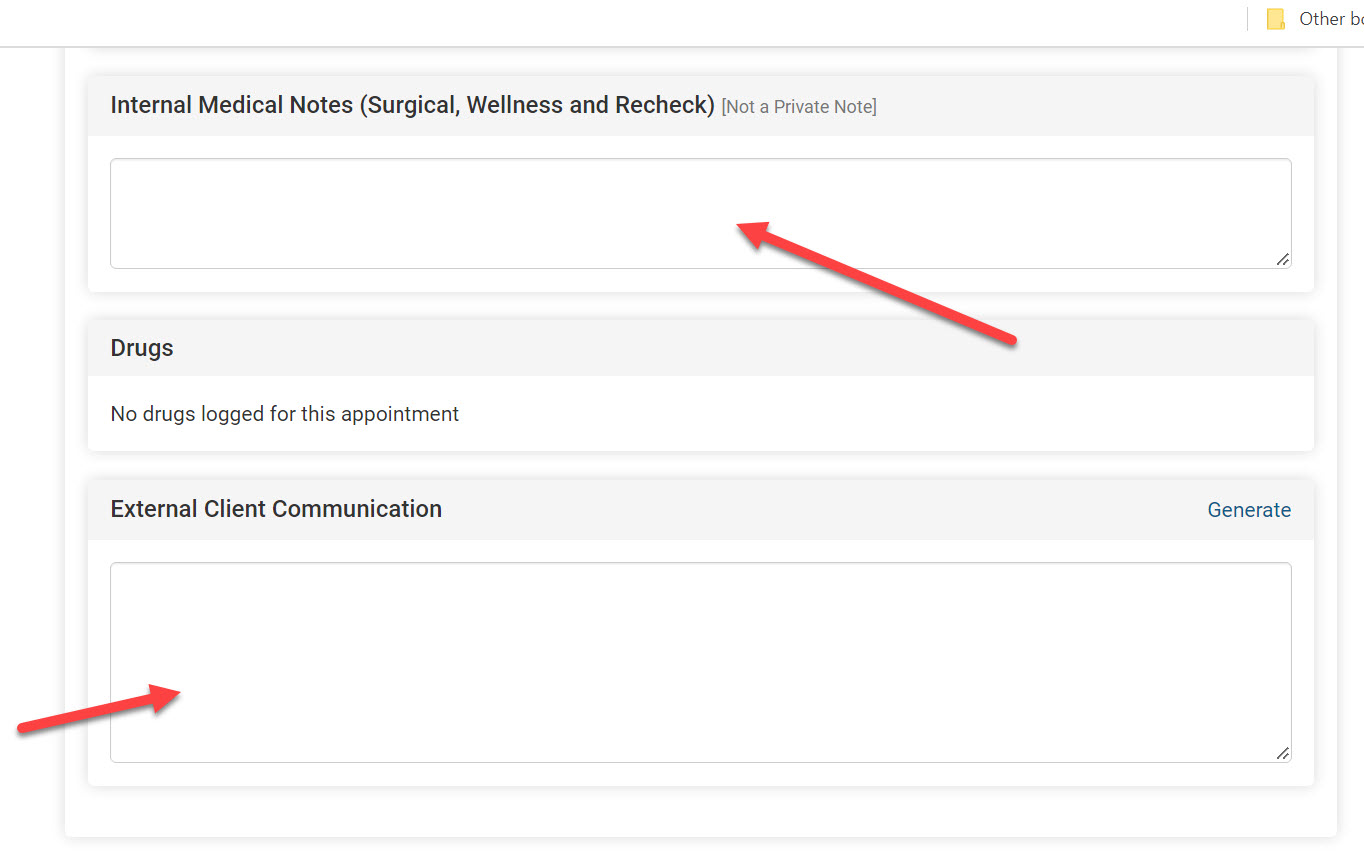
- Internal Medical Notes: Use this field to record the conversation. (Note: this field is not private and prints on the medical record.)
- External Client Communication: Use this field for text intended for the client. If you have the merge field in your Recheck Take-Home Template, it will automatically pull in this communication.
Uploading Images
Clients may email or text images of the incision. You can:
- Upload images to the Documents section of the Recheck Appointment (found under the Appointment tab in Check In/Checkout).
Recording the Type of Recheck
From the Treatment Sheet of the recheck appointment, select how the recheck was performed:
- Internal Recheck: Done in-house by your clinic/vet.
- External Recheck: Done by another veterinarian. Additional fields appear to record cost and location. This data outputs to reports to track external recheck expenses.
- Phone/Text Conversation: Document the conversation in Internal Medical Notes and upload any client-provided photos. The record will display under the animal’s medical record.
Sending Documentation to Clients
- Go to Clients > Print/Email Paperwork.
- Email the recheck take-home paperwork.
- Use HQ’s template or upload your own customized version.
Reports on Rechecks
Recheck data appears in:
- Rechecks Report
- Executive Director Metrics Report
This makes it easy to monitor post-op outcomes and track trends.
Easily Identifying Rechecks
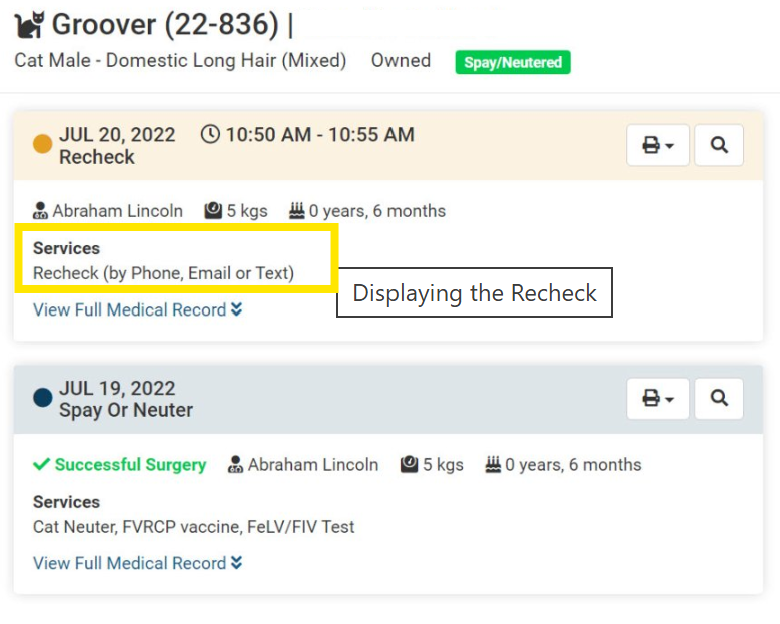
When entered correctly, rechecks are clearly visible in records. For example, a service item may appear as: Recheck (by phone, text, or email).