Tax
Reporting Sales Tax

After setting up taxable items for your clinic and recording payments, you can run a Financial Export to report the total sales tax collected.
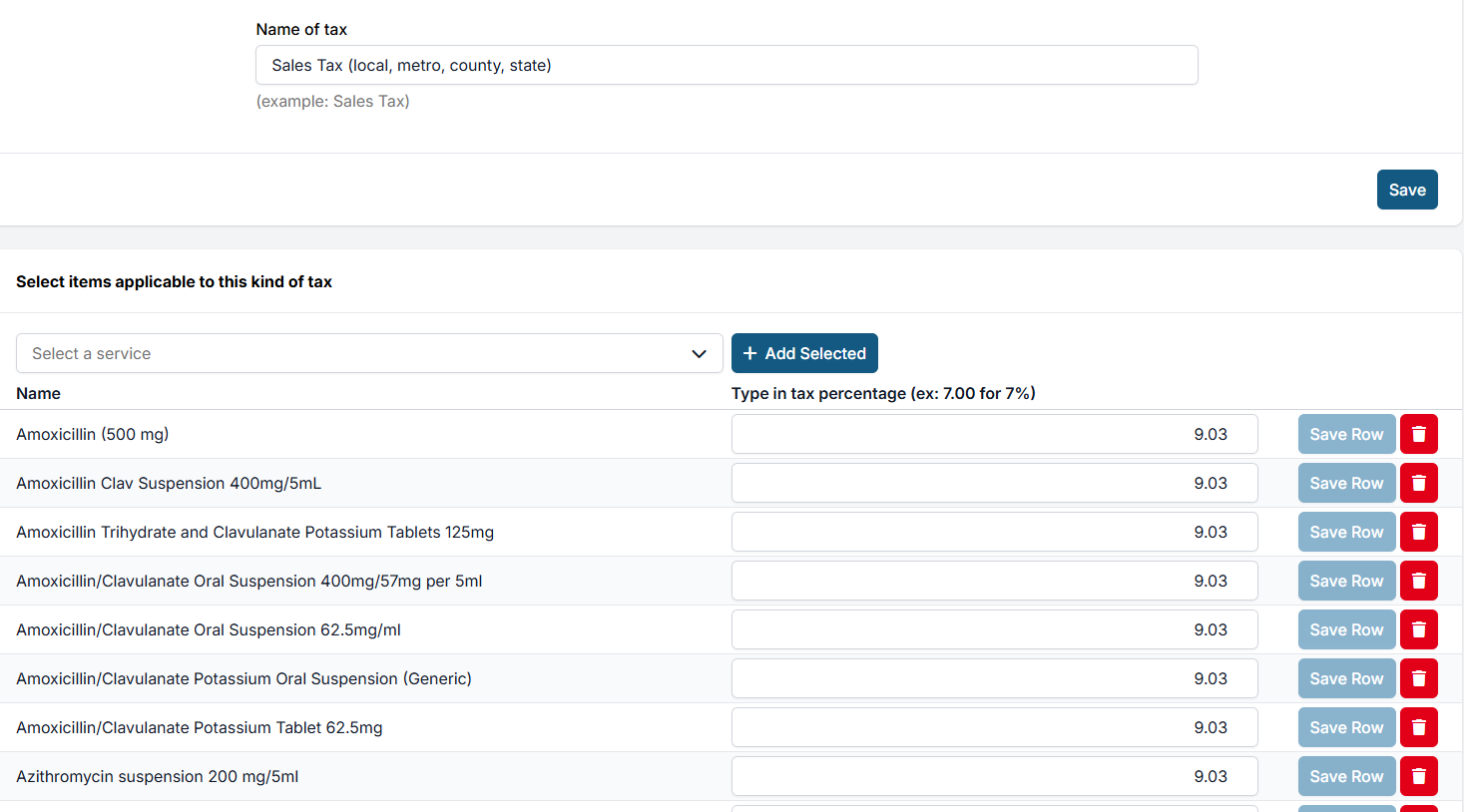
To learn how to set up tax on items, see the Tax Info settings page.
- Go to Accounting > Financial Export.
- Run the report by Payment Date.
- Use the date picker to export all payments received during the desired time frame (monthly, quarterly, or annually).
- Click Run the Export.
In the downloaded Excel spreadsheet, open the first sheet and locate the Tax column. The total at the bottom is your tax owed — already summed for you.
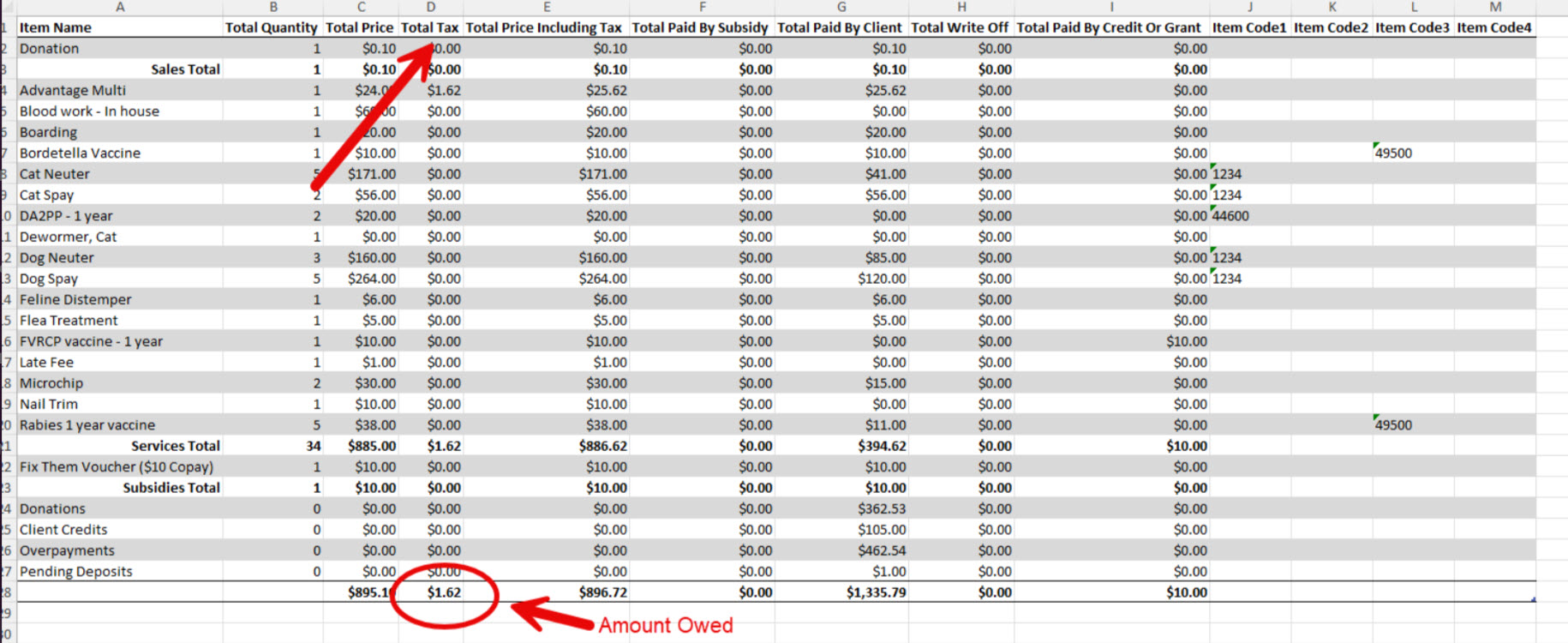
The detail behind this total is in the Services sheet of the same report.
Handling Tax for Subsidized Services
When a clinic sells taxable items, state tax laws typically require tax to be collected from the client even if a third party (like a nonprofit) is covering the cost. Taxes are not waived simply because the item is subsidized.
How it works when a subsidy or grant is applied to a taxable item:
- The system applies the subsidy to the base price of the item.
- The system charges the client the applicable tax separately.
- The nonprofit or grant fund does not pay sales tax — the client pays only the legally required tax amount.
Example (Minnesota):
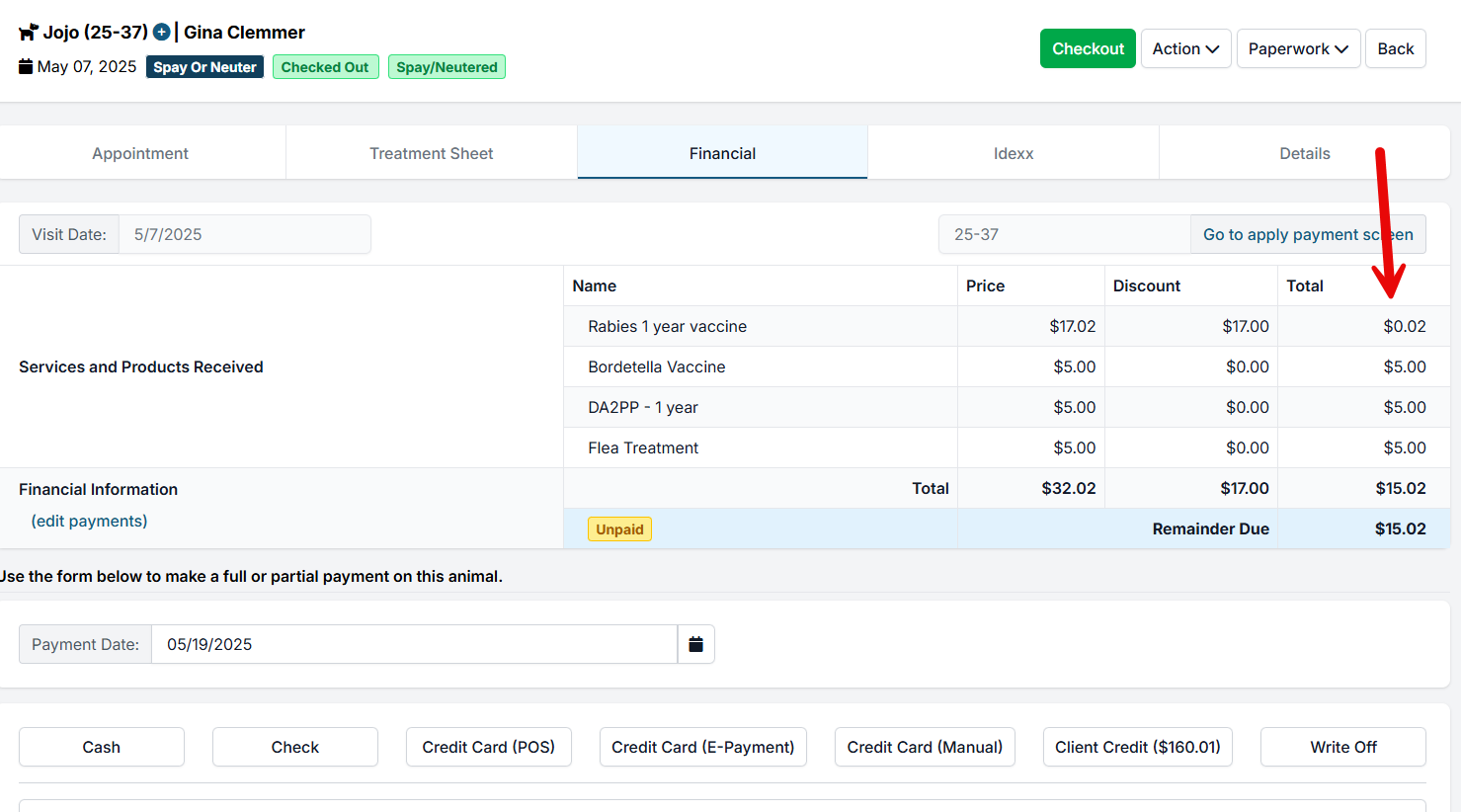
- Item: One-Year Rabies Vaccine — $17.00
- Sales Tax (MN): $0.02
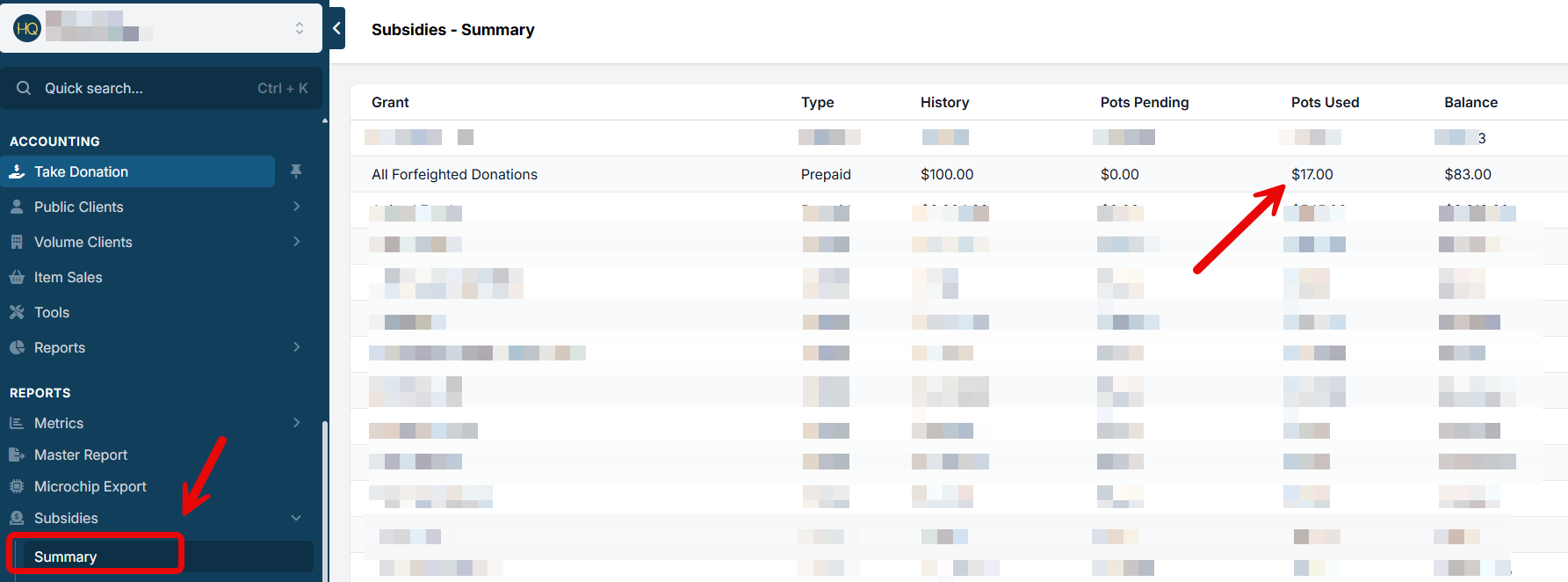
- Subsidy Applied: $17.00 (paid by grant)
- Client Pays: $0.02 (tax only)
State Tax Law Considerations
Tax laws vary by state, but most follow similar rules:
Taxable: Tangible goods sold to clients (flea collars, e-collars, prescription and OTC meds, pet food) and separately listed items on invoices even when administered by the veterinarian.
Nontaxable (typically): Veterinary services (exams, surgery, bundled vaccinations) and items used during treatment that are not itemized separately.
✅ You can quickly look up your state's laws using a ChatGPT summary.
Recommendations
- Do not create duplicate invoice items to bypass sales tax.
- Use the system's existing subsidy tools, which handle taxes correctly.
- Inform clients and funders that a small tax charge may still apply and is legally required.
- Confirm tax obligations with your state's Department of Revenue if unsure.
Volume Client Tax Exemption

Not all clinics will have to charge tax, and not all clients will be charged tax. You can set up a volume client as tax exempt so they will not be charged tax on any services or products associated with their appointments.
Setting Up a Volume Client as Tax Exempt
- Go to Client Management > Search.
- Search for the volume client and click View.
- Click Edit Profile and tick the box: Do not charge tax for this volume client.
- Click Save.
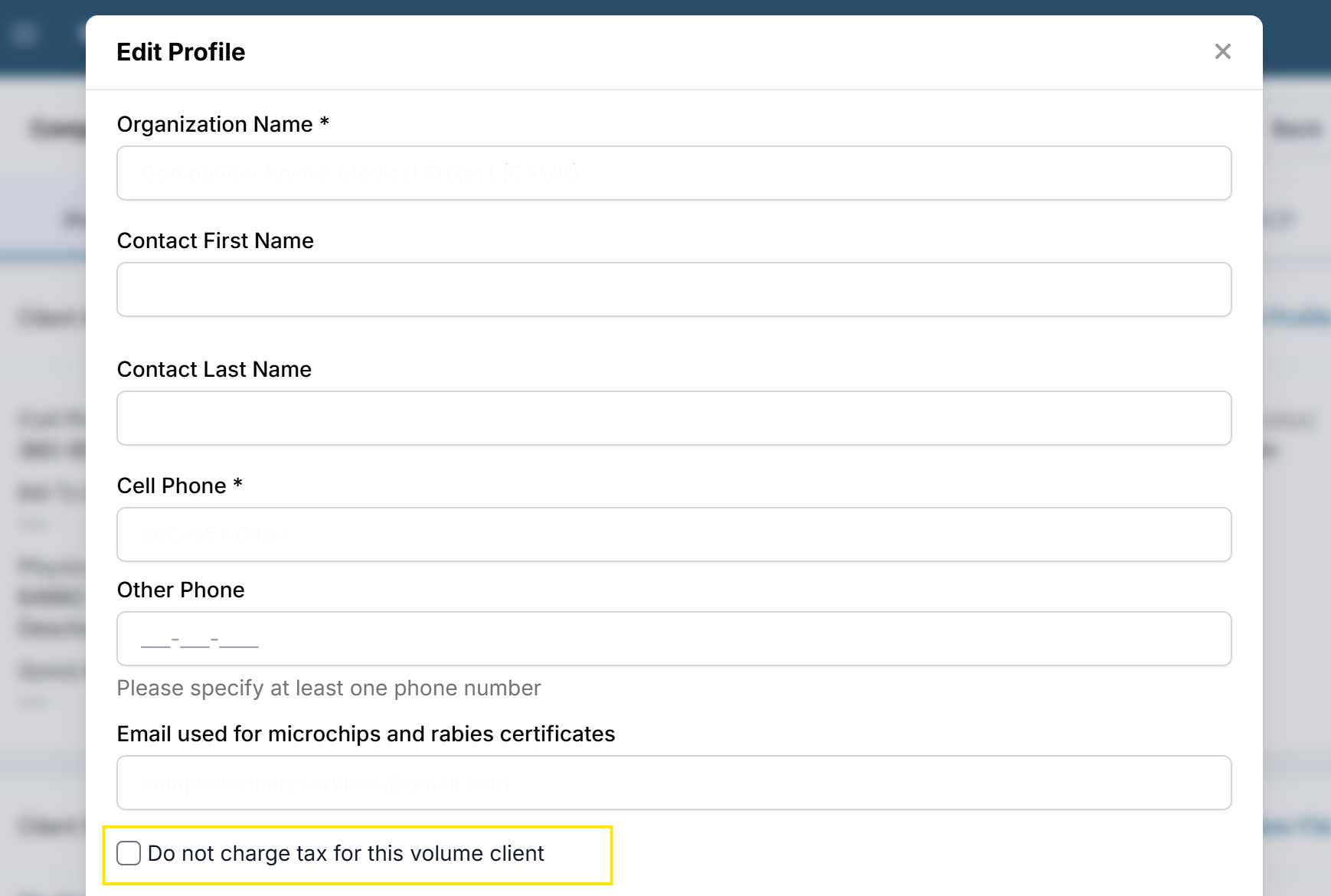
Note: This setting is all-or-nothing. You cannot specify which items should be taxed and which should not for a given volume client.