Funding Reports
Partnership Metrics

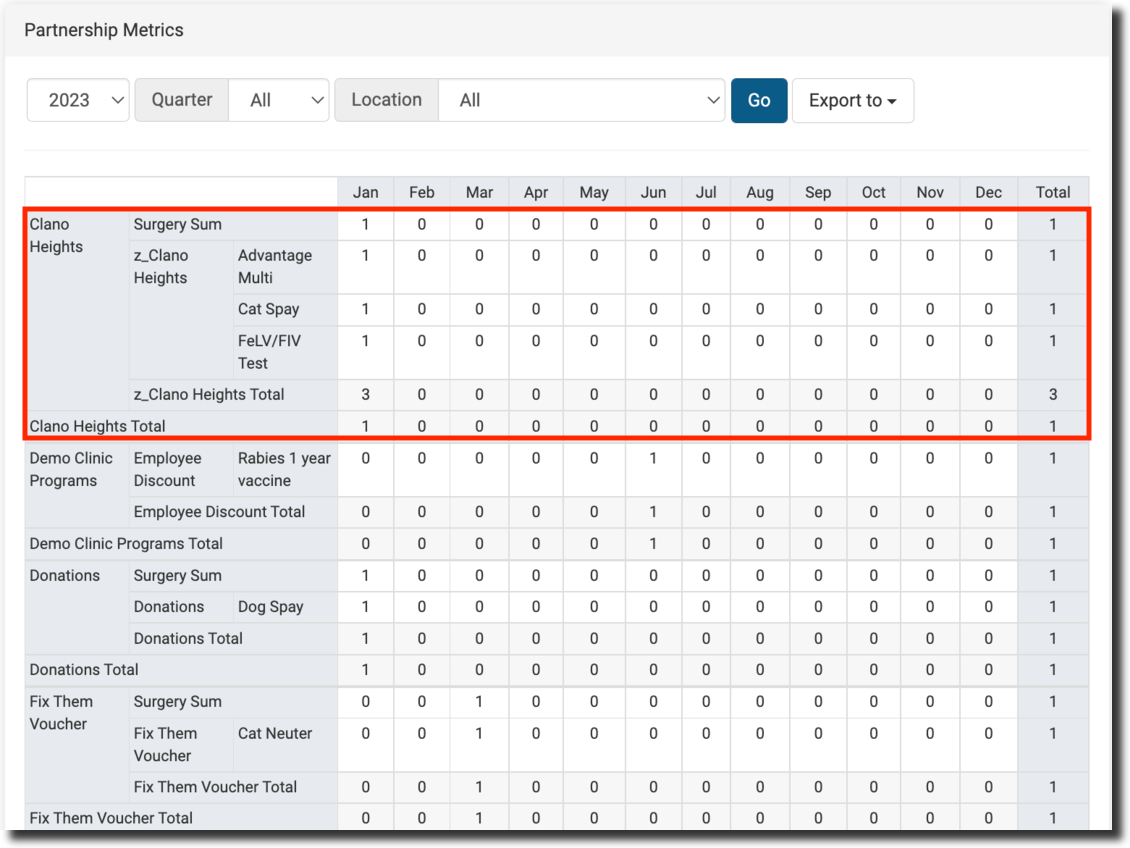
The Partnership Metrics report breaks down your funding partnerships and all of the services they have covered — useful information for both your clinic and your partners.
It shows each funding partnership and the number and type of services they covered. Filter by year, quarter, and location at the top of the page. The report is also easily exported.
Donations Metrics

The donations report provides a summary of donations and grants made to your clinic. A donation is any money not allocated toward services/products that was placed into a Funding Partnership pot. Each report can be viewed in HQ or exported to a spreadsheet.
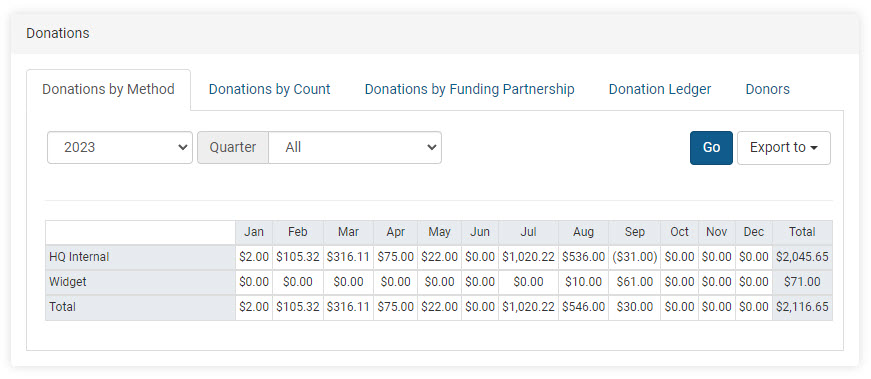
Donations by Method
Shows how donations were received and the total collected by each method each month.
HQ Internal:
- Overpayments made during appointments
- Donations made directly in an appointment
- Donations or grants added/removed through Funding Partnerships
- Donated Admin Fees (DAFs)
Widget:
- Donations through the campaign widget on the E-Appointment Form
- Donations through widgets embedded on a website
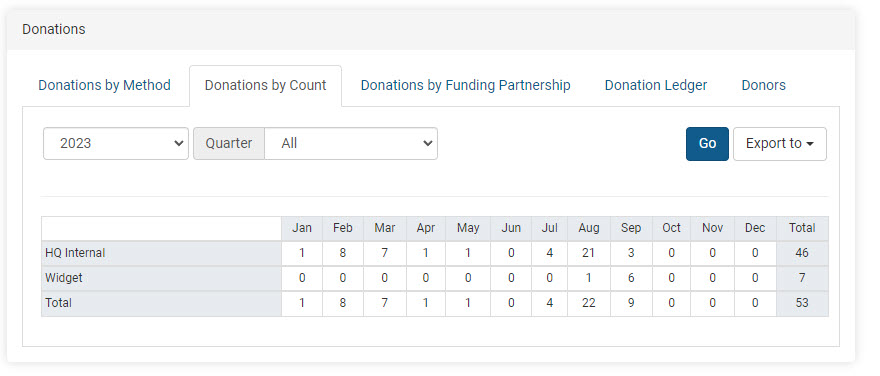
Donations by Count
Shows the number of individual donation payments received each month by method — not the dollar amounts.
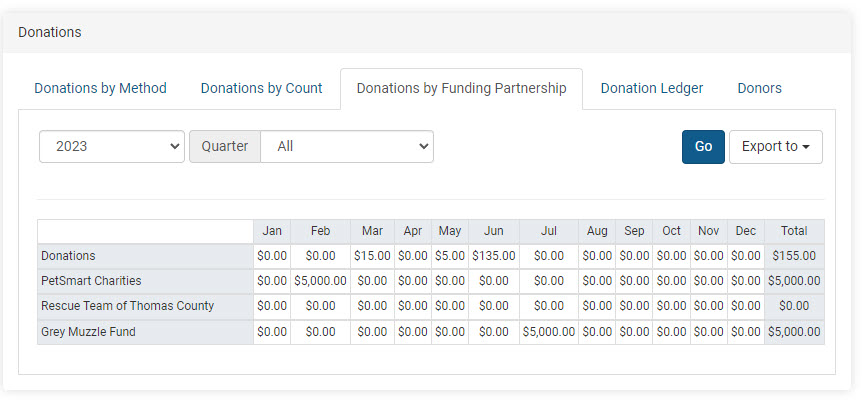
Donations by Funding Partnerships
Monthly breakdown of amounts received toward each pre-paid funding partnership pot, including individual donations plus grants.
Donation Ledger
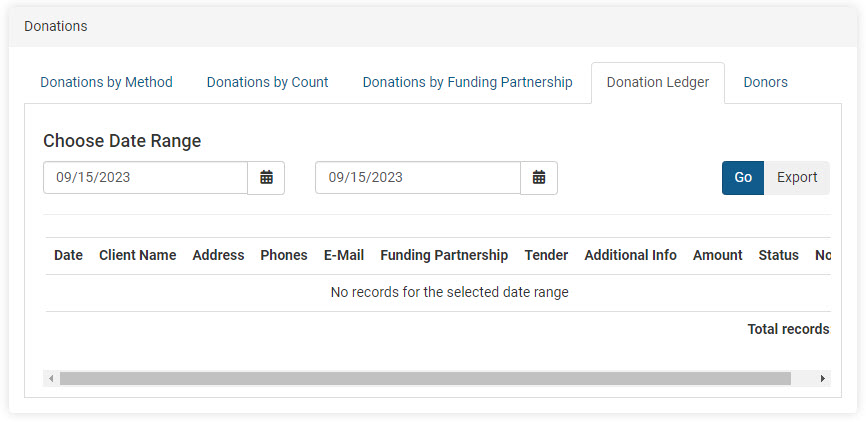
The master spreadsheet showing all activity related to donations and grants. Also serves as an audit for voided or refunded donations.
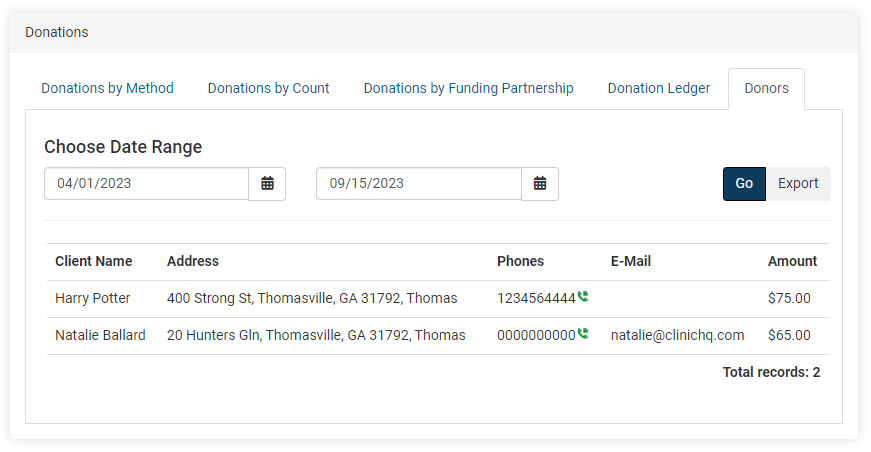
Donors
Total donation amount per person for the selected time frame. Many nonprofits use this report to send tax write-off or thank-you letters, as it includes client email and address alongside the donation amount.
Subsidies Summary

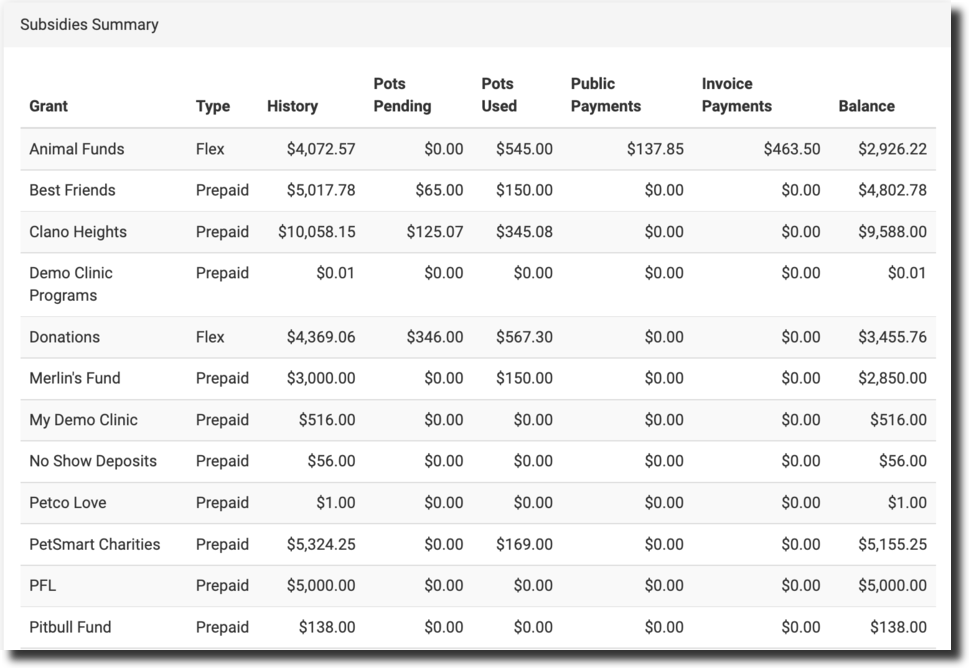
The Subsidies Summary provides a quick view of how much of a grant has been used and how much remains.
- Pots Pending – Payments for appointments already scheduled but not yet completed.
- Pots Used – Amount of the fund already spent.
- Balance – Remaining fund balance.
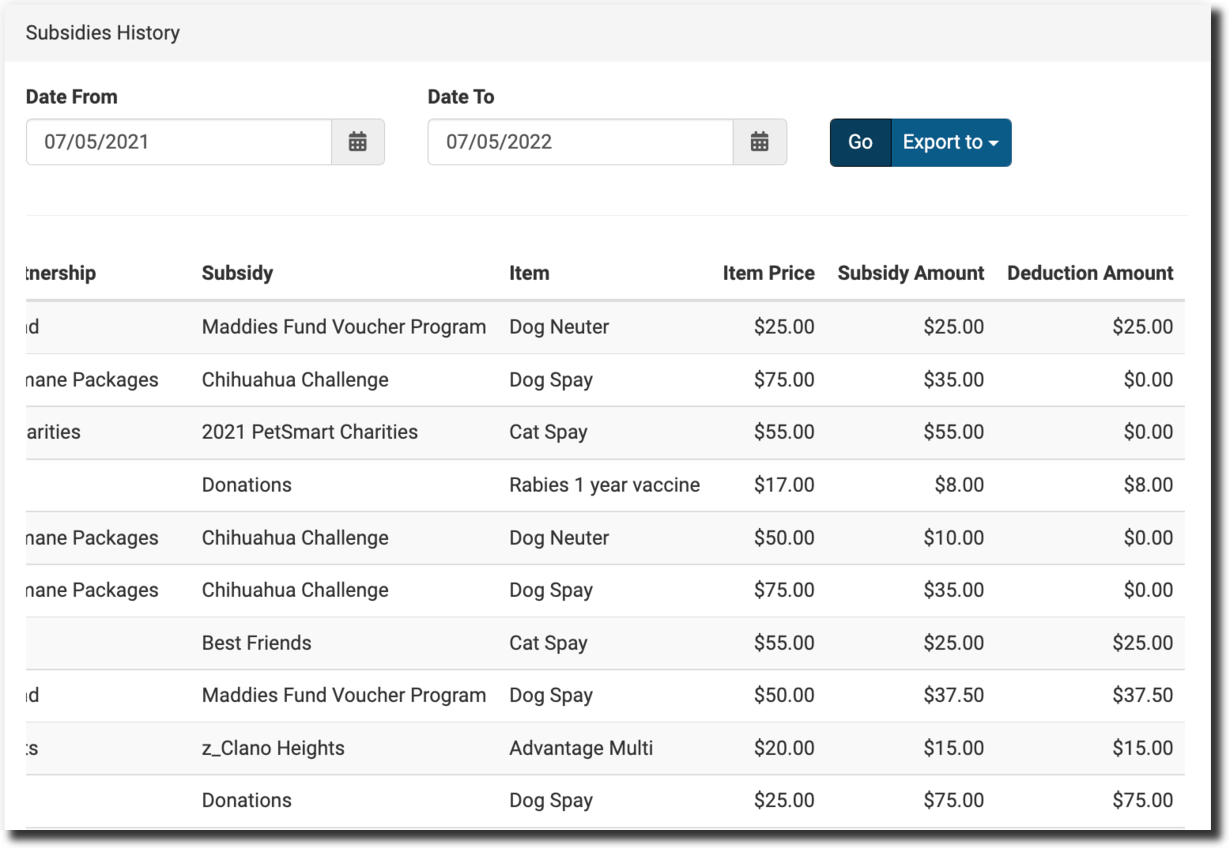
Subsidies History
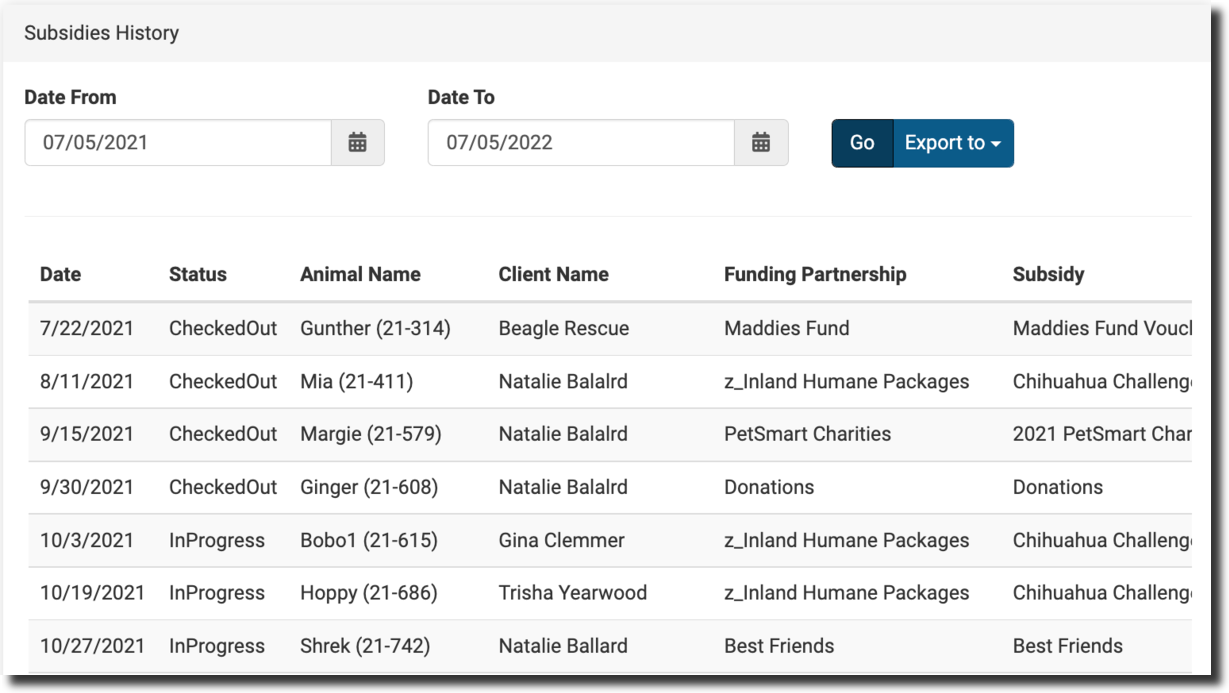
Provides more detail on each individual subsidy and how it has been used. Useful for accounting — includes price changes, reimbursement amounts, item names, subsidy names, and client details for every subsidized transaction in the selected date range.
✅ Tip: To view details for a specific subsidy (rather than all subsidies), run a Custom Report.