Templates
14.4. HQ's Visit Summary & Post Op Template
Visit Summary - Take Home Template Overview.
Every appointment should receive an emailed or printed visit summary detailing the services rendered and any client communication notes.
HQ recommends a custom template instead of the built-in Spay and Neuter Certificate because the custom template is an all-in-one, offers better client communication options, and can be used regardless of whether the surgery was successful.
Download HQ Recommended Templates (follow link and open HQ Templates.) AVAILABLE IN ENGLISH & SPANISH.
Take Home Template Requirements.
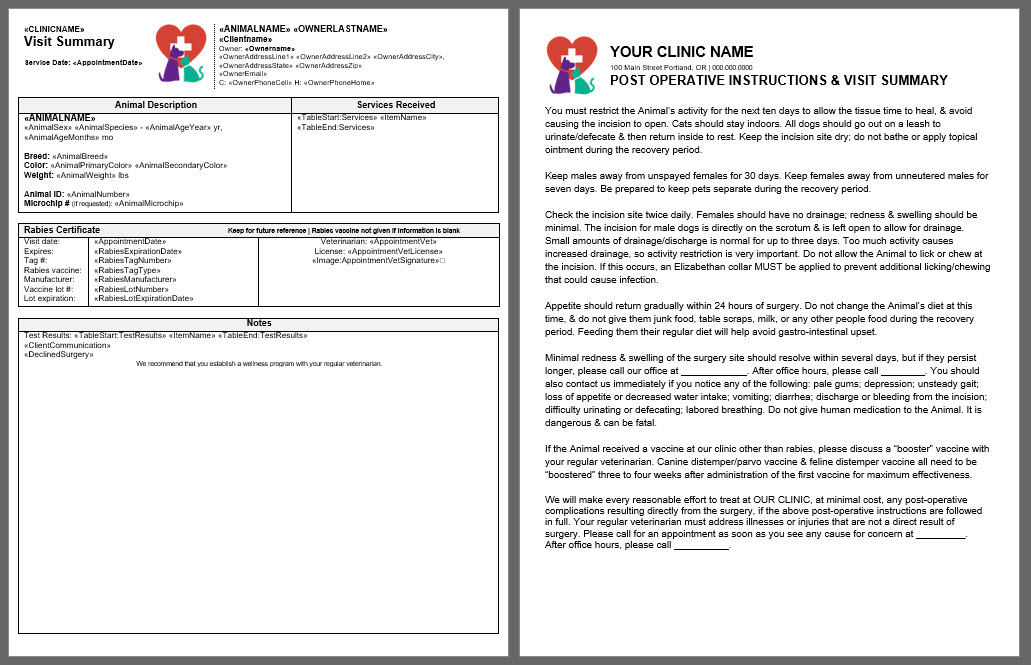
A good take-home template acts as an all-in-one and has the following parts:
- Animal and owner information such as owner’s address and an animal description.
- Services received.
- Rabies certificate lot information, which only populates if a rabies vaccine was administered and the certificate was generated.
- Notes about the visit.
- Client Communication, which populates triggered notes based on exam, services, or other pre-written Medical Notes..
- Test Results.
- Declined surgery reasons.
- Other merge fields based on your clinic’s preference, including options such as Exam, Surgery Summary, prescriptions, and drugs used.
- Aftercare instructions, which provide the post-operative instructions for the spay and neuter surgery.
- Aftercare instructions should explain how to care for the animal, including limiting activity, feeding a regular diet, keeping the animal indoors, keeping the animal warm and dry, preventing licking, and keeping the animal away from other animals.
- Aftercare instructions should list abnormal recovery signs and concerns to monitor for.
- Aftercare instructions should explain what to do if there is a recovery concern, including who the client should call for post-op concerns or to schedule a recheck.
- Edit the language of the HQ post-operative instructions or copy and paste your instructions into the Word template before uploading to HQ.
Use Item Triggered Notes for Aftercare Instructions.
- The merge field called Client Communication produces pre-written notes from Medical Notes.
- In Settings > Medical Notes, create item triggered notes that provide aftercare instructions for other services performed during the spay and neuter visit.
- For example, if the animal received a dental cleaning, use the dental cleaning line item to provide a note about additional monitoring needed or the potential for gum bleeding.
- This pre-written message only appears on the visit summary if the animal has a dental on their services.
Assign the Template as a Take Home Template.
Assign the discharge visit summary as a take home template when uploading the document in Settings > Templates.
- The discharge paperwork is referred to as a "Take Home Template." Assigning the discharge paperwork as a take-home document allows you to email clients their records automatically with Patient Flow Automations..
- Public clients can request copies of their discharge paperwork through the online Medical Record Request link..
- Volume clients can access the visit summary paperwork from their portal based on settings HERE..