1.2. HQ Uses Google Chrome
1.2.8. Creating a Shortcut to HQ
An internet shortcut is a quick link to a website or webpage. Saving one to your desktop or browser allows you to open the site with a single click.
An internet shortcut is a quick link to a website or webpage. Saving one to your desktop or browser allows you to open the site with a single click.
Creating a Chrome Shortcut
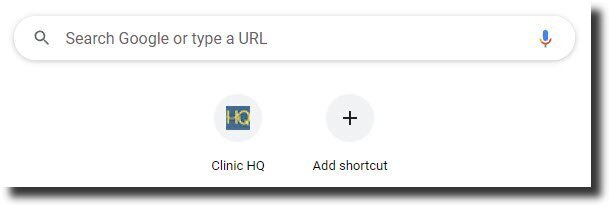
- Open Chrome to your homepage.
- Click the pencil icon in the bottom-right corner.
- Select Shortcuts.
- Add the *Clinic HQ URL and name it for easy access.
Now you’ll have a shortcut directly to HQ whenever you open Chrome.
 .
.
1.2.7. Pinning a Tab
Pinning a tab keeps a website open in a small, fixed spot in your browser for easy access. Pinned tabs stay open even if you close other tabs, making it quick to return to your most-used pages.
1.2.9. Allowing HQ Pop-Ups
Pop-ups are small browser windows that appear automatically when visiting certain websites. While many pop-ups on the internet are ads, HQ uses them for important functions.