1.2.9. Allowing HQ Pop-Ups
Pop-ups are small browser windows that appear automatically when visiting certain websites. While many pop-ups on the internet are ads, HQ uses them for important functions.
Why Pop-Ups Matter in HQ
Some features in HQ require pop-ups — for example, displaying a rabies certificate. If pop-ups are blocked, you’ll see an error message and a red icon in the upper-right corner of Chrome.
- Click this red icon:

- Allow HQ to show pop-ups.
- Refresh your browser — the issue should be resolved.
How to Allow Pop-Ups in Chrome
If the pop-up icon does not appear, you can manually enable them:
- Click the Chrome settings icon (⋮).
- Select Settings.
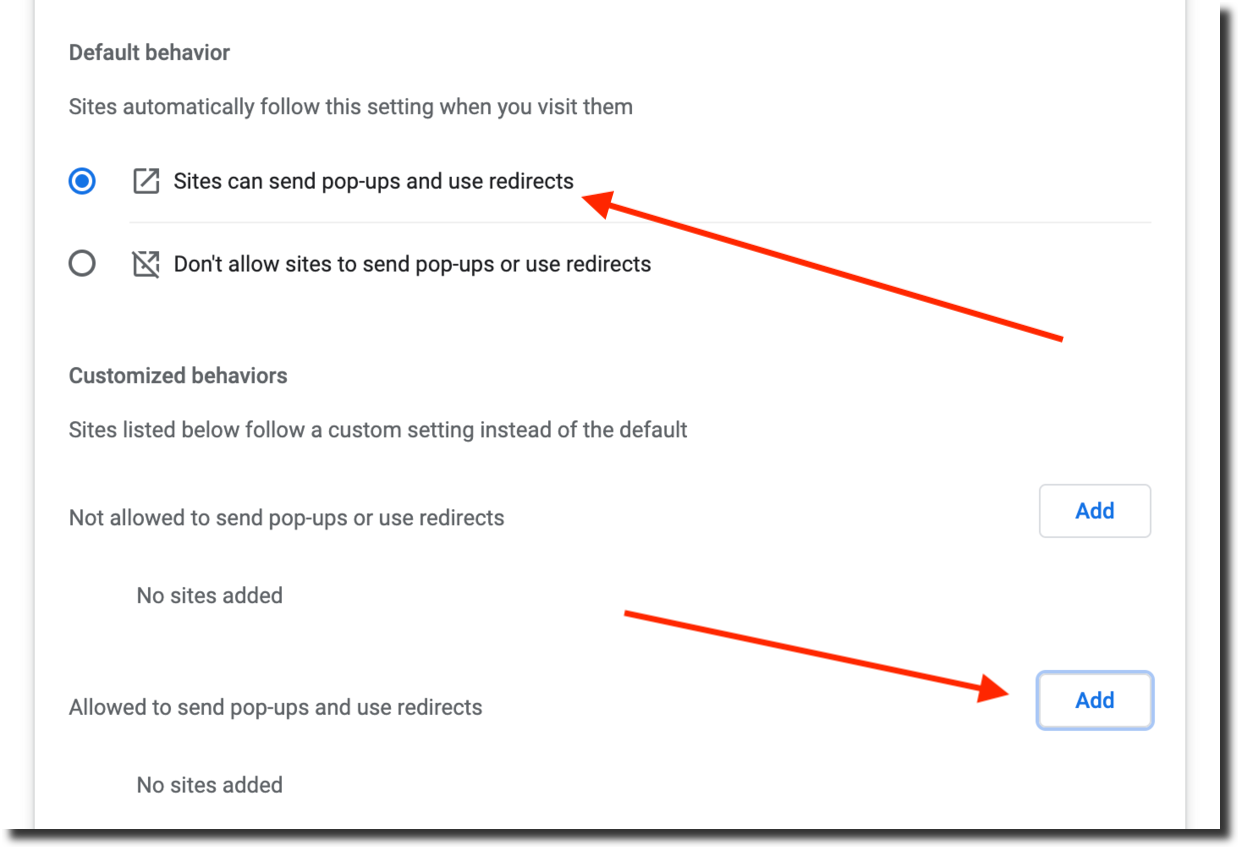
- Go to Privacy and Security > Site Settings > Pop-ups and Redirects.
- Choose one of the following:
- Allow all sites to show pop-ups.
- Allow only Clinic HQ.
1.2.8. Creating a Shortcut to HQ
An internet shortcut is a quick link to a website or webpage. Saving one to your desktop or browser allows you to open the site with a single click.
1.2.10. Allowing Geolocation
Many websites require users to enable geolocation in order to provide services relevant to their location. HQ uses geolocation to validate addresses and position maps correctly.