16.1.2. Results

Reading IDEXX Results.
When results are available, the test status will change to Completed and a Results button will appear.
The Results button can be accessed from the following locations.
- The IDEXX tab within the appointment.
- Animal History using the blue plus icon.
- Clients > Medical > IDEXX Results.
Selecting Results opens a new browser tab to the VetConnect results page.


The user who placed the order will also receive an email notification when results are ready.
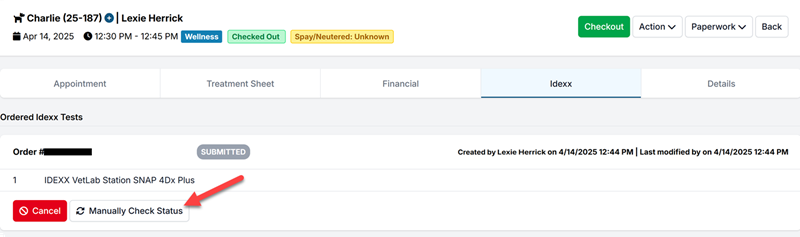
Manually Checking for Completed Test Results.
If results show as completed in VetConnect Plus but have not pulled into Clinic HQ, you can manually check for completed results.
To manually check status, open the patient’s appointment and navigate to the IDEXX tab.
For results to pull into Clinic HQ, the test must be processed under the same Order number created through Clinic HQ.
If results are associated with a different Order number, this manual check feature will not work.
Sharing IDEXX Results with Clients.
Completed results are added to the animal’s Medical Record.

- Results can be shared by emailing or texting the Medical Record.
- Clients may also request a copy online if your clinic has enabled Medical Record requests through your website.
- There is no merge field available for IDEXX test results.