20.2.7. General Donation Widget
The General Donation Widget lets you put a link anywhere and ask for donations. You can put a link on your website or in a social media post.
✅ Pro Tip: Campaigns
First it's important to understand you can have separate donation campaigns to raise money for various things. To start with you can set up a General Donation campaign. However, at some point, you may want to do a targeted donation campaign. Let's say you wanted to raise money for a new autoclave, or to hire a new vet. To do this -- and have a seperate special link just for this type of campaign -- you'd set up a new campaign just for this special project.
Setting up a campaign
- Go to Settings > Donations > General Donation Widget.
- Click +Add button.
- Fill in fields, mark campaign as active and save.
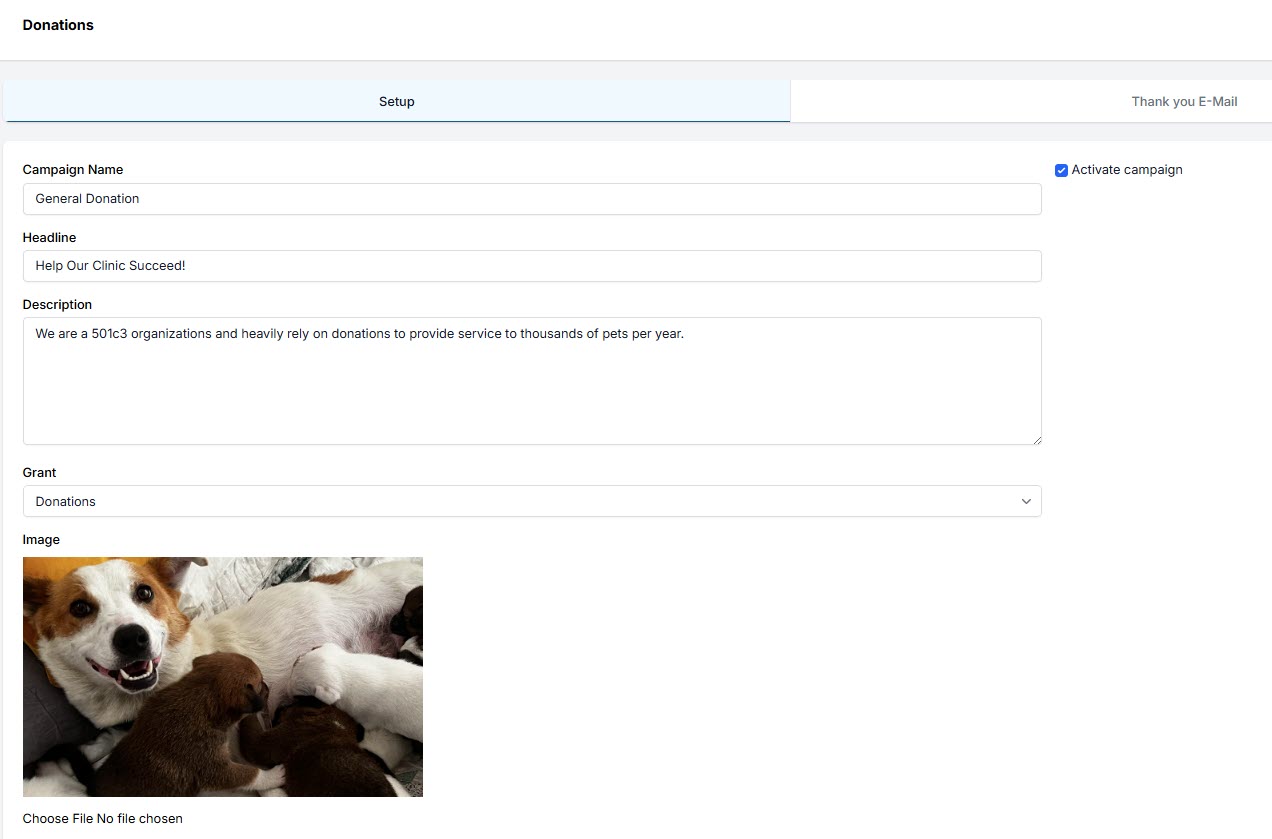
Putting a donation link on website
- Go to Settings > Donations > General Donation Widget.
- Copy the link and drop it into your website.
⚠️ Important: You must use Clinic HQ's processing for this tool to work. To learn more about signing up, click here.
Posting a link on social media to ask for donations
- Go to Settings > Donations > General Donation Widget.
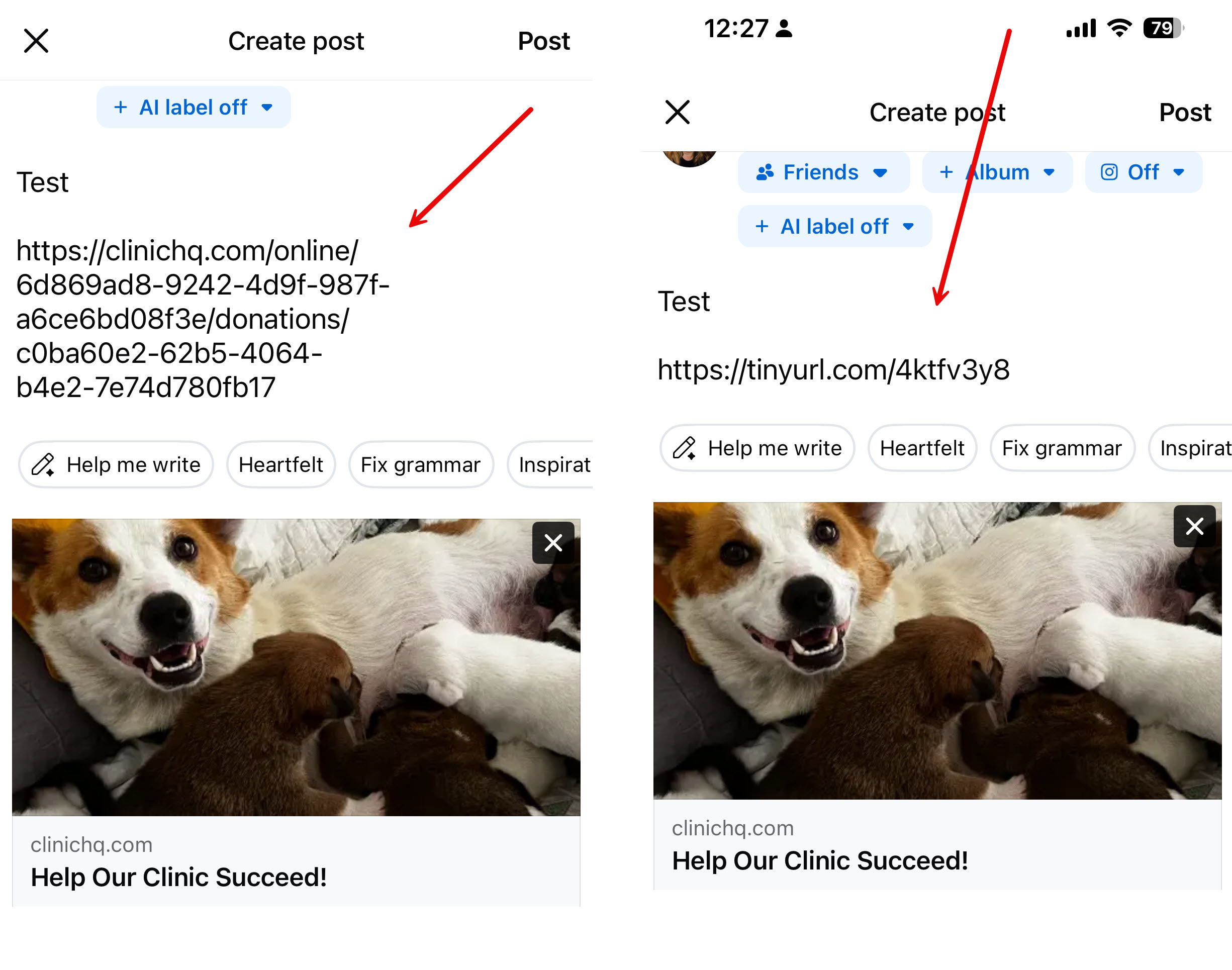
- Copy the link and drop it into a social media post.
You might notice the link is long. To shorten it you can use a free tool like https://tinyurl.com.
- In Tinyurl, you copy and paste the long link into the shortener and then copy and paste the shorter link into your post.
20.2.6. E-Appointments Donation Widget
The e-Appointments Donation Widget allows your clinic to collect donations through the E-appointment form.
20.2.8. Goal Widget
The Goal Widget allows your clinic to set a goal, say $5,000 and to measure the amount raised against the goal. This is a very useful tool for rallying your supporters to meet a fundraising goal.