20.2.6. E-Appointments Donation Widget
The e-Appointments Donation Widget allows your clinic to collect donations through the E-appointment form.
✅ Pro Tip: Campaigns
First it's important to understand you can have separate donation campaigns to raise money for various things. To start with you can set up a General Donation campaign. However, at some point, you may want to do a targeted donation campaign. Let's say you wanted to raise money for a new autoclave, or to hire a new vet. To do this -- and have a seperate special link just for this type of campaign -- you'd set up a new campaign just for this special project.
Setting up a campaign
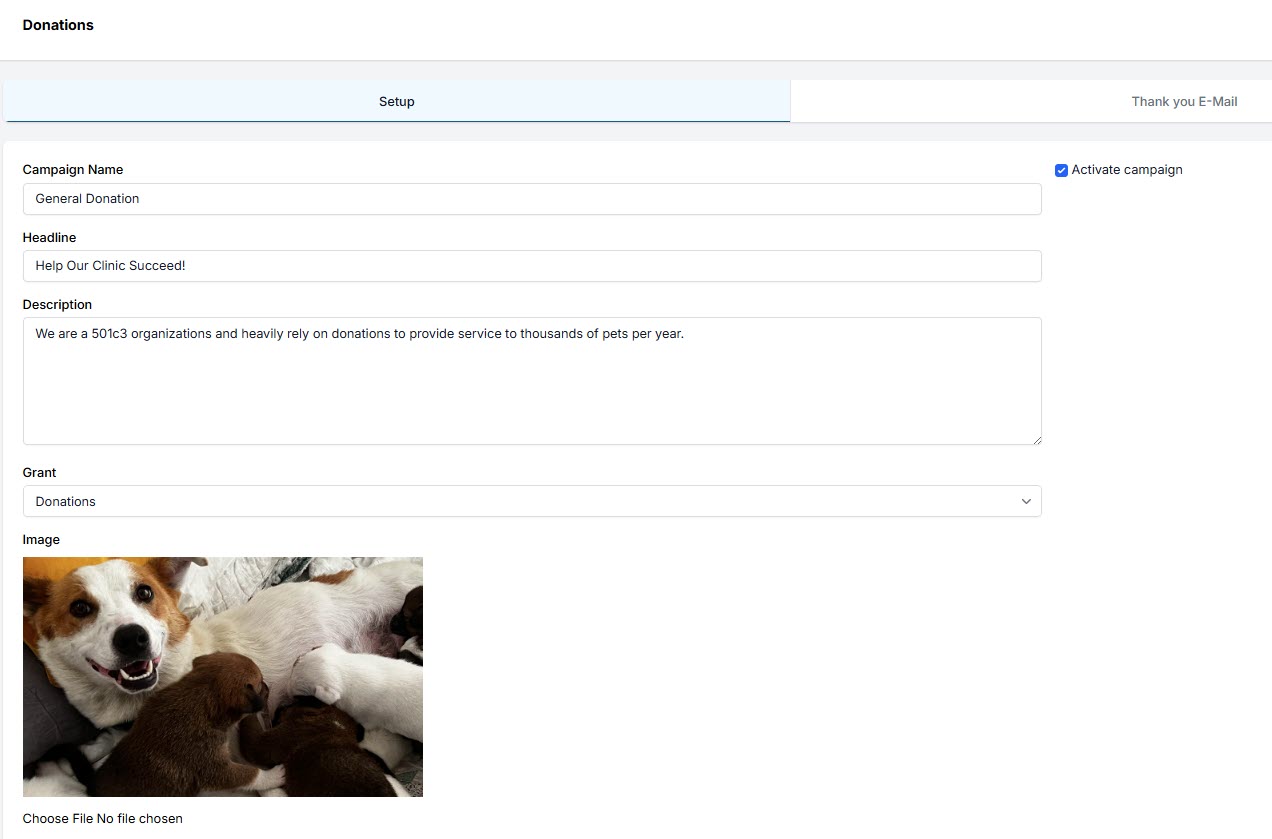
- Go to Settings > Donations > E-Appointments Donation Widget.
- Click +Add button.
- Fill in fields, mark campaign as active and save.
Donation flow on E-appointments
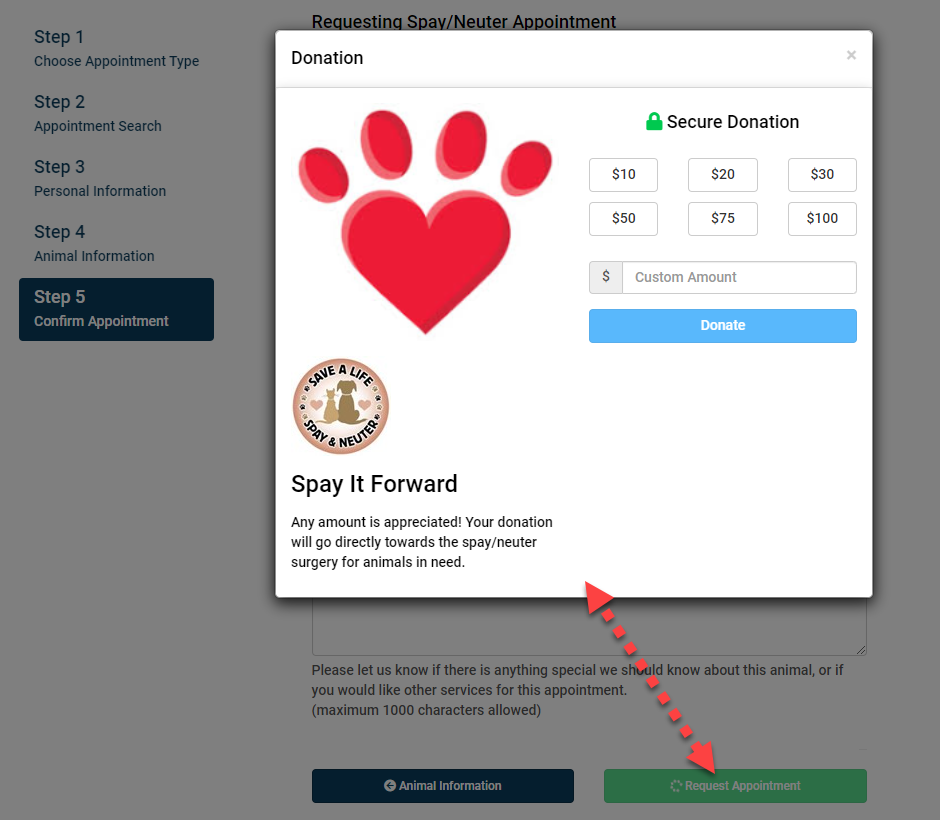
You don't have to do anything, this pop up will auto apply once you set up the tool. But the flow is this:
- Request Appointment -- On the last step of the E-app form, the client will click "Request Appointment."
- Here is where the pop up, pops up.
The widget pop-up will appear on the screen and the client will be prompted to choose a donation amount.
⚠️ Important: Processing Fees with Donations
We have built into all widgets an ask of the donor to extend their donation to cover processing fees. This percentage is set to 3%, which we feel covers not only the actual fees but the prorated cost of credit card machines, paper back up slips and staff time processing donations. This amount cannot be adjusted. This can be a little confusing because we also have the Donation Admin Fee (DAF) where your clinic sets the rate to collect. The fee to cover processing fees here in these widgets is different from the DAF and cannot be modified from 3%.
Why is it like this? Well, we first build this pop up that included an ask to cover processing fees. Then, we built the DAF, which is a totally different tool and ubiquitous through HQ land. It's hard to combine the two tools into one thing. So for now, we've left the 3% fixed ask on this pop up, but in other places your clinic can set the DAF rate. To read more about the DAF, click here.