20.2.9. Donated Admin Fee (DAF)
To jump to the setup of this tool, go here.
Donated Administration Fee Tool
We’re introducing a new feature to help clinics recover real operational costs such as:
- Your Clinic HQ software subscription
- Credit card processing fees
- Bank fees
- Administrative time spent managing appointments
The key difference is that this feature represents a donation from your clients — not a mandatory charge.
This distinction is important for both legal and compliance purposes (explained in detail below).
Our goal is to help you maintain transparent pricing while giving clients the opportunity to support your work. The Donated Administration Fee (often called a “DAF”) is an optional contribution clients can add at checkout to help offset administrative and processing expenses.
Where You Can Use the Tool
Once available, you’ll be able to enable the Donated Administration Fee across multiple areas of your workflow:
- Online appointment bookings
- Internal appointments
- E-payment requests
- Payments made by volume clients via the VCP
Internal Appointments and Collecting the Donated Admin Fee (DAF)
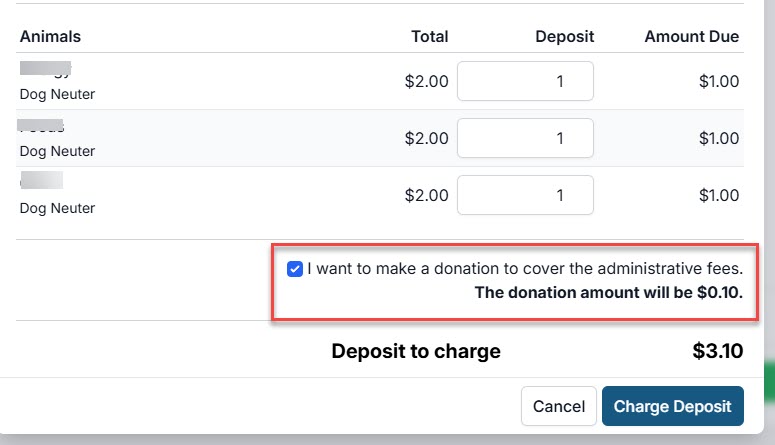
When creating internal appointments, the DAF option appears when adding deposits.
The DAF applies to the deposit amount — not the full appointment balance.
A second DAF can be collected during checkout (we hope clients choose to contribute again!).
Canceling or Deleting the Appointment — What Happens to the DAF?
If you cancel or delete an appointment, handle it through the Manage Deposits screen:
- Click Action > Refund Payment.
- Choose whether to perform a Full Refund or Partial Refund.
- To refund both the deposit and the DAF, select Full Refund.
- To refund only the deposit and retain the DAF, select Partial Refund and enter the desired refund amount.
External Appointments and Collecting the Donated Admin Fee (DAF)
The DAF option is displayed automatically during online appointment bookings (e-appointments).
Note that the wording for this section is fixed and cannot be edited.
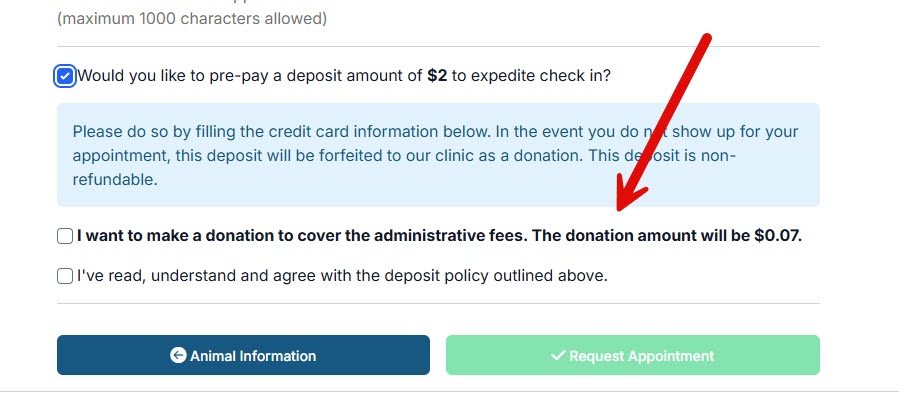
Here’s where the DAF amount appears:
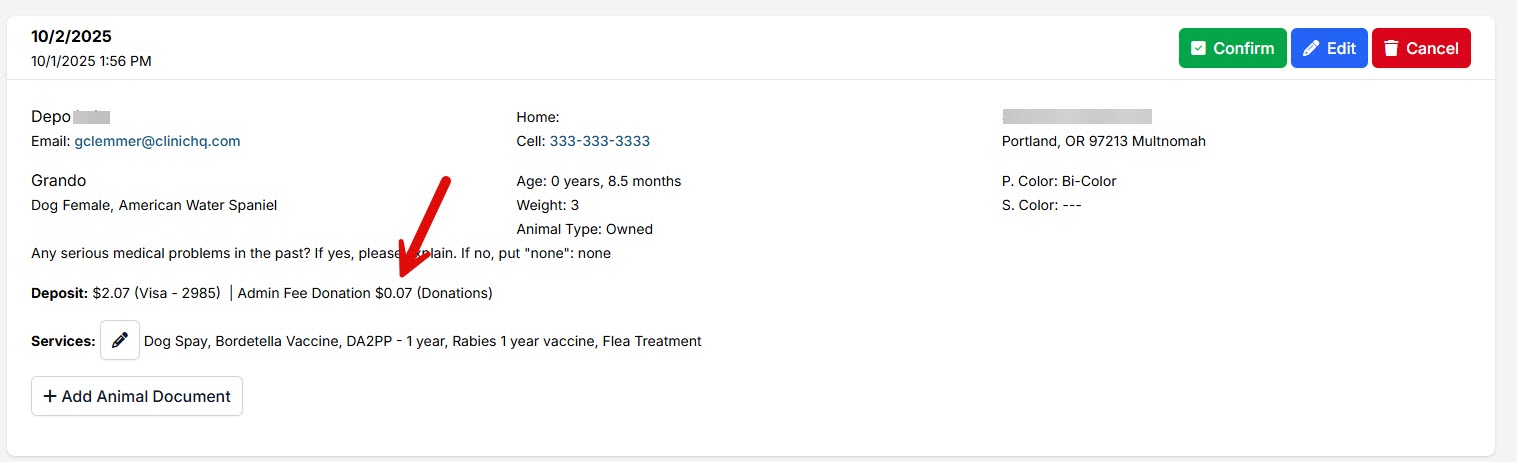
✅ Pro Tip: When an e-appointment is canceled and the deposit is automatically refunded, the DAF is not refunded. This setting cannot be changed.
Sending E-Payment Links and Collecting the DAF
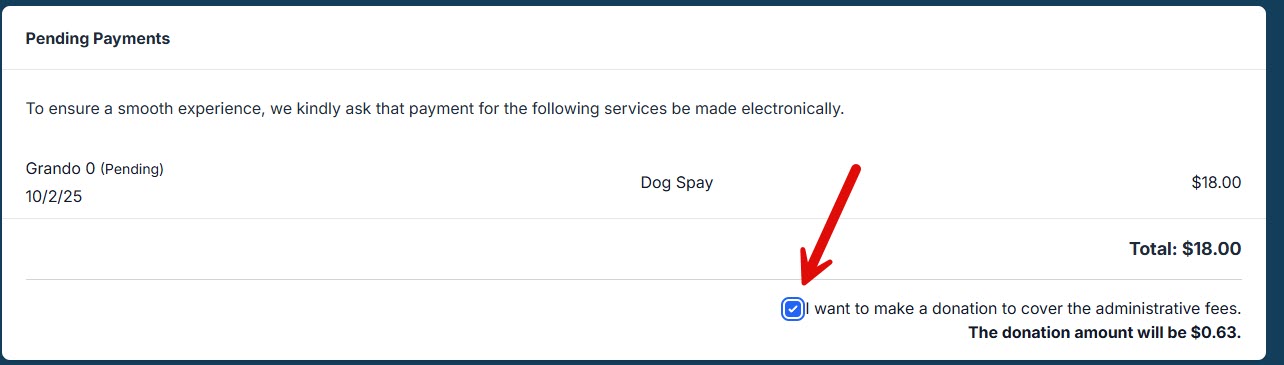
When you send a client an e-payment link, the DAF is automatically included in the total payment amount.
When Clients Pay on the VCP and Collecting the DAF
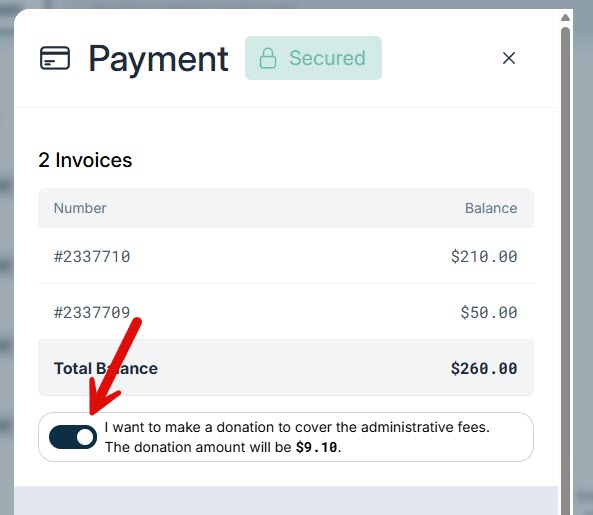
When clients submit payment through the VCP, the DAF is presented and collected as part of the payment flow.
Where Do the Funds Go?
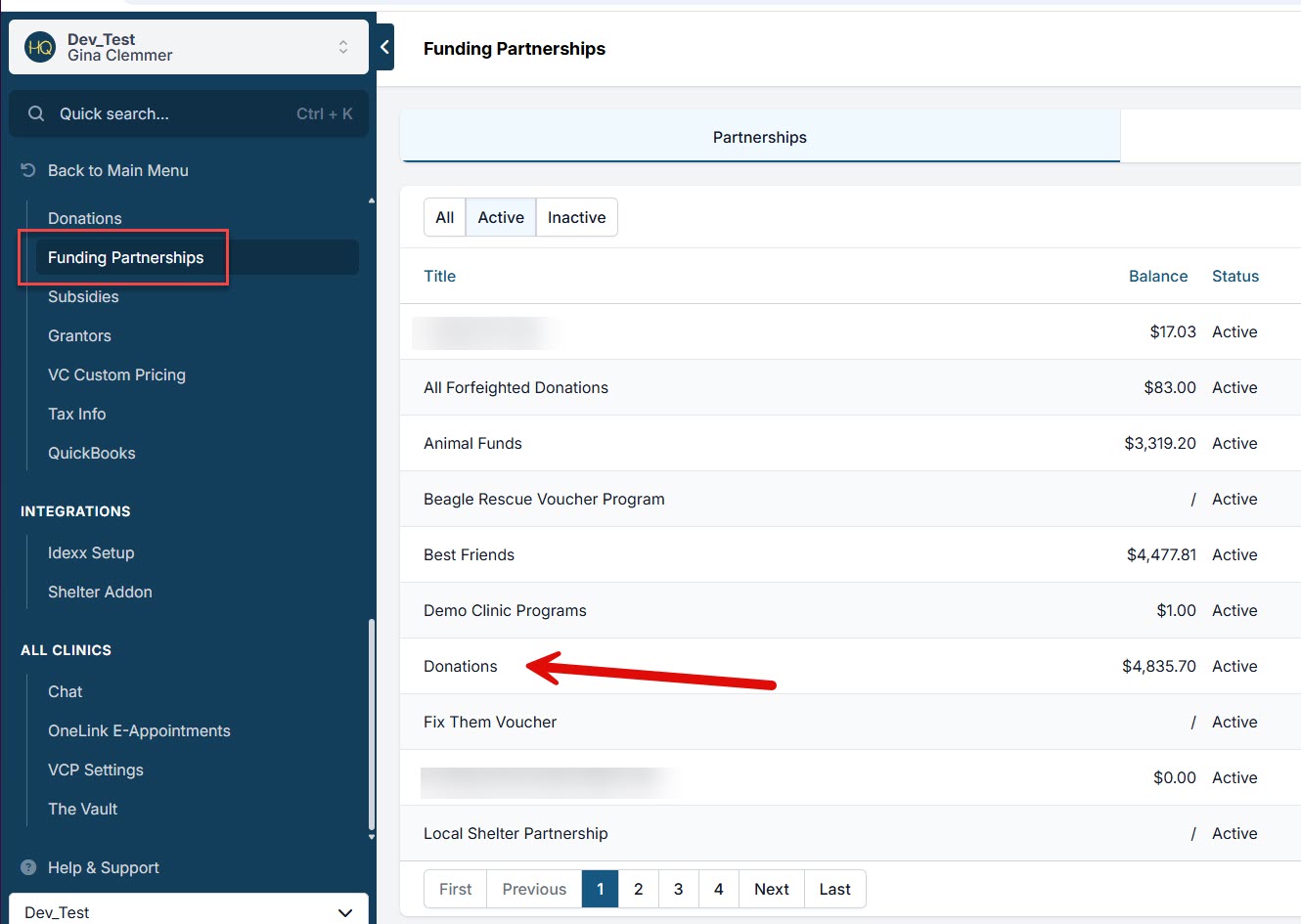
If your clinic uses HQ credit card processing, the DAF funds are processed and deposited into your linked bank account.
They are also recorded in your designated funding partnership program (for example, Donations).
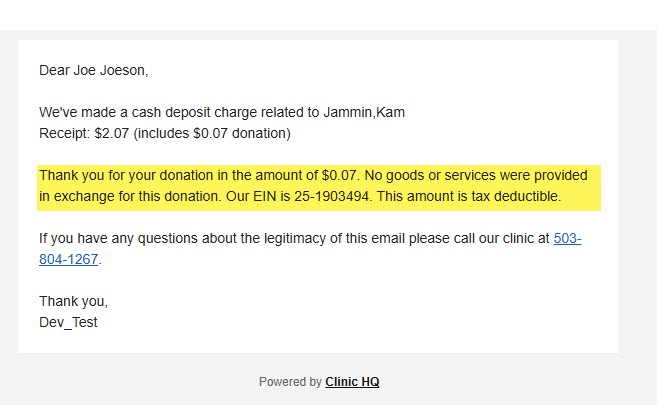
Do Clients Receive a Tax-Deductible Receipt?
Yes. Clients receive a receipt that includes both the original deposit or charge and the DAF contribution.