8.2. Rescheduling Appointments

There are two main ways to reschedule a spay/neuter appointment, depending on whether you know the original date.
- When rescheduling, a new confirmation email is automatically sent to the client.
- Clients must sign a new e-consent form, which is also emailed.
- Any deposit linked to the appointment will transfer to the new date.
Rescheduling S/N, Basic Wellness, and Recheck Appointments
Rescheduling is used when a client calls ahead to change their appointment.
❌ Important: Do not “reschedule” if an animal is declined for surgery. In that case, complete the visit and create a new appointment.
When the Date Is Known
- Open the calendar and click on the correct date.
- Select Appointment Changes.
- Locate the appointment and click Reschedule.
- Select the new date, then click Reschedule again.
- A new confirmation email and e-consent form are sent to the client.
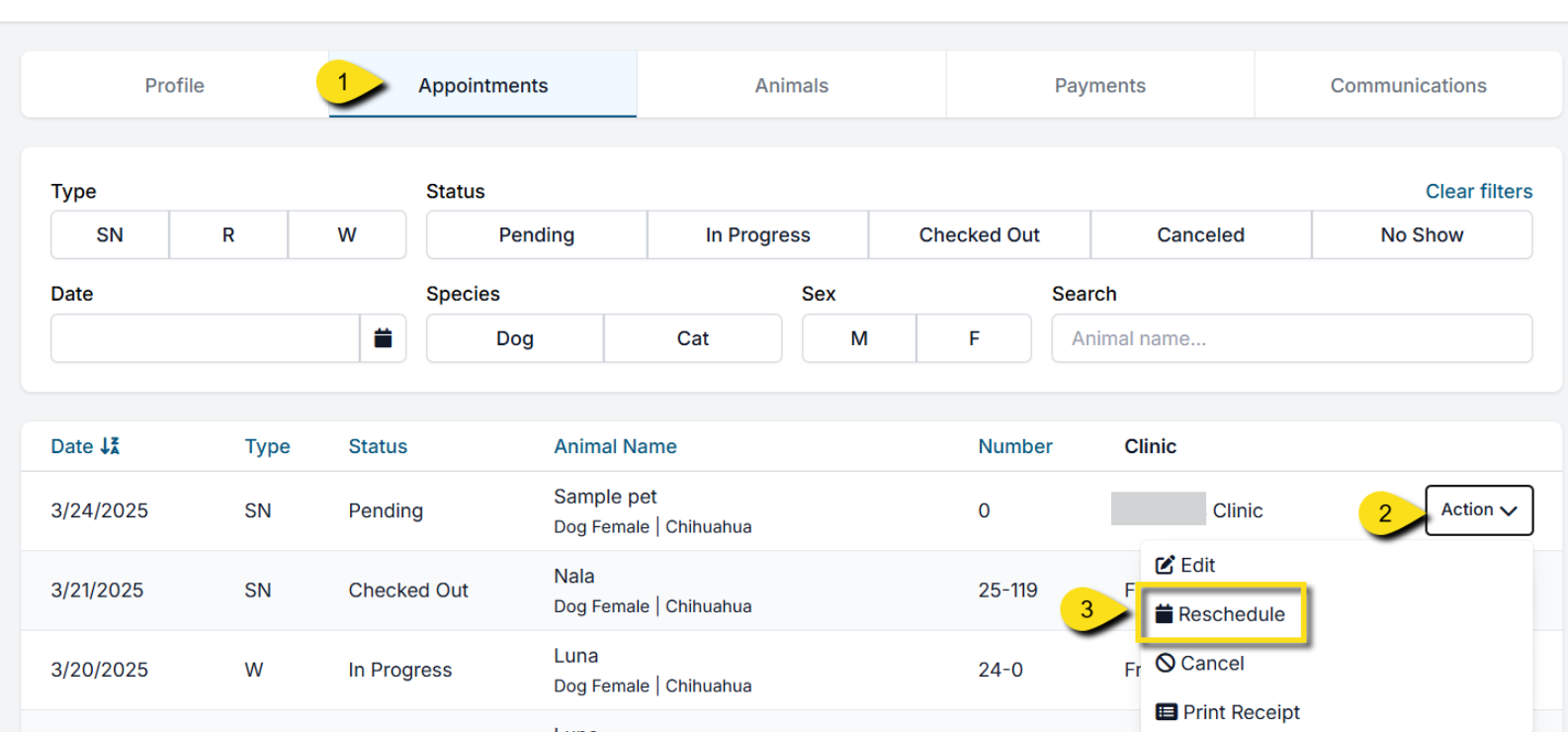
When the Date Is Unknown
- Go to Clients > Search Clients/Animals.
- Search for the client or animal.
- Click View, then open the Appointments tab.
- Find the appointment and select Action > Reschedule.
Rescheduling Advanced Wellness Appointments
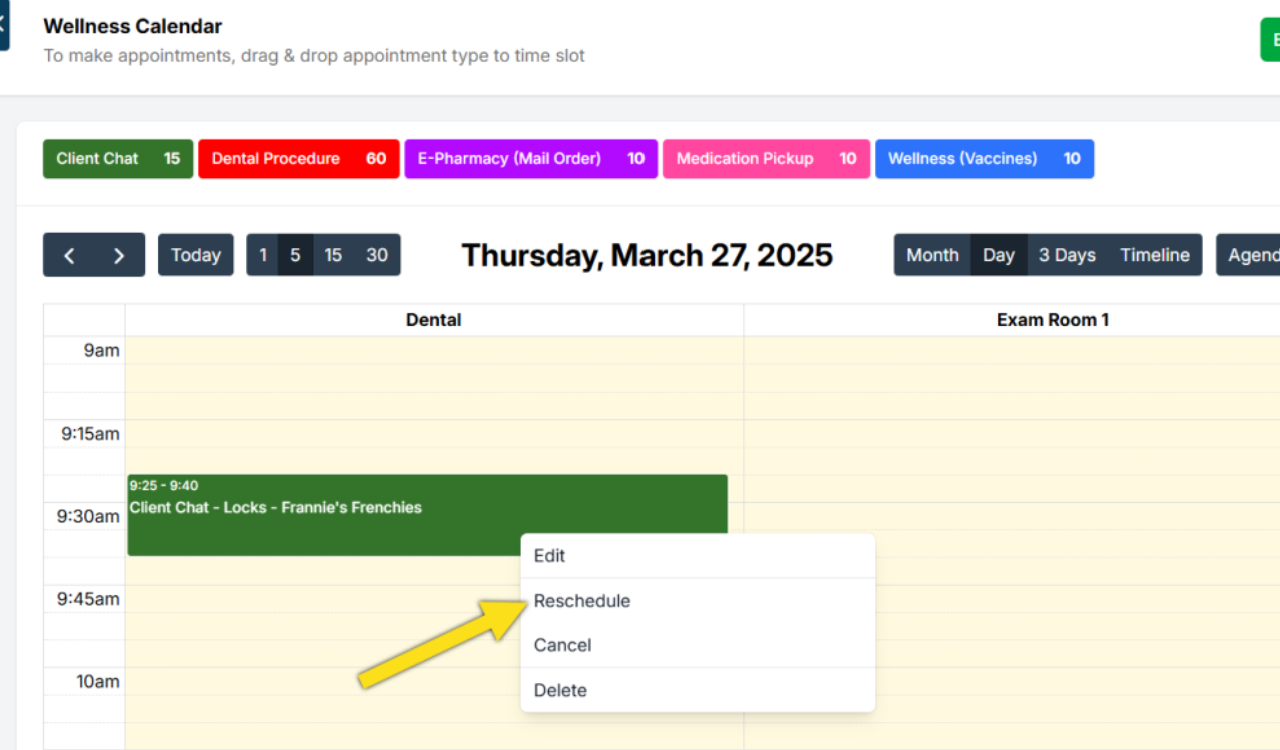
- Open the Advanced Wellness Calendar.
- Click the appointment and choose Action > Reschedule.
- Select the new date and time.
- A new confirmation is sent, and the deposit transfers automatically.
Email Notifications for Wellness Reschedules
- Same day (different time/room): No reschedule email is sent.
- Future date (new time or new room): A reschedule email is sent.
- Future date (same time, different room): No reschedule email is sent.
Rescheduling an Unconfirmed Appointment Request
- Open the Online Appointments (E-App) queue.
- Select the correct tab: S/N Appointments or Wellness Appointments.
- Find the pending request and click Confirm.
- Choose the correct owner and animal (if already in the system).
- Use the date picker to update to the new date.
- (Optional) Add a note.
- Finalize by clicking the appropriate Make Appointment for: button.
FAQs
What happens to the deposit if an appointment is rescheduled?
- The deposit is automatically applied to the new appointment.
Do clients get an email when we reschedule?
- Yes. They receive a new confirmation email with RESCHEDULED in the subject line.