8.3. No-Showing Appointments
8.3.1. Volume Client No-Shows
Charging a No-Show Fee for Volume Clients
Process
- Mark the animals as No-Shows in HQ.
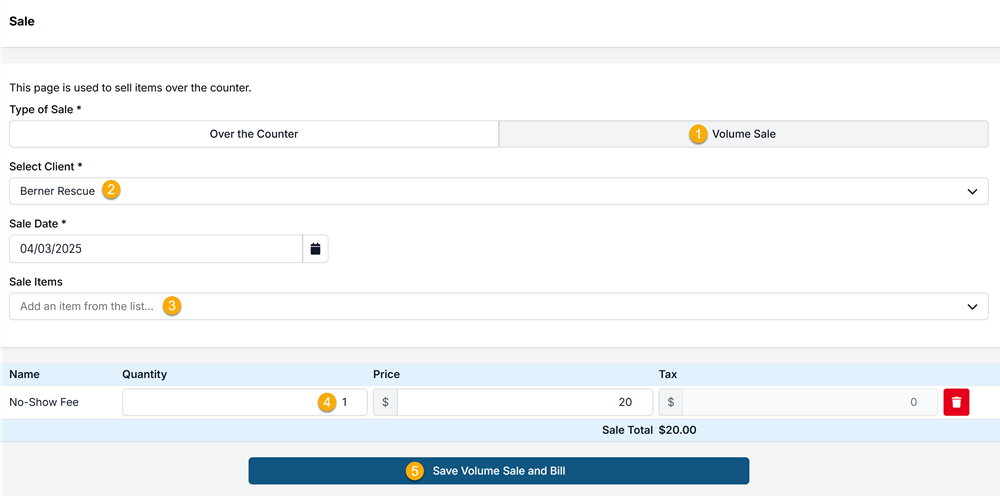
- Generate an Item Sale invoice:
- Go to Navigation Panel > Accounting > Item Sales.
- Add a sale line item labeled No-Show Fee.
- Set the quantity to match the number of animals that did not show.
#_ Save the sale and bill the Volume Client.
See the screenshot at the bottom of this page for reference.
Setup Requirement
- If No-Show Fee does not already exist in your clinic’s Services & Products list, you must add it before completing the sale.
- For instructions, see the How to Add Services and Products section of the manual.
Important Reminder
Do not edit or remove services from the animal’s original appointment (for public or volume clients). Making changes to services for no-shows creates misleading data and inaccurate reporting.