8.1.5. Deleting Appointments
Deleting an appointment removes it completely from the system. It should only be used in limited situations, such as:
Deleting an appointment removes it completely from the system. It should only be used in limited situations, such as:
- The appointment was created by mistake.
- A Volume Client had more appointments scheduled than needed.
❌ Important: If the animal has no history with your clinic and their appointment is deleted, the animal will also be erased from the client profile.
- In most cases, canceling an appointment is the better option, since the client may reschedule later.
- Deleted appointments cannot be recovered. To verify whether an appointment was deleted, check the Audit Log under Clients.
Deleting Restrictions
You cannot delete an appointment if:
- Your User Role does not include permission to delete.
- Drugs have been logged for the appointment.
- Documents are attached (delete these first).
- A payment is attached (refund, repurpose, or delete the payment first).
How to Delete Appointments
Spay/Neuter, Basic Wellness, and Recheck Appointments
- From the Calendar:
- Open the Spay/Neuter Calendar.
- Select the date, then choose Appointment Changes.
- Click Delete.
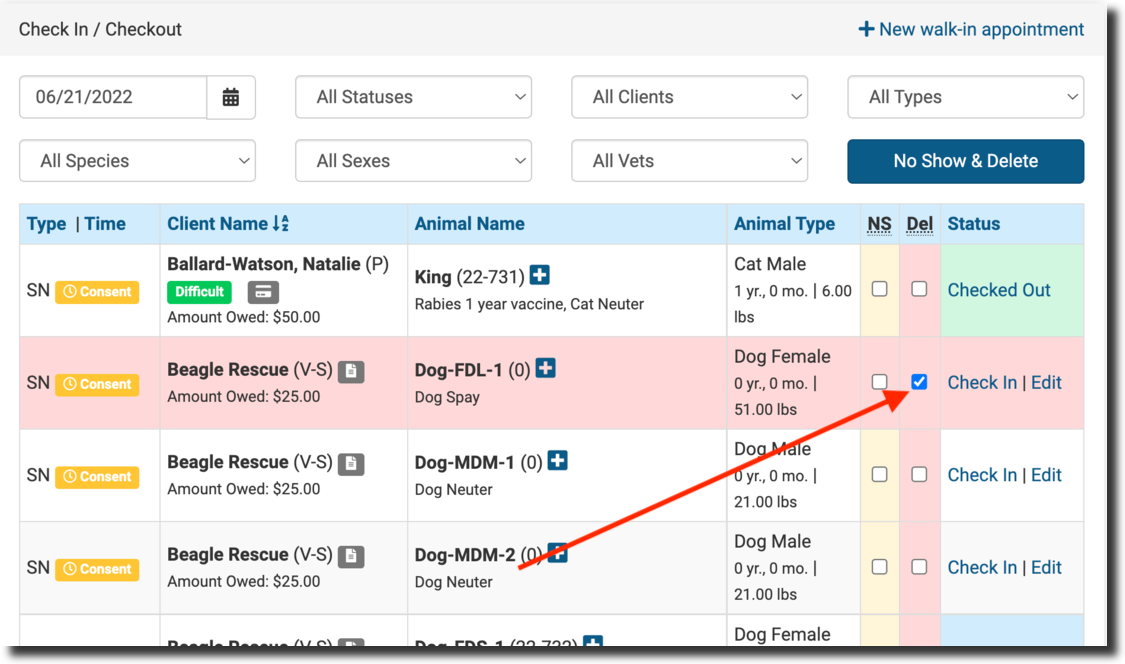
- From Checkout:
- Go to Clients > Check In/Checkout.
- Select the Del checkbox.
- Click No Show and Delete.
Advanced Wellness Appointments
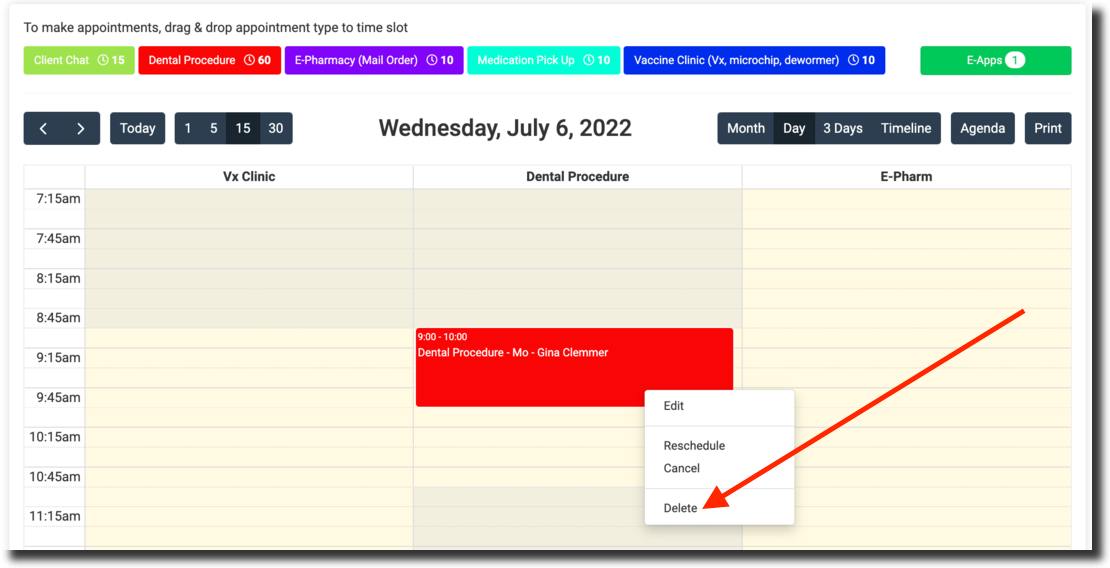
- From the Advanced Wellness Calendar:
- Click the appointment.
- Select Delete.
- From Checkout: ** Same process as above.
Canceling vs. Deleting
- Deleting: Permanently erases the appointment and, if no history exists, may remove the animal from the client’s profile. This action cannot be undone.
- Canceling: Keeps the appointment record and retains the animal’s information. Canceled appointments remain visible in the client’s Appointments tab and the animal’s profile.