Understanding Various Paperwork
9.3. Treatment Sheets

A treatment sheet records all key details of a patient’s visit, including the physical exam, anesthesia, services, medical notes, and other important information.
Here is an example treatment sheet.
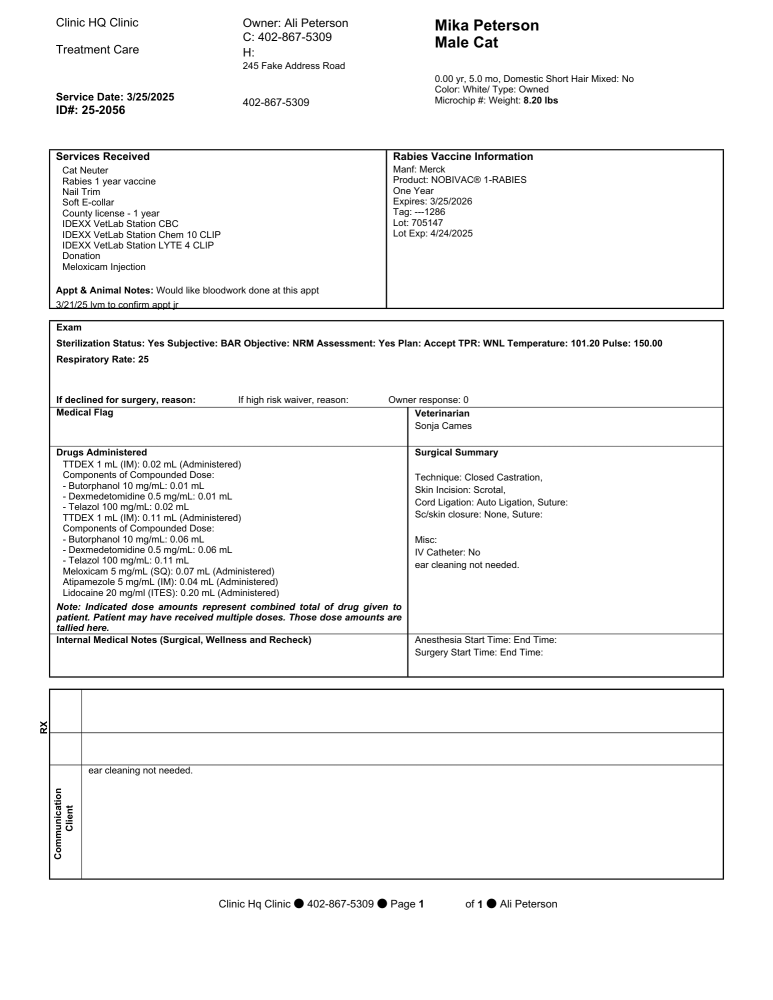
Note: This is the HQ Treatment Sheet, but you can create your own template if preferred.
Accessing the Treatment Sheet
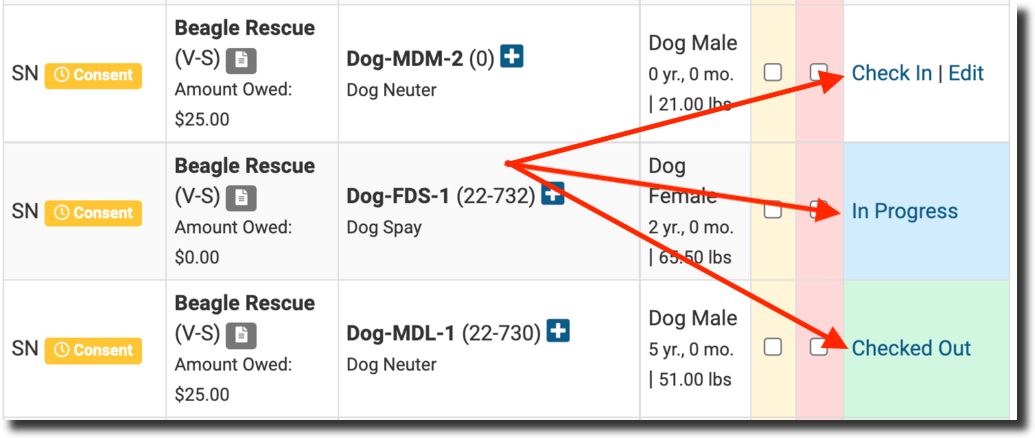
- Go to Clients > Check In / Check Out.
- Find the animal whose treatment sheet you want to view.
- Check In, In Progress, or Checked Out status will take you to the animal’s page.
- If you don’t want to check them in, simply click Edit.
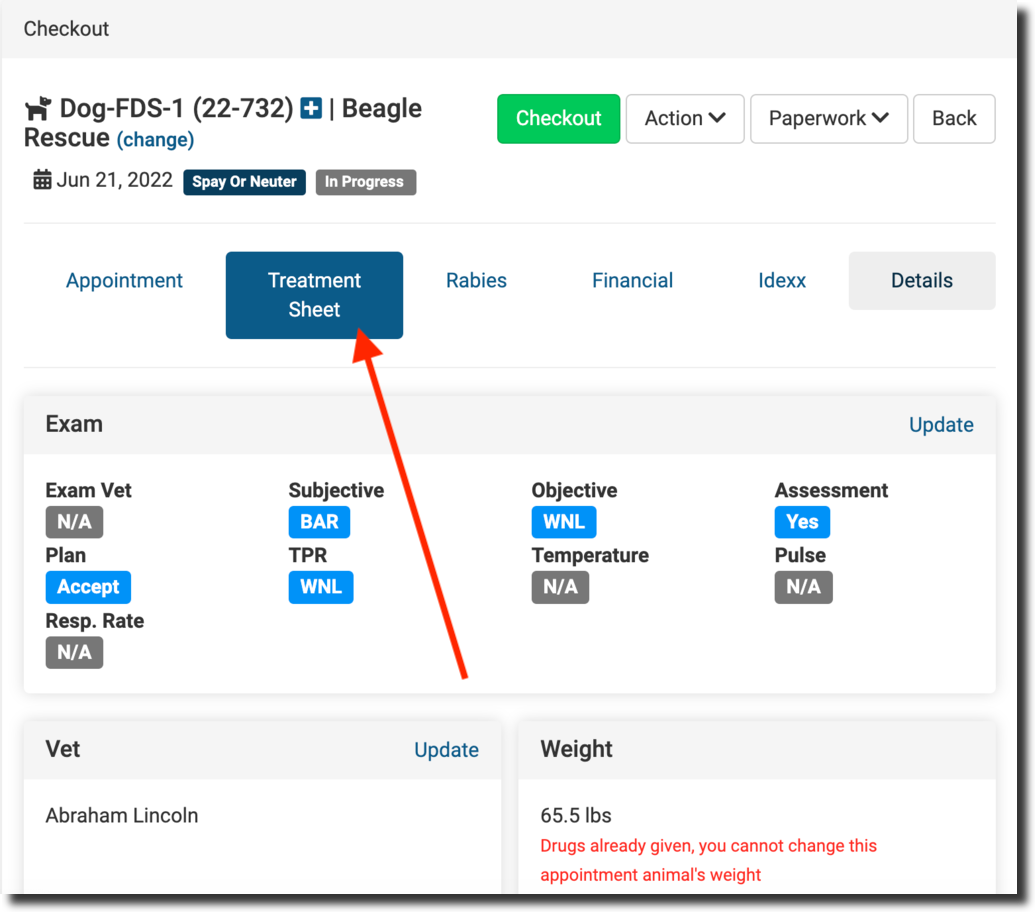
#_ Open the Treatment Sheet tab.
- Review the treatment sheet, which includes:
- Exam and animal information
- Microchip and rabies details
- Services provided
- Medical notes (various types)
- Surgical summary
- Drugs given or prescribed
#_ When the animal is ready for check-out, you can download and print their treatment sheet. Click the download icon in the bottom left corner of your screen, then print.
From Patient Flow
- Most of the information on the treatment sheet comes directly from Patient Flow.
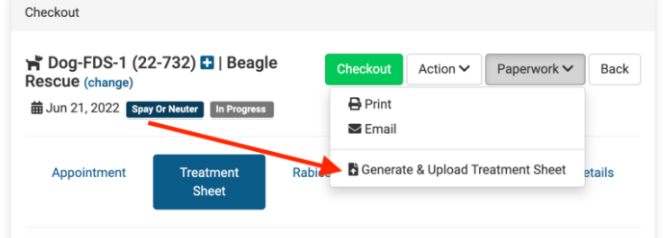
- To generate a PDF copy within Patient Flow:
- Go to Paperwork.
- Click Generate & Upload Treatment Sheet.