Understanding Various Paperwork
9.4. Cage Cards

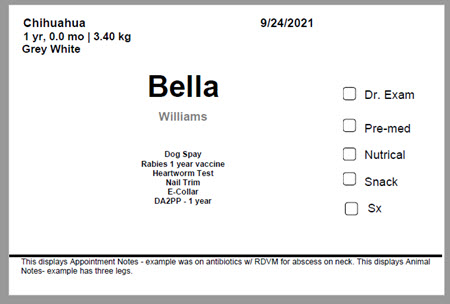
A cage card is a small identification card attached to an animal’s cage or kennel. It provides quick access to important information about the animal, helping staff identify patients and their needs—especially during spay/neuter appointments.
We’ve created a cage card template designed to keep all necessary details in one easy-to-read format.
- Download the template here and customize it in Microsoft Word to fit your clinic’s needs.
❌ Important: Only open the template in Microsoft Word. Opening in another program will break the merge field coding.
Printing Cage Cards
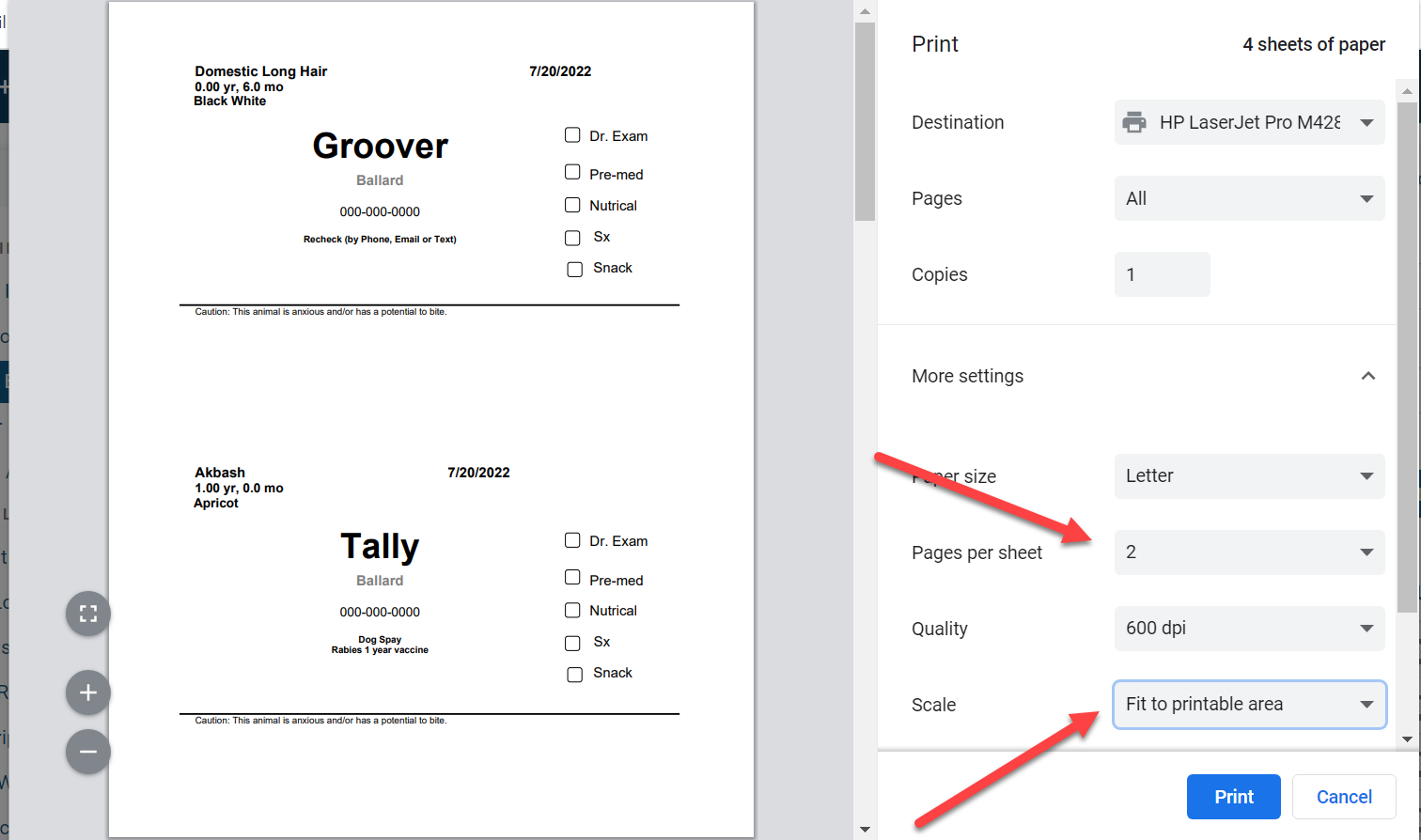
To ensure cage cards are useful and don’t block the view of the animal, print them at a smaller size. We recommend printing two cards per sheet and setting the scale to “fit to printable area.”
Steps to Print:
- Go to: Clients > Print/Email Paperwork.
- Filter appointments (e.g., spay/neuter vs. wellness, dog vs. cat).
- Select All animals by ticking the checkbox above the first name.
- Click the blue “Print Paperwork” button.
- Choose the custom cage card template > Print Selected.
- A PDF preview will generate. Click the printer icon.
- In printer settings:
- Set Pages per sheet to 2 or 4.
- Ensure Scale = Fit to printable area (usually the default).
#_ Print the cards.
Cutting Tips:
- After printing, cut each sheet in half with scissors (or stack 15–20 sheets to cut in bulk).
- Do not print cage cards alongside other templates—leave space at the bottom for trimming.