9.1. Consent Forms
9.1.3. Deleting, Resending Consent Forms
Occasionally, you may need to delete, resend, or otherwise adjust a consent form.
Occasionally, you may need to delete, resend, or otherwise adjust a consent form.
Resending a Consent Form (Incorrect Email Address)
If a client’s email address was entered incorrectly, the consent form won’t reach them. To resend it:
- Correct the email address in the client’s record.
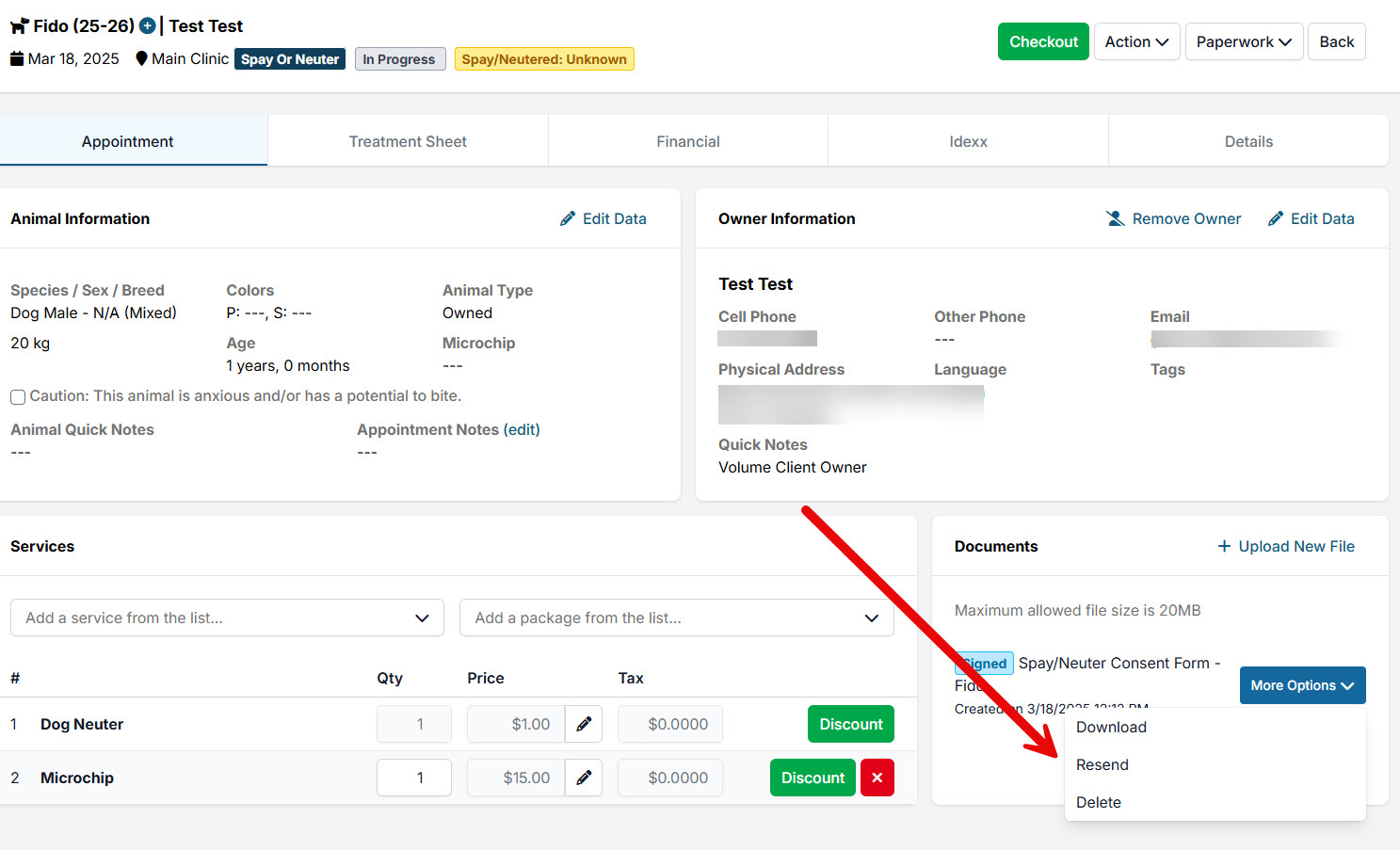
- Go to the appointment and open Documents.
- Click More Options → Resend.
- You’ll be prompted to delete the previous consent form and issue a new one.
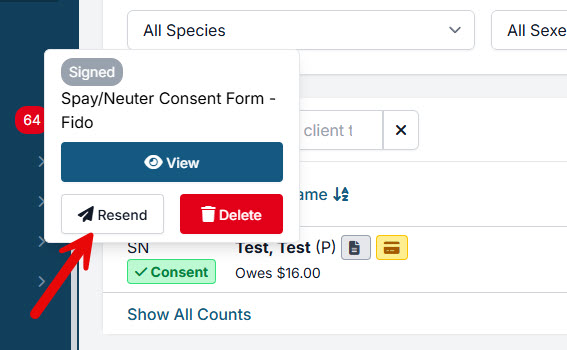
Shortcut: You can also click on any green Consent button and select Resend—this does the same thing.
The system will then send a new consent form to the updated email address.
9.1.2. Signing Consent Forms Day-Of
9.1.4. Do Not Resuscitate Clauses
In high-volume veterinary settings, simplicity and consistency are critical. The most efficient clinics use a single, standardized approach for all patients. Adding individual steps—such as case-by-case CPR decisions—slows workflow, increases error risk, and can create legal exposure.