Templates
14.8. Adding Custom Fields to a Template
Templates Using Custom Fields.
There are many ways to enhance custom templates by using custom fields.
Custom fields are commonly used on take-home paperwork to display notes or provide client communication.
Download a List of merge fields
Using Custom Fields in Templates.
- Open the Microsoft Word document for the custom template.
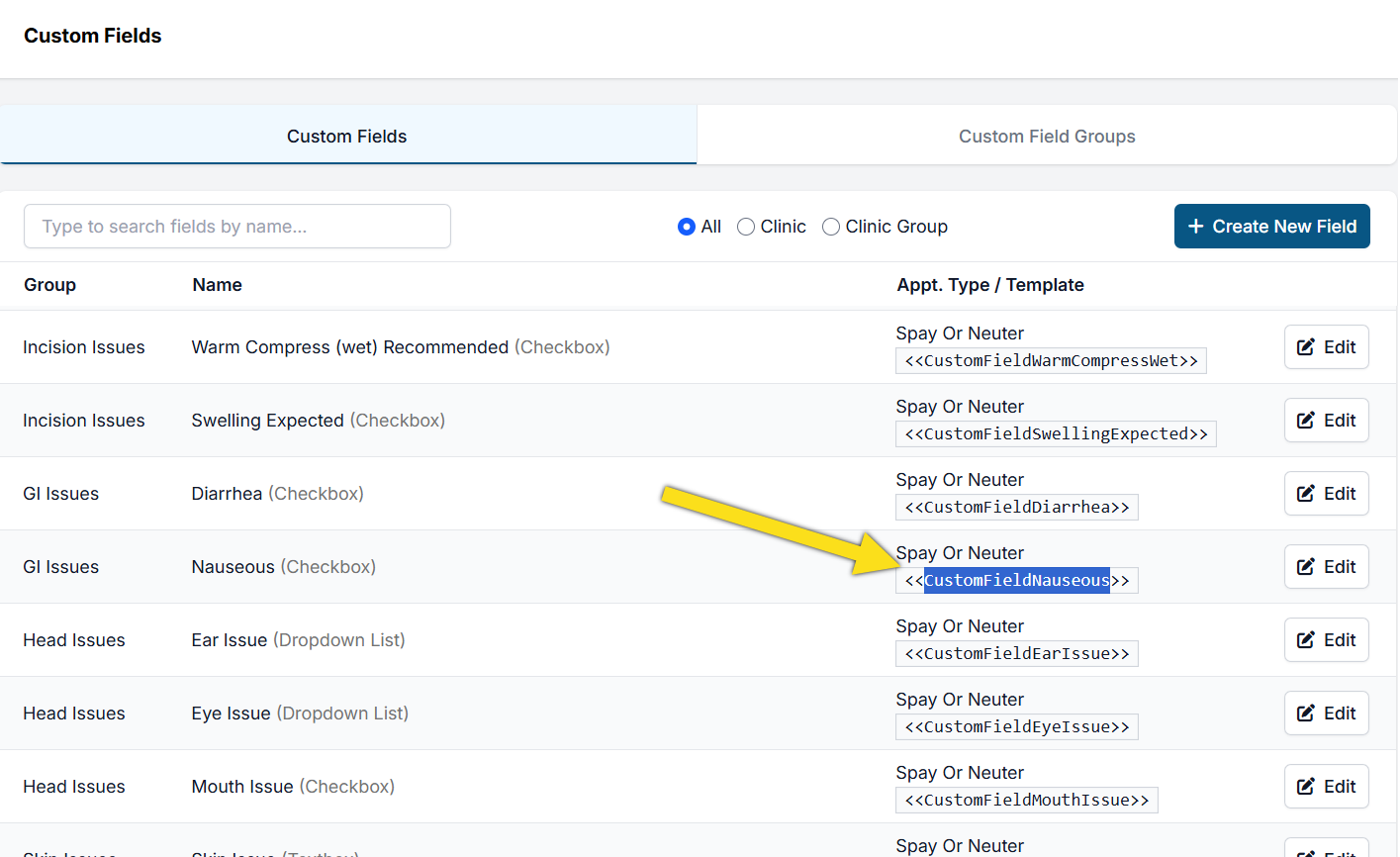
- Go to Settings > Custom Fields in HQ and find your custom field.
- Copy the Template Hint. Ensure you only copy the field text and do not include the << >> characters.
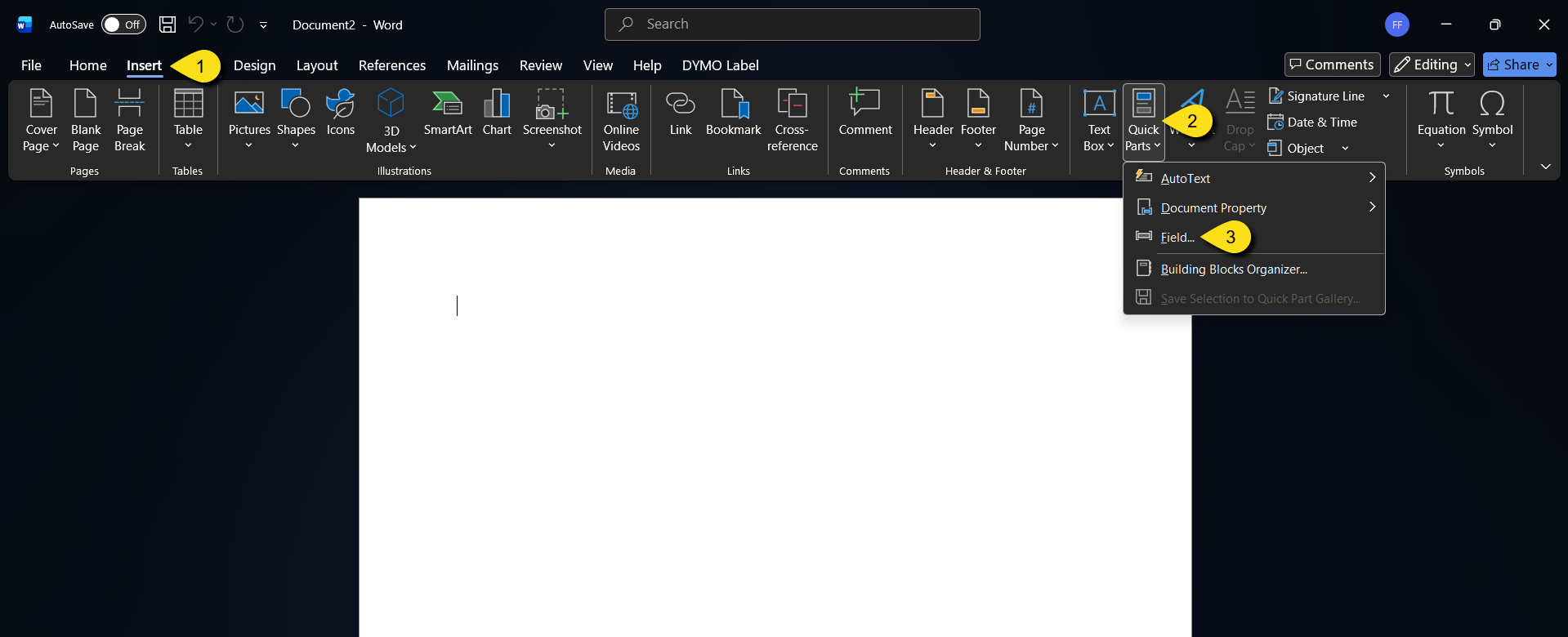
#_ Place the cursor where you want the custom field to be dropped in Microsoft Word. Click the tab Insert > Quick Parts > Field.
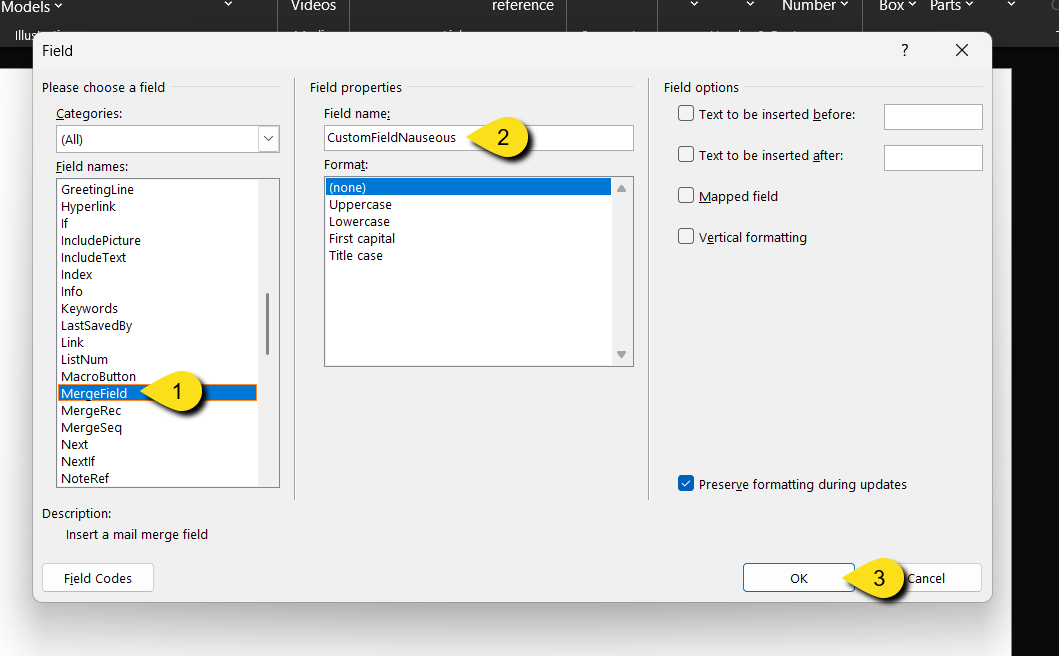
#_ Select Merge Field from the list.
- Paste the custom field name into the Field Name box.
- Click OK to save and insert the field.