1.1.2. Tablets
Buying tablets is secondary to buying computers. Using tablets is a game-changer for high-volume veterinary clinics. Tablets save time by going paperless and offer greater flexibility in managing your workflow.
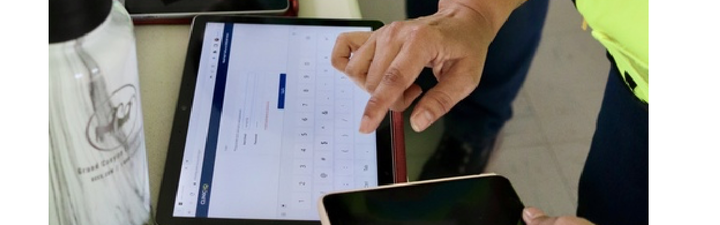
Question: What can you use tablets for in HQ?
- Curbside Check-In: Many clinics continue to use curbside check-in. HQ’s e-Lobby allows staff to stay inside while communicating with clients outside. ** Most check-ins are handled on a regular computer, but tablets are useful in specific situations where mobility helps. ** Our vision: complete "e-consents"::https://clinichq.com/public/manual/v1/en/topic/consent-forms?q=consent and e-pay before clients even arrive, maximizing efficiency.
- Transport Programs: Tablets make it easy to meet owners in the parking lot, collect electronic consent forms, and mark groups as Arrived in HQ. Back inside, this helps staff track who has and hasn’t checked in.
- During Surgery: Patient Flow is a tool for exams, medical note-taking, drug logging, and completing digital treatment sheets. Designed for use with tablets and specifically tablet pens, it replicates the process of writing notes on paper treatment sheets. Since pen use is essential, the stylus becomes a key part of the experience.
- Check Out: Though a tablet is not technically necessary, the portability of the tablet in your fast-paced clinic is a definite perk.
✅ Pro Tip: HQ works with standard devices, so your clinic doesn’t need special hardware. You can collect signatures using a tablet, phone, or computer mouse (Signature pads don’t work in HQ).
Buying a Tablet
We’ve tested many tablets on the market and can provide you with our top recommendation:
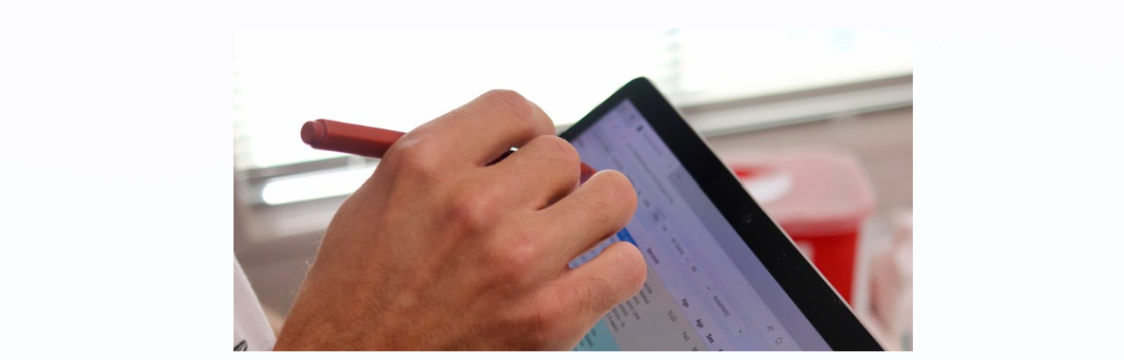
Our top recommendation: Microsoft Surface Go
- Lightweight with detachable Pen (≈$20) and Keyboard (≈$50).
- Runs Windows, which supports high-value peripherals such as Dymo LabelWriter, Zebra printers, HQ credit card machines, and wireless printers.
- Enables printing labels, processing payments, and wireless printing across the clinic.
- Magnetic pen attachment prevents loss—ideal for mobile clinics.
- Superior handwriting functionality compared to iPads, making it ideal for HQ.
- Seamless integration with Microsoft 365 and Excel, essential for downloading the Excel-based Drug Log.
✅ Pro tip: These tablets are popular and may go out of stock. If unavailable, try resellers such as Best Buy "Amazon":www.amazon.com/ref=nav_logo, or refurbished options. Best Buy often has Surface Go and Surface Pro 2-in-1 laptops at affordable prices.
Will other tablets work with HQ?
Yes, if they meet these requirements:
- Long battery life.
- Ability to run the latest version of Chrome (first- and second-generation iPads cannot).
- At least 8GB of RAM.
Caution: Cheaper tablets often have poor touchscreen sensitivity, limited handwriting support, and weaker connectivity with printers and payment devices.
Here is a breakdown:
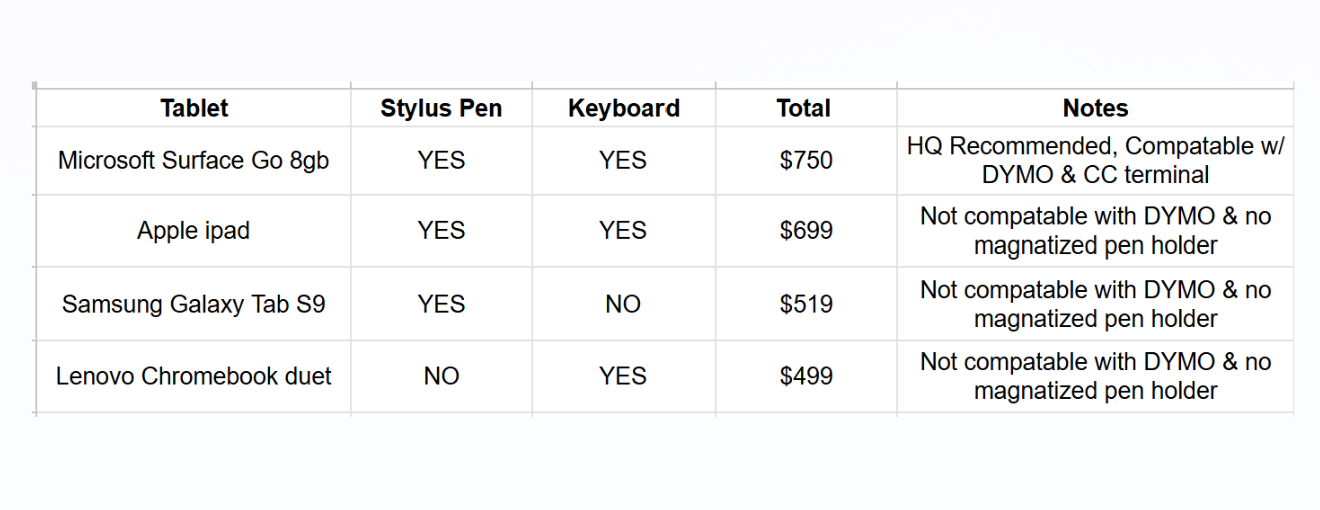
Cost-Saving Options
- TechSoup.org – Nonprofits can access discounted or donated technology from Microsoft, Adobe, Cisco, Zoom, and others.
- "Amazon Wish List":www.amazon.com/gp/help/customer/display.html?nodeId=GHCGC7B7SQ222YMD – A simple way for nonprofits to request donated tablets.
- Best Buy – Often has competitive pricing for tablet keyboard pen combos.
❌ Caution : Older donated tablets may not support the latest Chrome version. Always confirm before accepting. If Chrome cannot be installed, the device is not suitable for HQ.
1.1.1. Computers
Buying computers for your clinic is like getting a new puppy—exciting at first, but quickly a reminder of the need for solid budgeting! We know this is a significant expense, so here are some tried-and-true recommendations that balance performance and cost. There are no minimum requirements, except for the ability to load and access the Chrome browser.
1.1.3. Tech in Real Life
It might be hard to visualize how computers and tablets might be used in your clinic. Here are some real life images of computers and tablets being used in clinic: