1.4. HQ Navigation
1.4.3. The Dashboard
The dashboard is where most clinics start their day.
The dashboard is where most clinics start their day.
From here you can:
- See where you are in your clinic flow.
- Check for new memos.
- Confirm all microchips have been registered.
- Review appointments that have not been checked out.
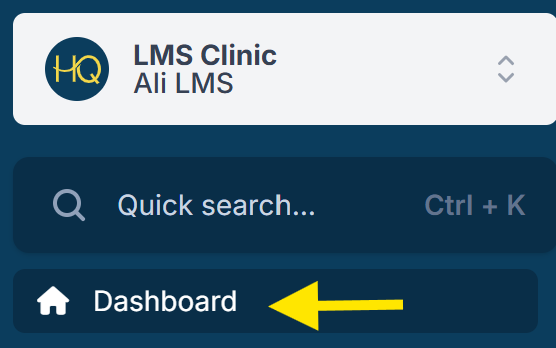
Accessing the Dashboard
- No matter where you are in HQ, clicking your clinic’s name in the right corner will bring you back to the dashboard.
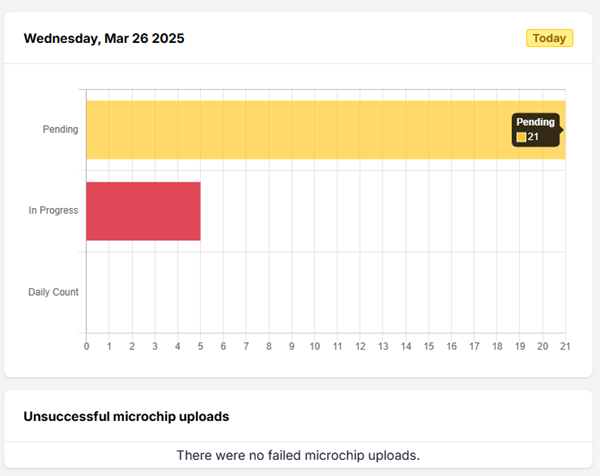
Calendar Snapshot
The calendar snapshot highlights two key metrics:
- Checked-Out Animals – the number of animals checked out of HQ so far today.
- Pending Appointments – the number of animals not yet checked in.
Microchip Alerts
On the dashboard, you may see a section for Unsuccessful Microchip Uploads.
This section displays error messages returned by the microchip company when an upload fails.
What to Do:
- If the error is fixable, correct the mistake in the record and then re-check out the appointment.
- If you’re unsure what the error means, see the Microchip section of this manual for details.
- As a last resort, you may open a help ticket for assistance.
✅ Pro Tip The Failed Uploads section only appears temporarily. If the error clears from the dashboard, you can review the Microchip Log for more details.
Memos
- Memos are short messages from HQ about important updates — anything from bug notifications to new features.
- Click the memo link to read it.
- When finished, click the X to delete it. ✅ Pro Tip: Deleting removes the memo from your view only. Once deleted, it cannot be restored.
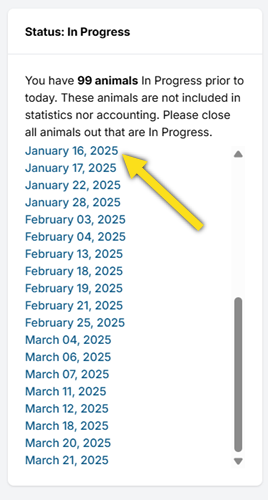
Status: In Progress
On the right side of the dashboard, the In Progress section lists appointments that have not been checked out.
- All animals must be checked out by the end of the day.
- If animals remain “In Progress,” data will not flow into reports or accounting, and microchips will not be registered.
- This section should always be kept at 0 animals In Progress.
- Missed appointments remain In Progress until they are checked out.
- This list shows only previous-day and older in-progress appointments, not same-day ones.
- Click on the active links to access and close out these appointments.