1.2. HQ Uses Google Chrome
1.2.4. Latest Version of Chrome
It’s important to use the latest version of Chrome, since updates often:
It’s important to use the latest version of Chrome, since updates often:
- Fix bugs
- Improve performance
- Add new features
- Enhance security
Keeping Chrome up to date helps HQ run smoothly and keeps your data safe.
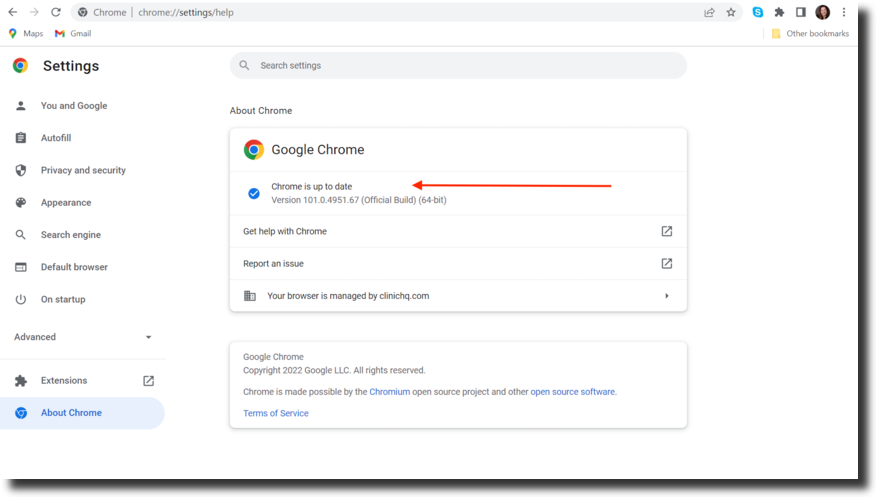
How to Check for Updates
- Click the three dots (⋮) menu in the top-right corner of Chrome.
- Select Settings.
- In the left-hand panel, click About Chrome.
- Chrome will automatically check for updates and install the latest version if needed.
1.2.3. Bookmark Pages
Bookmarking important pages in Chrome makes them faster and easier to access.
1.2.5. Clearing Your Cache
When you visit websites, small bits of information (cache) are saved in your browser. Over time, this can slow things down. Clearing your cache regularly helps Chrome run faster and keeps HQ working smoothly.