24.20. E-Payments
24.20.1. Customizing E-Payment Email
You can now customize the email sent with E-Payment links. Adjust the tone or add any details to match your clinic's style. We hope this makes communication with your patients easier and more personalized.
Here's how to do it:
- Go to Settings
- Under Scheduling, select E-Payments
- On the e-payment page you will see a tab called Email Template
- You can update the email template as you see fit. If you so not wish to personalize it, there is a pre-populated message you are welcome to keep
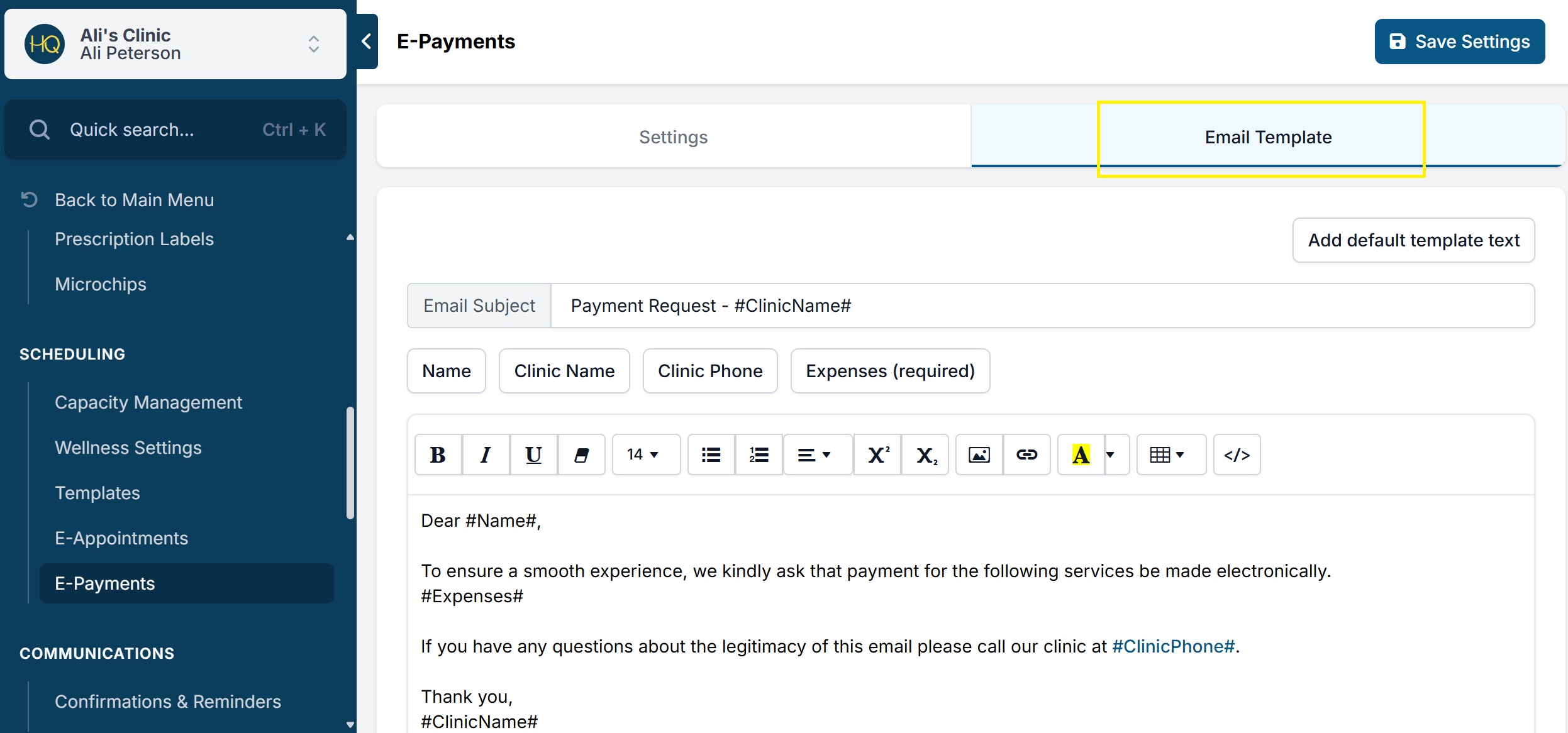
Here is what the pre-populated test reads:
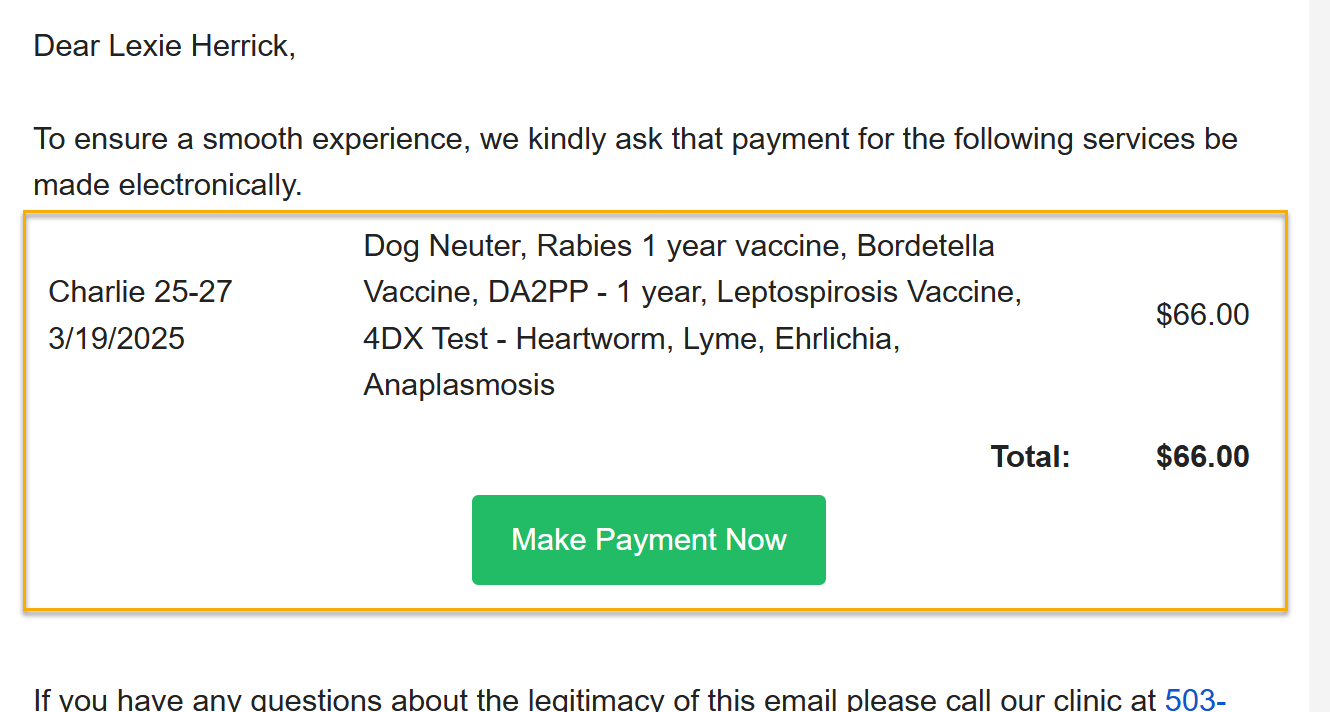
Note: This feature is only applicable for clinics with e-payments enabled.