Scheduling
4.6. Anesthetic vs. Non-Anesthetic
In Clinic HQ, appointments can be classified as Anesthetic or Non-Anesthetic. Understanding the difference ensures smoother navigation in Patient Flow and proper categorization of services.
In Clinic HQ, appointments can be classified as Anesthetic or Non-Anesthetic. Understanding the difference ensures smoother navigation in Patient Flow and proper categorization of services.
Definitions
- Anesthetic Appointments: Any appointment where the animal receives medication to block pain. ** Not limited to full surgical anesthesia (like spay/neuter). ** Includes procedures like dentals or mass removals where drugs are required.
- Non-Anesthetic Appointments: Appointments where no drugs are used for pain management.
- Common examples: vaccine clinics, wellness exams, medication pickups.
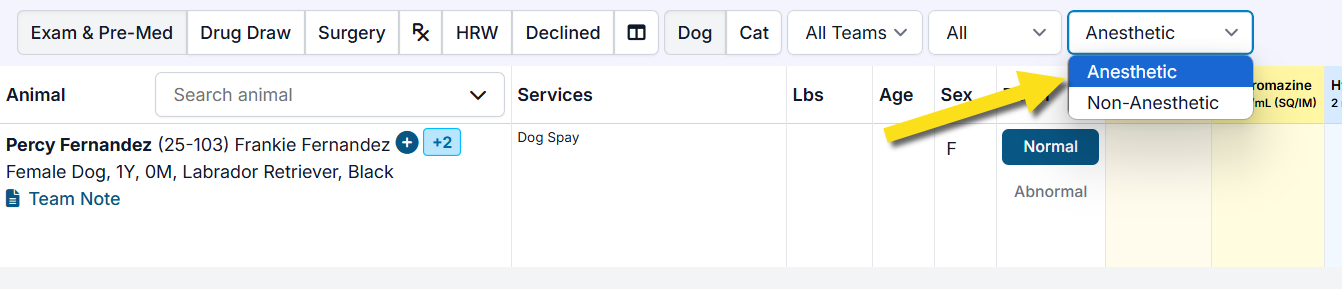
✅ Pro Tip: Correctly categorizing allows you to filter Patient Flow by anesthetic vs. non-anesthetic if desired.
Scheduling in Patient Flow
- Default behavior: ** Spay/Neuter (SN) appointments are always anesthetic.
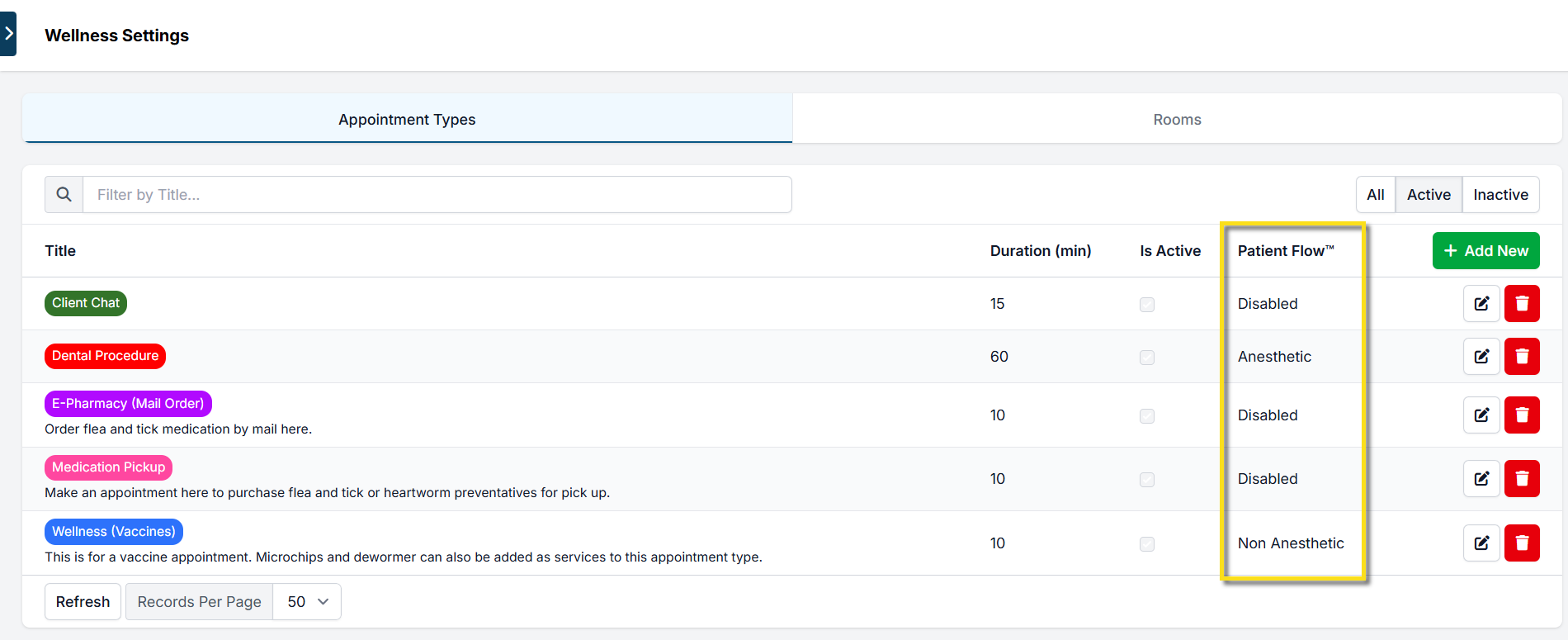
- Wellness appointments: ** Must be manually set as anesthetic, non-anesthetic, or disabled in Patient Flow. ** To configure:
- Go to Settings > Wellness Settings
- Edit each appointment type individually.
Examples
- Dental Appointment → Enabled in Patient Flow as Anesthetic (requires anesthesia).
- Vaccine Clinic → Enabled in Patient Flow as Non-Anesthetic (no anesthesia).
- E-Pharmacy Mail Order → Disabled in Patient Flow (not an in-clinic appointment).
How It Works in Patient Flow
- Appointment types enabled for Patient Flow (e.g., Dental) will appear once the patient is checked in.
- The anesthetic vs. non-anesthetic setting ensures accurate workflow, treatment sheet integration, and drug log reporting.
Key Takeaway:
- SN = always anesthetic
- Wellness = must be classified individually
- Correct setup in Wellness Settings ensures appointments display properly in Patient Flow.