16.3.1. Shelterluv Integration

What Does It Do.
This integration between Shelterluv and Clinic HQ is currently one-directional, meaning data flows from Shelterluv into Clinic HQ.
When an intake is completed in Shelterluv, the relevant animal information is automatically pulled into HQ.
This eliminates the need for clinic staff to enter the same data twice, reducing manual entry and improving efficiency.
In the future, Shelterluv may choose to enable a two-way integration that allows data to be pulled from HQ back into Shelterluv.
This functionality would be managed solely by Shelterluv and is outside of Clinic HQ control.
Even as a one-way integration, this system offers significant time-saving benefits by streamlining intake workflows and minimizing administrative workload.
The first month to test the integration is free, then $99 per month.
To read more about setup, visit the Setup Page.
Accessing the Tool.
A new Shelterluv link will appear in your navigation panel once the integration is enabled.
Importing Data for Pets With No Foster.
You can import Shelterluv animals into HQ by following these steps.
- Enter a From Intake Date and click Search.
- Select the checkbox next to the animal or animals.
- Click Import Selected. #_ When imported, HQ creates an appointment dated to the Shelterluv intake date. #_ The service Shelterluv Intake is automatically assigned. #_ The appointment is automatically checked out to place the animal into the HQ database.
- When ready to perform medical services, create a new appointment for the existing animal.
Importing Data for Pets With a Foster.
For animals with a foster, HQ treats the foster as a Volume Client Owner with an animal type of Foster.
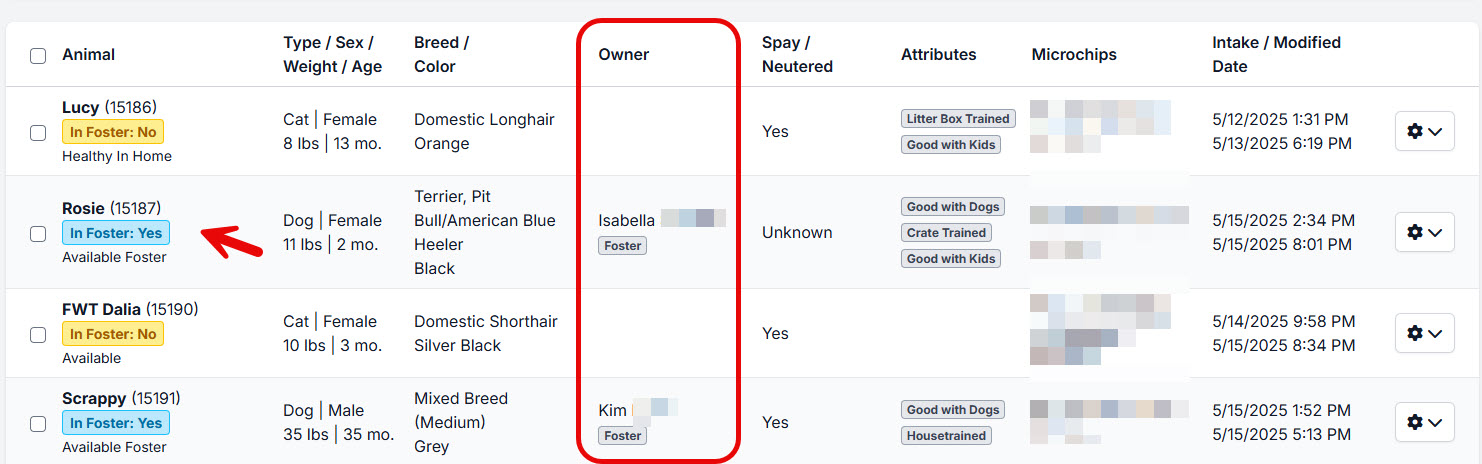
- Select Import Selected.
- Search for the foster by typing part of their name to see if they already exist in HQ.
- If the foster exists, select the record to attach the animal.
- If the foster does not exist, click Create New Owner to create a new VCO record. #_ HQ will create and automatically check out an intake appointment using the Shelterluv Intake service.
Importing Vaccines Given at the Shelter.
It is important to import vaccines already administered so vaccine history is visible throughout HQ.
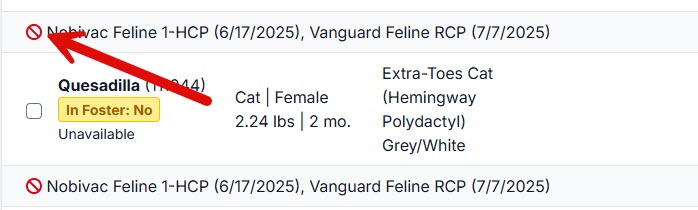
Vaccines must be mapped in Settings before they can be imported.
Unmapped vaccines display a red indicator icon and will not import.
Only vaccines are imported from Shelterluv.
Other services are not imported.
Reminding Fosters When Vaccines Are Due.
Because the integration is one-directional, reminders must be managed within HQ.
Set up Item Reminders in HQ to notify fosters when vaccines are due.
Instructions are available here: Item Reminders Setup.
As long as the foster is entered as a VCO with contact information, reminders will be sent automatically.
Sending the Medical Record to the New Adopter.
Once a pet is adopted, update the record using the following process.
- Locate the animal’s most recent appointment using Quick Search.
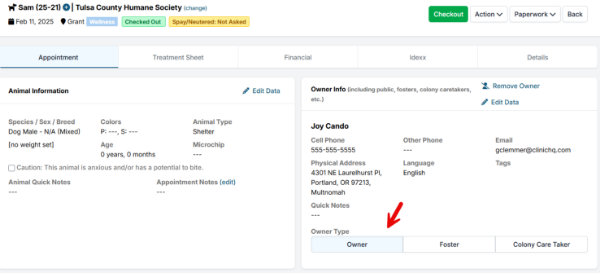
- Update the Owner section with the new adopter’s information.
- Change the ownership type from Foster to Owner.
- Use the Paperwork button to email the medical record to the new owner.
Updating Vaccines After Initial Import.
Scenario:
An animal is imported into HQ on one date, and a vaccine is later administered and documented in Shelterluv.
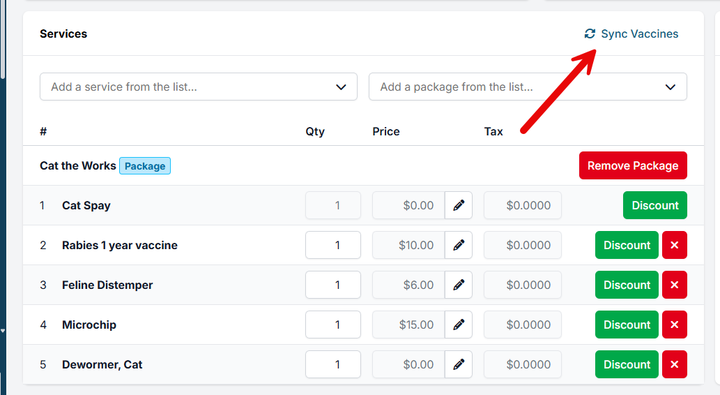
Use the Sync Vaccines feature in HQ to pull in vaccine updates added after the initial import.
This will import newly recorded vaccines without re-importing the animal.