18. Communications

Client Communication Overview.
There are several ways to communicate with clients through HQ. This includes take-home paperwork, text, email, and call reminders, as well as access to the animal’s medical record.
Information is pulled directly from the animal’s record and pre-set communication settings in HQ, making this process efficient and consistent.
Types of Automated Communication.
The following types of automated communications are available in HQ.
- Appointment Confirmations: Notifications sent immediately after an appointment is created or confirmed.
- Appointment Reminders: Notifications sent based on a configured sending schedule to remind clients of upcoming appointments.
- Item Reminders: Notifications sent after a visit to remind clients when their animal is due for services again.
- Consent Reminders: Notifications sent on a schedule when a client has not yet signed their e-consent form. Only Volume Client Portal consent reminders are customizable.
- Text for Pickup: Notifications sent when a patient is marked as Done to inform public clients that their animal is ready for pickup. This is available only when the Call and Text Add-On is enabled.
Communication Methods.
There are three supported communication methods.
- Email.
- Text.
- Robo-calls.
We use a whitelisted IP address to send HQ emails. We have a 95.1% delivery rate, with 3.1% bounces and 0.01% spam complaints. The remaining emails are suppressed if the user previously marked the email as spam or if they opted out of receiving emails.
Troubleshooting Failed Delivery.
If an email does not appear to be delivered, review the Communication Logs under Clients > Client Management > Communication Logs.
Here are the top troubleshooting steps for failed emails:
- Verify the email address is spelled correctly by reviewing the Communication Logs.
- Check the client profile to ensure the client is opted in for all communications.
- Call the client and ask them to check their spam folder. If the email is found, have the client mark it as Not Spam to receive future emails in their inbox.
Public Clients.
For public clients, you should create both an appointment confirmation and an appointment reminder.
When an appointment is created, the client receives a confirmation and an e-consent form.
If the consent form is not signed, a reminder is sent every two days until the form is completed.
Volume Clients.
You can set up appointment confirmation emails for volume clients to notify them when appointments are released to their Volume Client Portal. Including the animal number placeholder indicates how many appointments are available.
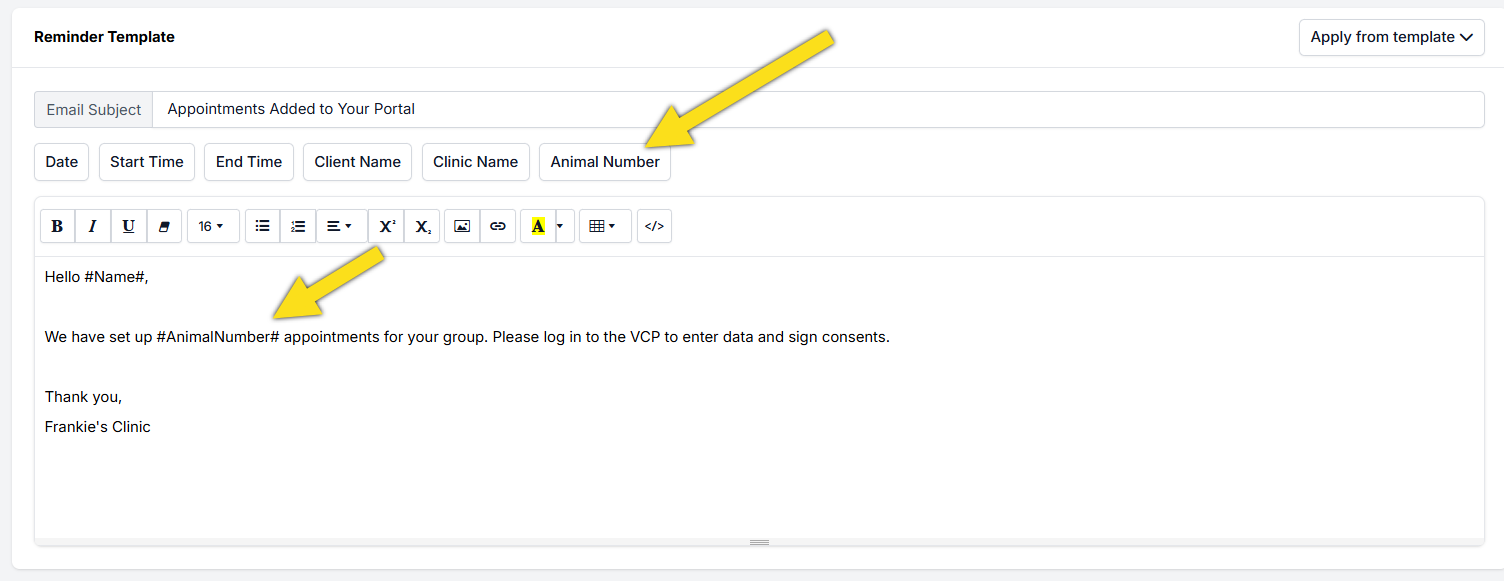
You can also configure consent form reminders for Volume Client Portal clients to prompt them to sign consent forms.
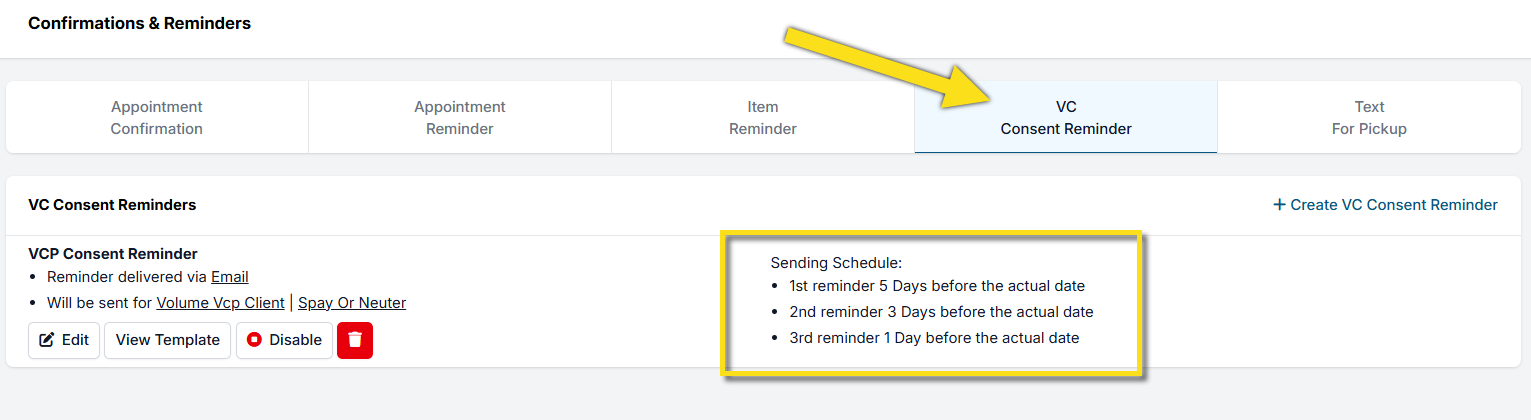
For individual volume clients, reminders can be disabled entirely. This may be useful for feral cat groups that do not sign consent forms until the morning of the clinic.
To disable reminders, open the client's profile, navigate to Communication Settings, and uncheck the appropriate reminder checkbox.