8.1. Canceling Appointments

Canceling an appointment can mean one of two things:
- Client-Initiated Cancellation: The client calls or emails requesting that a confirmed appointment be canceled. (Different from deleting or rescheduling.)
- E-Appointment Cancellation: You cancel an appointment request directly from the e-appointments queue.
Key Considerations
- Appointment type matters: The steps may vary depending on the type of appointment.
- Deposits and pre-payments: If a deposit or pre-payment exists, you must handle it before canceling by either deleting, repurposing, or refunding the payment.
Common Questions About Canceling
Does the client get notified?
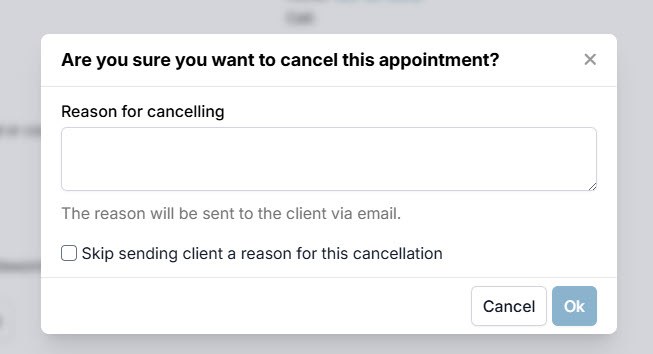
- From the e-appointments queue: Yes. Clients receive an email with the cancellation reason you provide. ** To skip sending the reason, check Skip sending client a reason for this cancellation.
- From inside HQ (outside the queue): No. Clients do not receive a cancellation notification.
Can I cancel in-progress appointments?
- Cancelable: Appointments with status Pending or In Progress.
- Not Cancelable: Appointments with status Checked Out.
What if the appointment has payments?
- Any associated payments must be resolved first.
- Options: Delete, repurpose, or refund the payment, then proceed with cancellation.