22. Change / Audit Logs

Change Logs in HQ allow you to track user activity for specific actions such as changing appointments, merging records, and much more. This section will detail the different types of auditing logs we have available and how to use them.
Auditing Logs
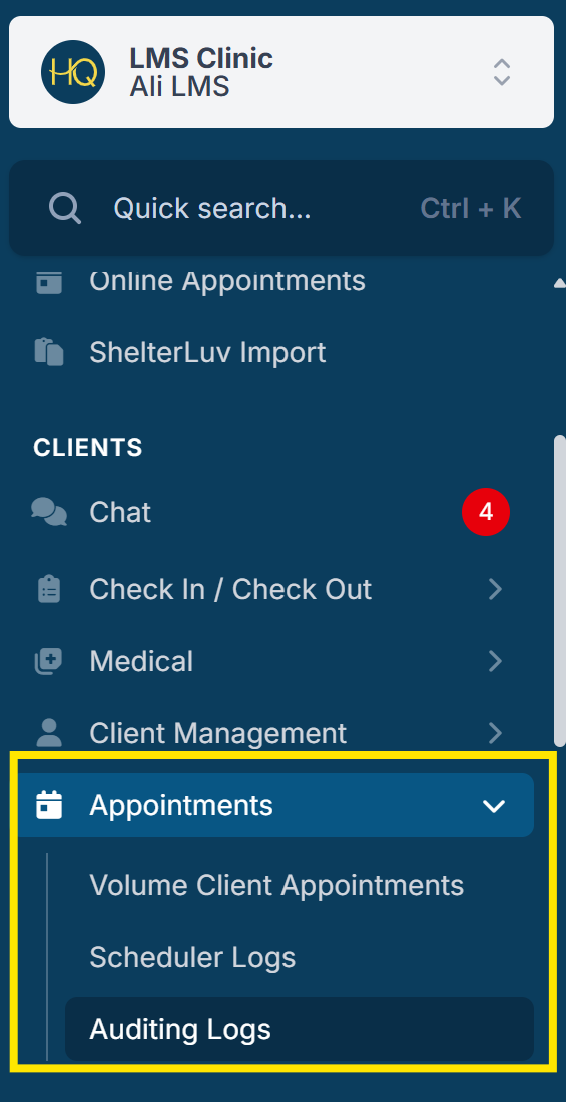
- The auditing logs keep record of important, typically irreversible actions that have been made in HQ. To find it, go to Clients > Appointments > Auditing Logs.
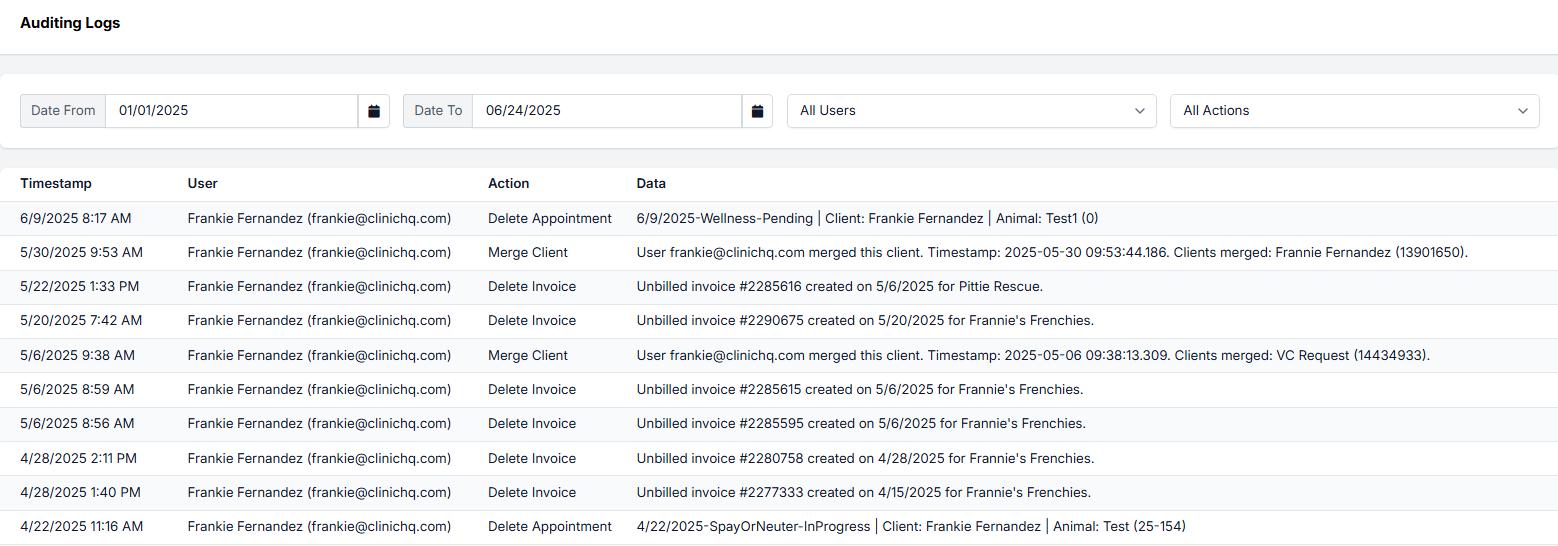
- You can filter by date, user, and type of action. Actions include deleting appointments, invoices, and drug bottles, merging clients or animals, and editing your HQ subscription.
- The Audit Log will also capture E-appointment requests that were canceled as these are considered deleted appointments.
Here is what an auditing log looks like: