19.13.2. How To Process a Refund
19.13.2.4. Refunding Partial Amounts
Refunding Partial Amounts
From Client Profile
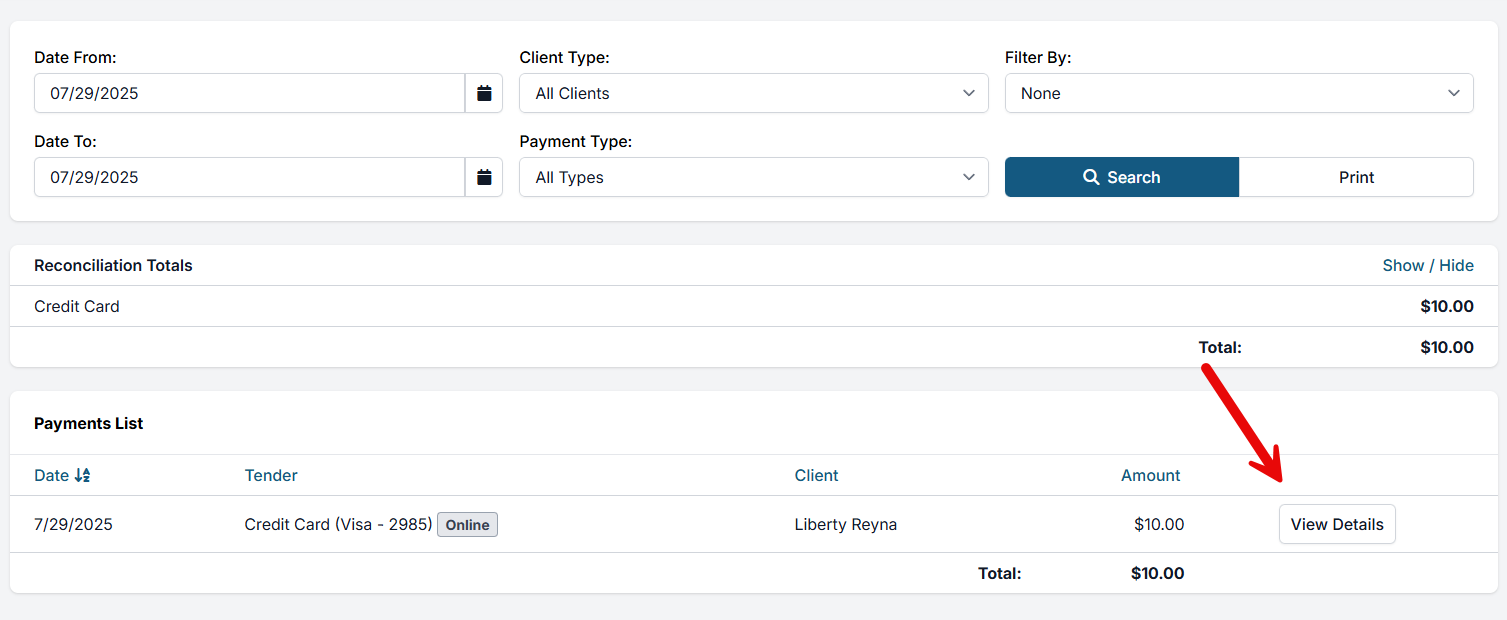
- Locate the payment in the "Payments" tab
- View details on payment
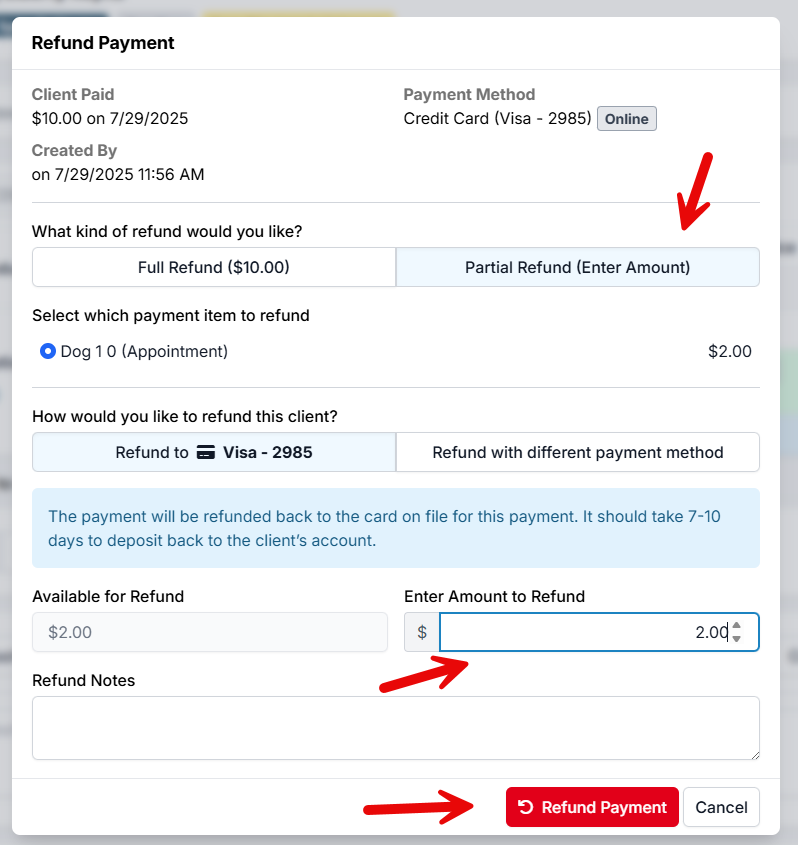
- Select Partial Refund
- Select how you want to refund (cash, card, check, etc.)
- Enter the amount
- Click Refund Payment
From The Appointment Screen
- In the appointment, navigate to the Financial tab
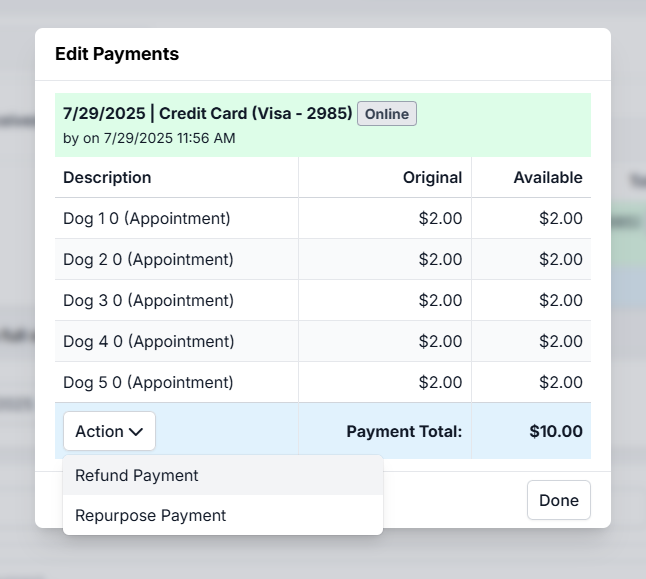
- Click Edit Payments
- View details on payment
- Select Partial Refund
- Select how you want to refund (cash, card, check, etc.)
- Enter the amount
- Click Refund Payment