11.1. Step 1: Start Your Drug Log (Daily Task)

The very first thing a clinic must do each day is pull drugs out of the drug safe and START THE DRUG LOG.
⚠️ Critical Reminder:NO PART OF PATIENT FLOW WILL WORK WITHOUT STARTING THE DRUG LOG!
The steps below show how to start the log. If you need more detail about what a drug log is or the nuances of drug logging, review the other pages in this section.
Starting the Drug Log Using the Centralized Model (Most Common)
- Go to Medical > Drug Logs.
- Click the blue Start Day button.
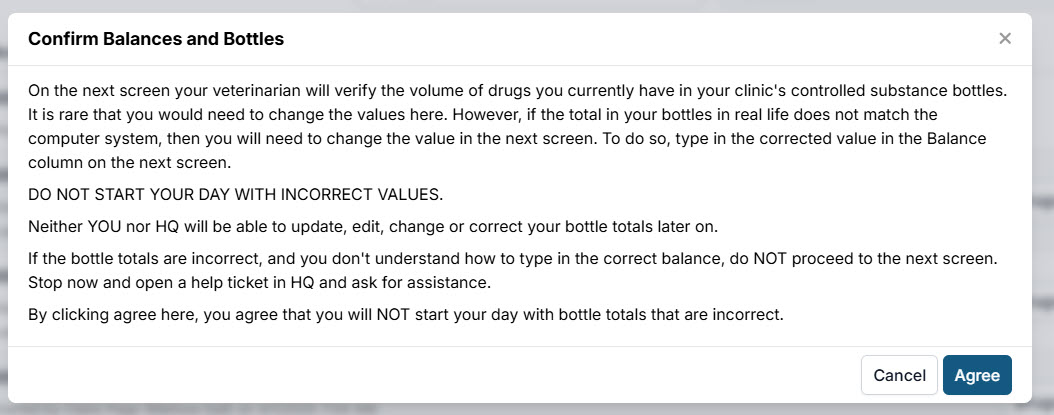
- Read and agree to the acknowledgment.
- Confirm bottle balances: review the drug name/concentration, balance, and bottle number for each bottle.
- Enter witness initials. This can be one or more people who helped pull bottles and verify totals.
Decentralized Method (Rare)
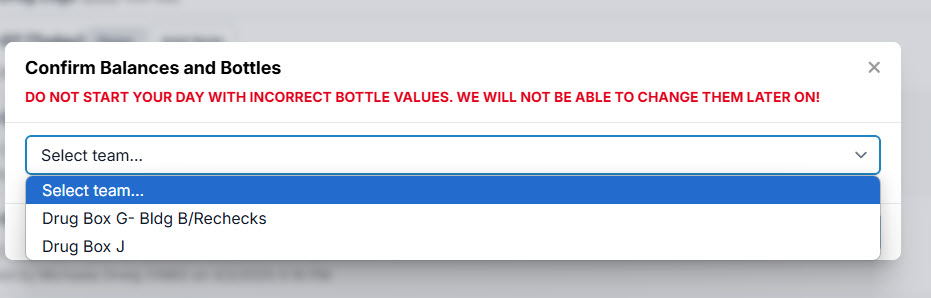
The steps are the same as above, except that when you start the drug log, each team begins their own log by selecting their team in the dropdown after clicking Start Team Drug Log.
Teams are configured in *Patient Flow Setup