Understanding Various Paperwork
9.10. The Roster

The daily roster organizes the day’s appointments by time, allowing you to see all key information in one place.
It’s a good idea to print a roster the day before clinic in case the internet goes down or another issue arises. This way, you’ll still have a record of:
- Which clients and patients are scheduled
- What services each patient is supposed to receive
- How much each client owes
Printing a Roster
The daily roster functions as a printed check sheet to support check-in.
To print:
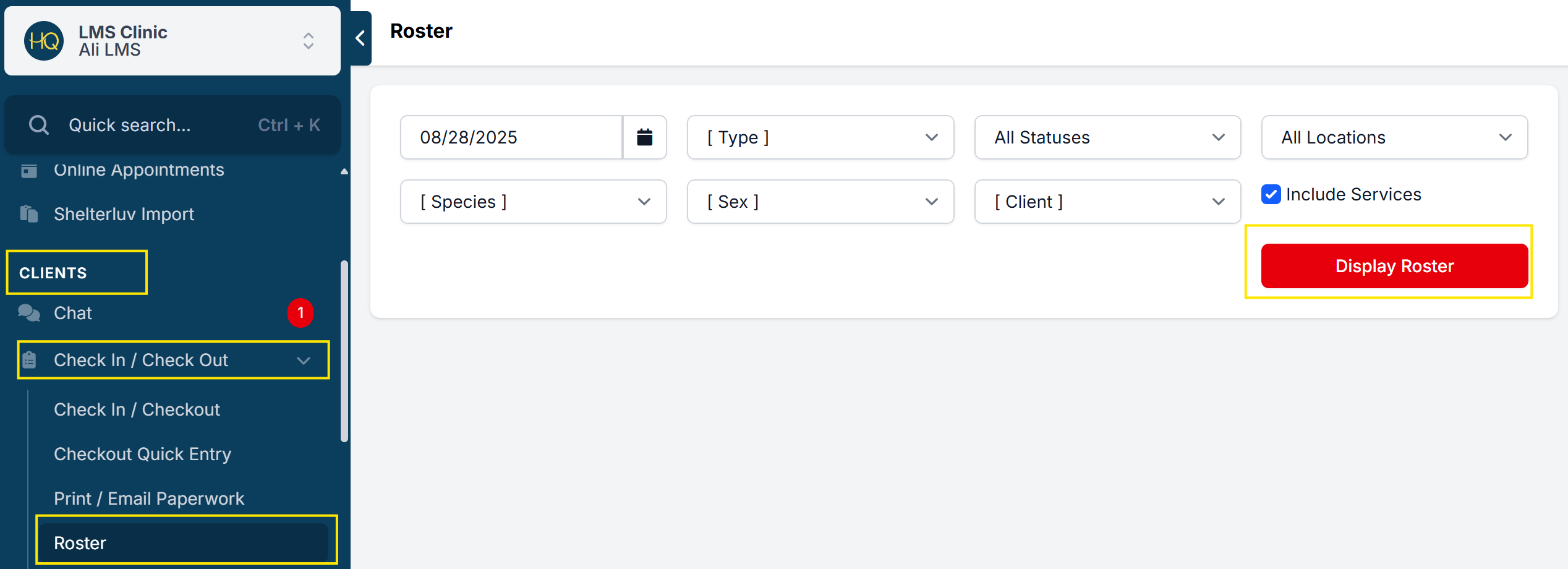
- Go to Clients > Check In/Out > Roster > Display Roster.
- Right-click and print using the Chrome print dialogue box.
Appointments are organized:
- By time (if your clinic uses time-based scheduling), and
- Alphabetically by the client’s last name
You can also filter the roster for public clients versus volume clients, if that helps manage workflow.
Additional Features
- Filtering: Narrow results by animal, sex, appointment type, or client type.
- Caution Toggle: If an animal has been flagged with a caution toggle, this will appear on the roster.