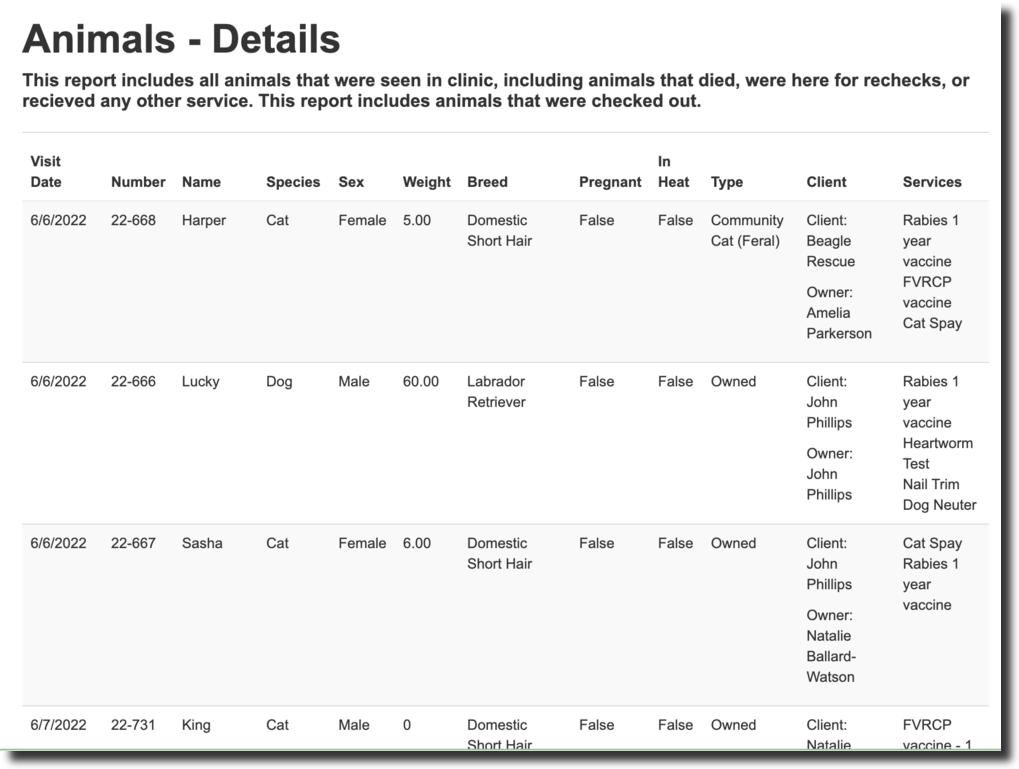
21.2. Patient Metrics- Details

The details reports (unlike the summary report) provide you with specific details about the spay/neuter surgeries and total appointments your clinic sees.
These reports show things like specific appointment dates, details about the animal, and the services they received on that date.
The Details report allows you to review all activities in a given period of time. When you generate the report, you can easily transfer it to Microsoft Excel (or similar software). Notice you can filter by a date range and select a report group to display.
There are two possible groupings of details: Surgeries and Animals.
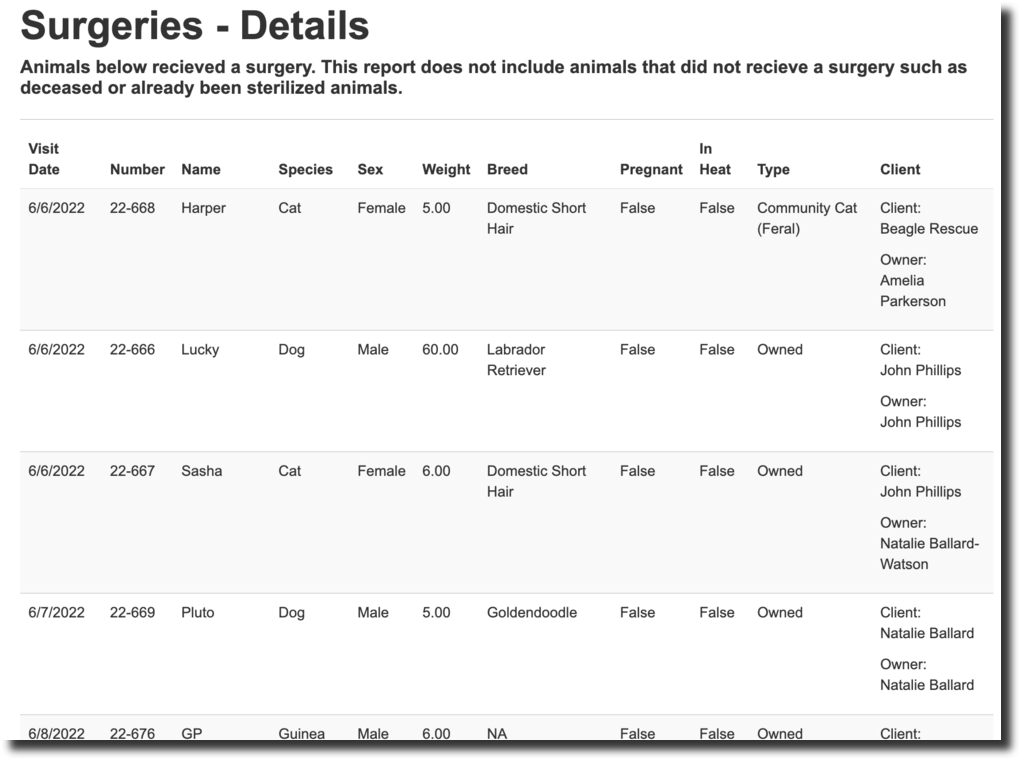
- The Surgeries report includes all animals with a completed spay or neuter during the date range. It does not include deceased or declined animals.
- The Animals report includes all animals with checked out appointments during the date range.
To enter the Details Report, navigate to Reports > Metrics > Details.
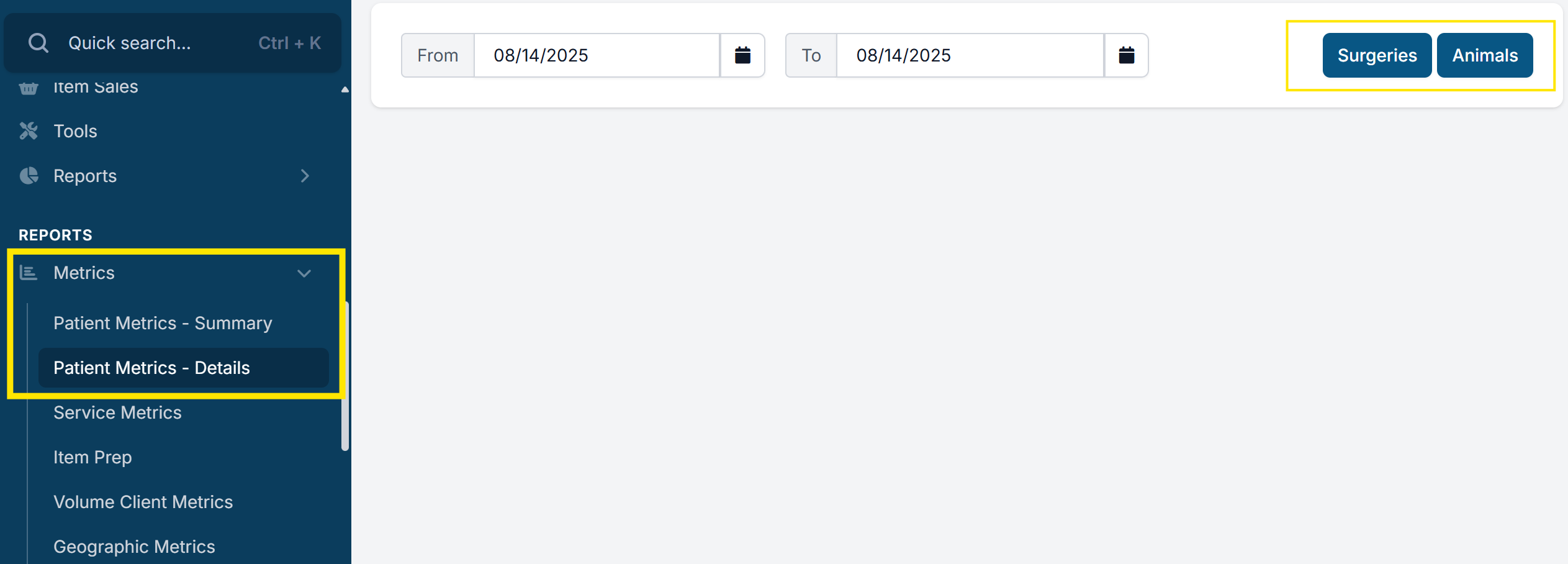
Once you enter the period of time you would like to see the details report for, click either the surgeries or animals button to generate the report.
Surgeries Details Report
The surgery details report shows animals that had surgery through your clinic, giving you the appointment date and number and many details about the animal who received surgery.
Animals Details Report
This report provides details about all of the animals seen at your clinic for any type of appointment, giving you the appointment date and number and many details about the animal who was seen and the services they received.