Reports
21.11. No Shows

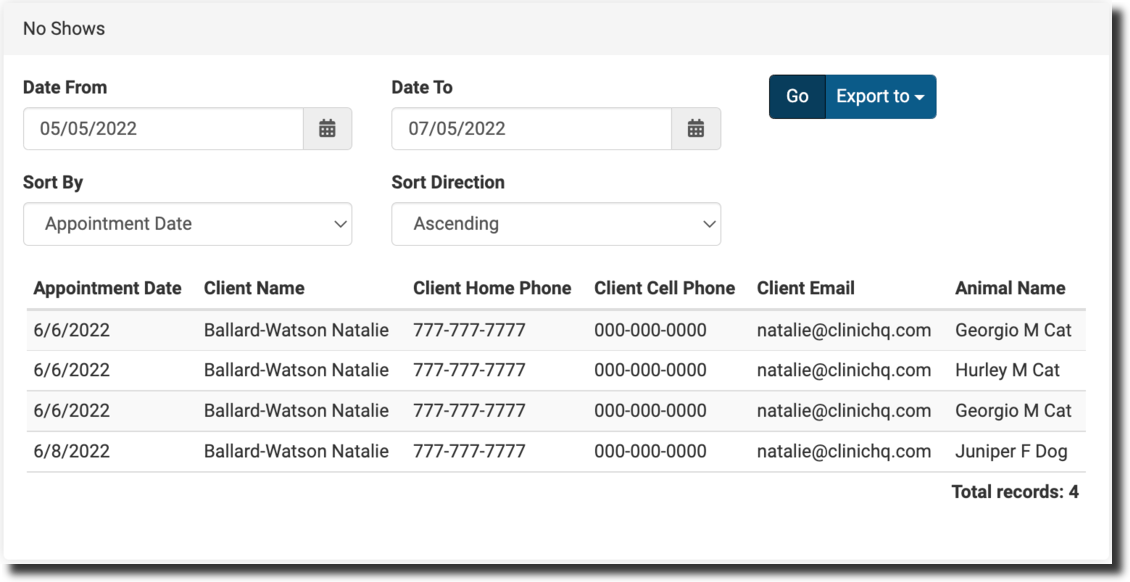
The no shows report can help you to manage your no-show appointments by providing a list of clients who have been marked as a no-show in HQ.
- Clinics will often utilize this report to have volunteers or staff follow up with the client and make a new appointment.
- At the top of the page, you can filter for time period/date, and organize them in multiple different ways. Options include sorting by client name and animal species.
- Export the data into a spreadsheet. Here you will have access to your client's phone numbers and emails. You can give them a call to let them know they missed their appointment or send them an email with the e-appointments link to make a new one.