21.13. Donations Metrics

The donations report provides a summary of donations and grants made to your clinic.
A donation is considered any money that was not allocated towards services and products and placed into a Funding Partnership pot. The data on donations is broken down into several metrics.
Each report can be viewed from HQ or exported to a spreadsheet.
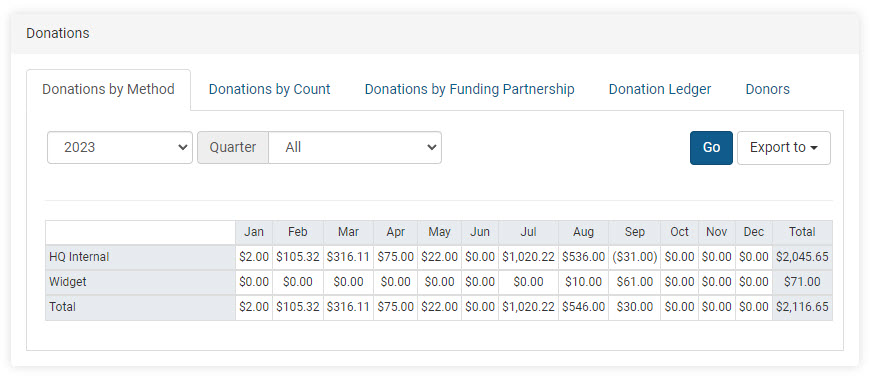
Donations by Method
This section shows how donations were received and the total amount collected by each method each month.
HQ Internal:
- Overpayments made during appointments
- Donations made directly in an appointment
- Donations or grants added or removed through Funding Partnerships
- Donated Admin Fees (DAFs)
Widget:
- Donations made through the campaign widget on the E-Appointment Form
- Donations made through widgets embedded on a website
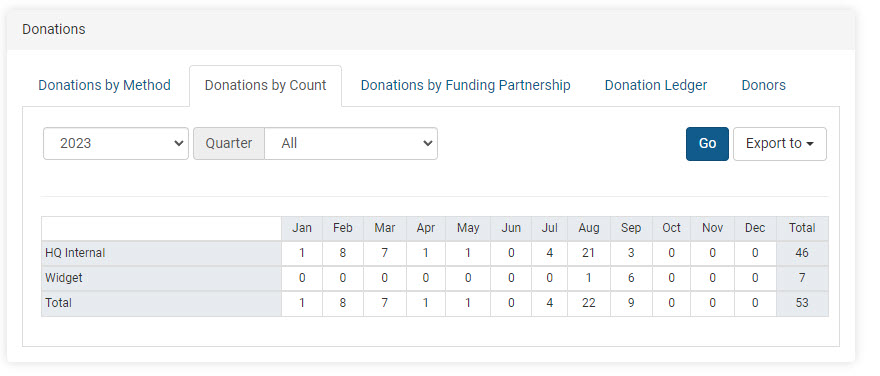
Donations by Count
The count here represents individual donations received through each method. It does not display donation amounts but the number of individual donation payments received each month.
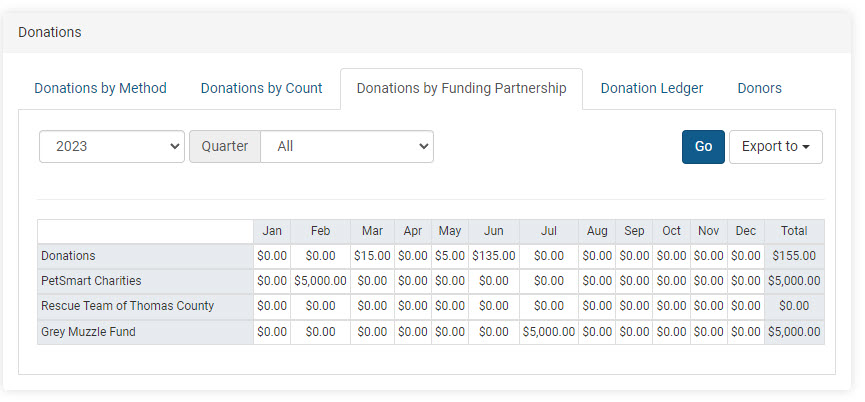
Donations by Funding Partnerships
This report shows the breakdown for each month and includes the total received towards each pre-paid funding partnership pot. The amounts are from individual donations plus grants.
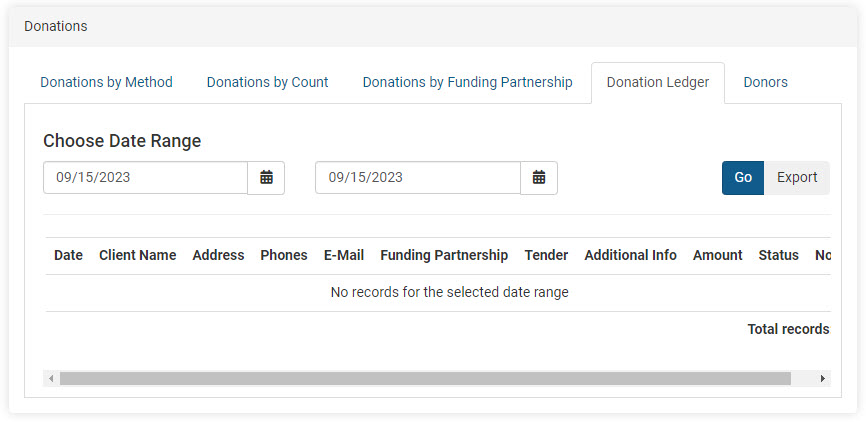
Donation Ledger
This is the master spreadsheet that shows all activity related to donations and grants. The report also acts as an audit for voided or refunded donations.
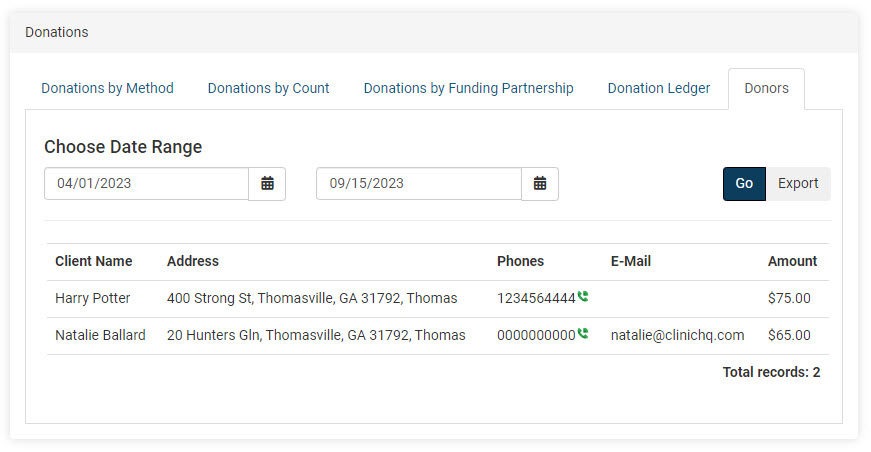
Donors
This report provides a total amount by person in the selected time frame. Many non-profit clinics will utilize this report to assist with sending tax write-off/thank-you letters to clients since the client's email and address are included with the donation amount.