20.7. Recurring Donations
Client's can sign up for recurring donations through any active donation campaign.
Enrolling in Recurring Donations
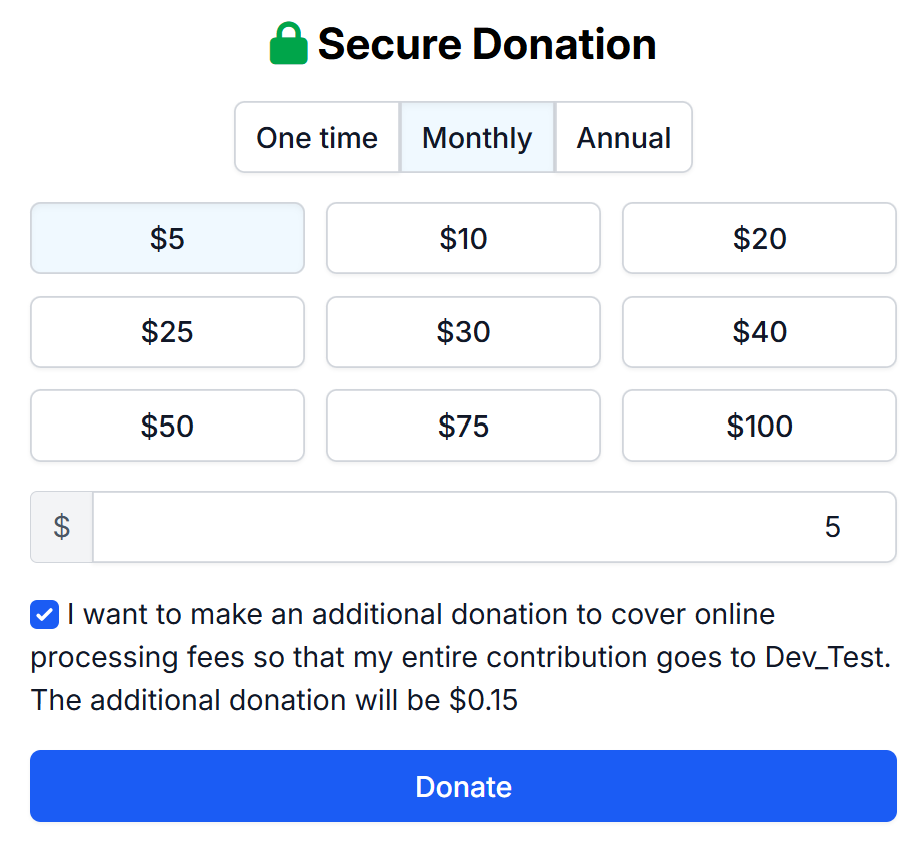
To sign up for recurring donations, your clients will select the amount, frequency, and if they would like to cover the online processing fee.
Clients can select one of the pre-populated amounts or enter a custom amount they would like to donate (The minimum amount for any donation campaign is $5)
Frequency can either be Monthly or Yearly (Annual)
Canceling Recurring Donations
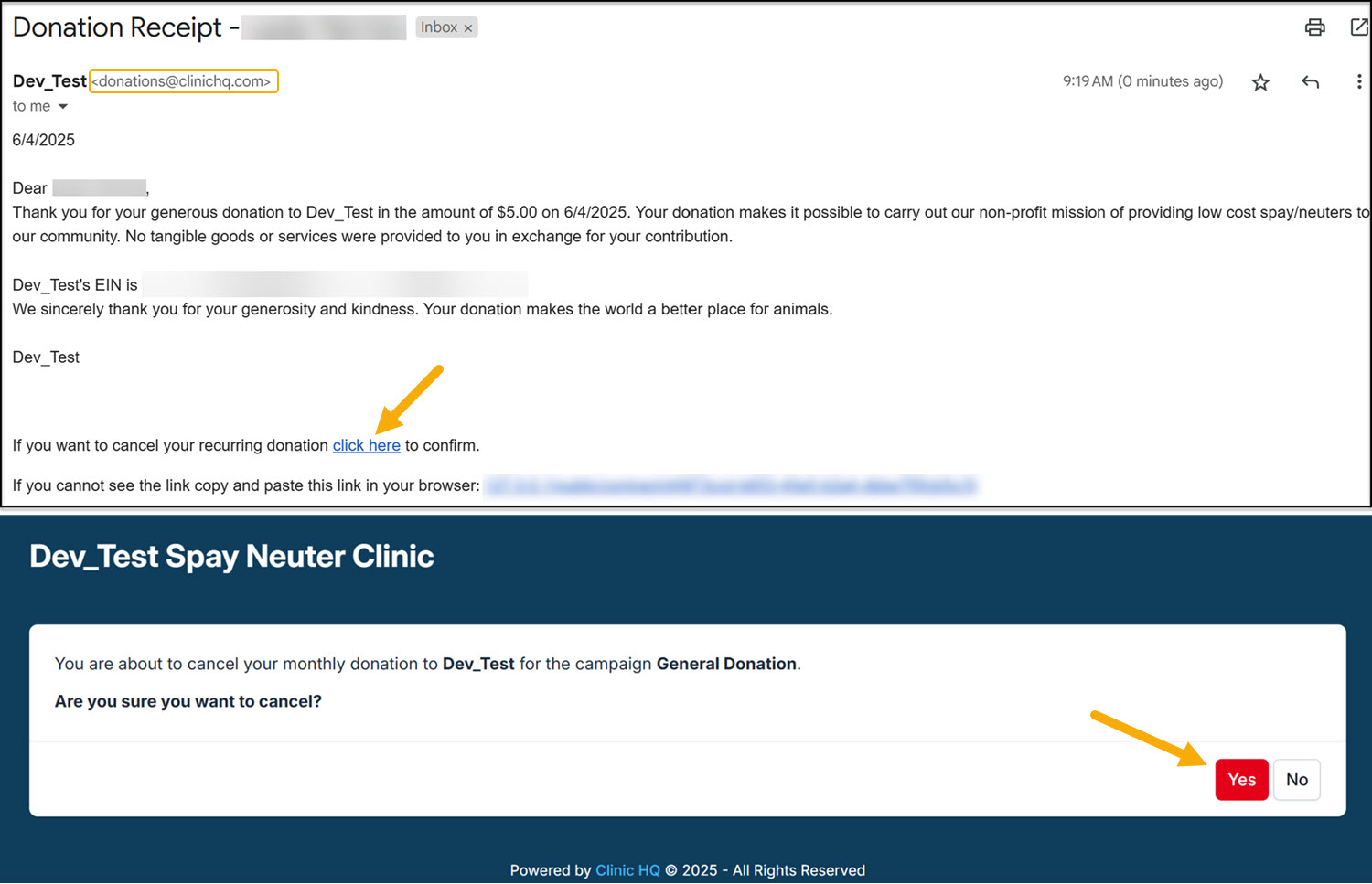
Canceling a recurring donation can only be done by the client. They will do so by using any of the donation receipts they have received. Receipts are sent to the email provided at the time of setting up the initial donation. You can confirm this email by using the Donation Report > Donors. Donation receipts are sent from donations@clinichq.com. If your client is unable to locate their receipts, have them search for this email address and/or check their spam folder.
At the bottom of their receipts, they will see the option to cancel their recurring donation. The link will redirect them to a confirmation page to cancel their recurring donation.
20.4. Tax Deductible Donation Receipts
A tax deductible donation receipt is sent whenever, and where ever, a donation is collected in HQ. You do have to customize these receipts to reflect your organizations pertinent information.
20.8. Donation Metrics
The donations report provides a summary of donations and grants made to your clinic. A donation is considered any money that was not allocated towards services and products and placed into a Funding Partnership pot. The data on donations is broken down into several metrics.