20.2.4. Converting Deposits into Donations
An unused or forfeited deposit can be converted into a donation. This is commonly done when a client no-shows, cancels on short notice, or when services are not performed and the visit remains overpaid.
Repurposing a Deposit into a Donation.
When a deposit is repurposed, the funds are no longer applied toward services or products for an appointment. Instead, the deposit is forfeited and converted into a donation.
To complete this process, a prepaid funding partnership must already exist. Most clinics use a general Donations fund or a fund titled No-Show Deposits.
If a suitable fund does not yet exist, follow the steps in Funding Partnerships to create one.
❌ Caution: It is a common misconception that staff should edit, remove, or decline services when a client cancels or no-shows.
Do not change or decline services. Instead, locate the deposit and repurpose it directly without altering appointment details or prices.
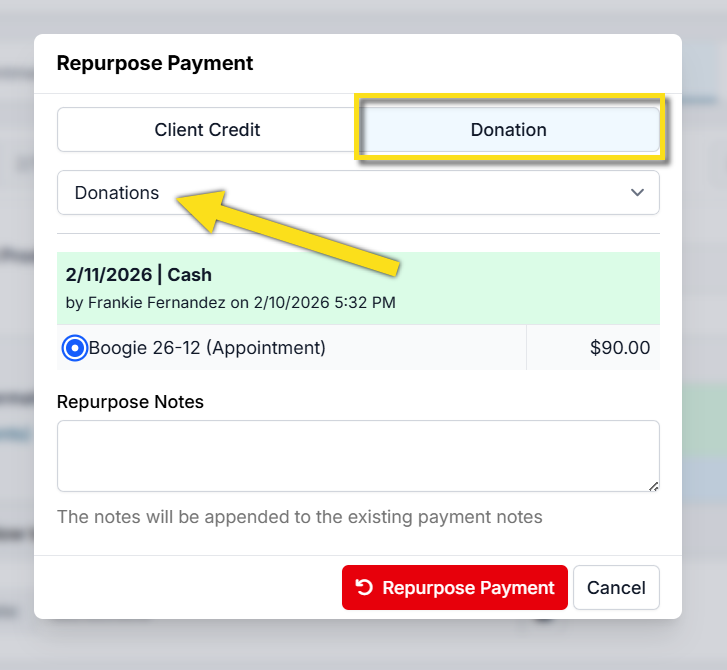
Repurpose Payment Popup
Method 1: Manage Deposits Page
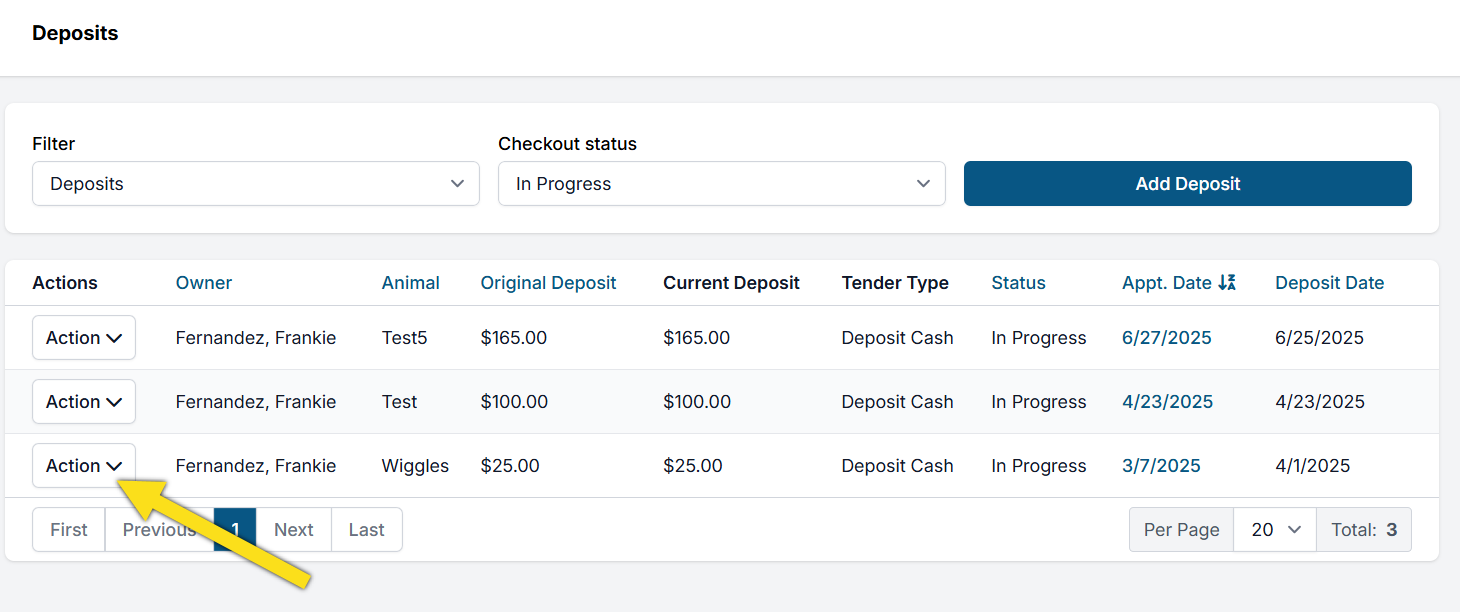
- Open Clients > Client Management > Manage Deposits.
- Locate the deposit using column sorting options such as Last Name or Appointment Date.
- Select Action.
- Select Repurpose Payment.
- Choose Donation as the repurpose option.
- Select the appropriate donation pot under Choose Fund.
- Select the red Repurpose Payment button.
Method 2: Edit Appointment
- Go to Quick Search > Appointment Changes.
- Locate the appointment and select Edit.
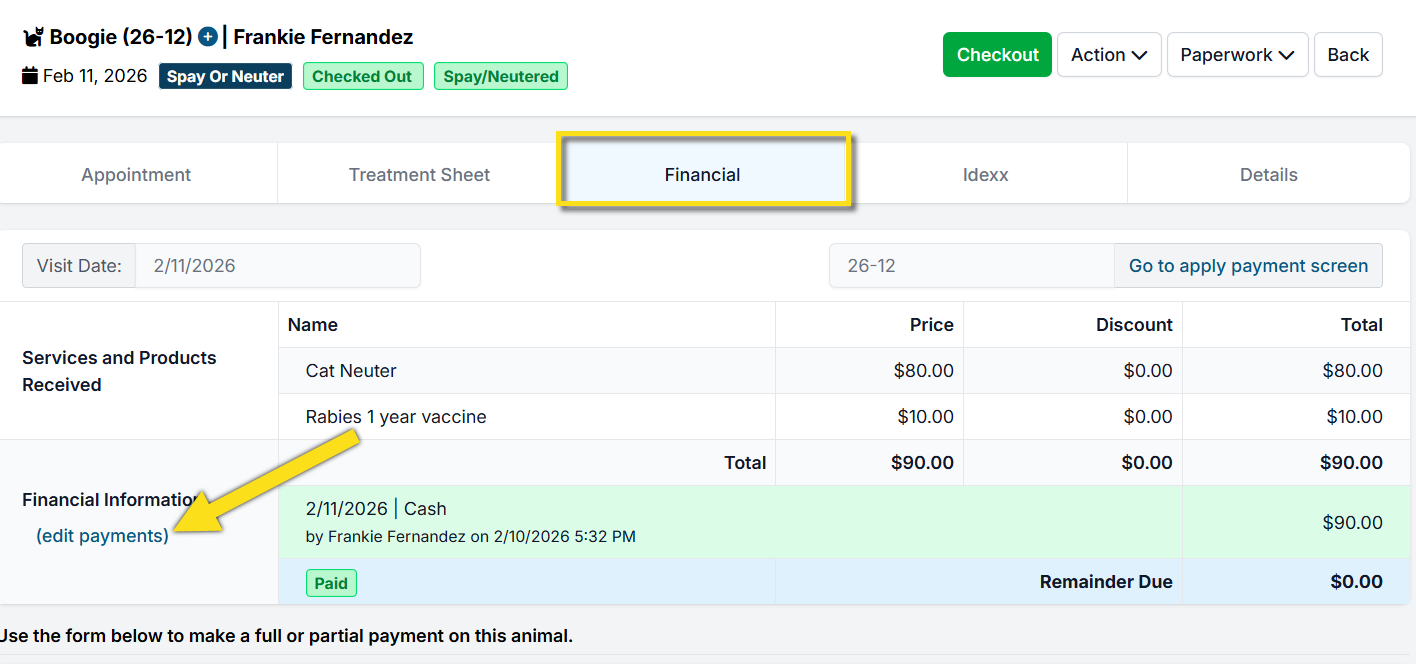
- Open the Financial tab.
- Select (Edit Payments) next to the payment details.
- Choose Donation as the repurpose option.
- Select the appropriate donation pot under Choose Fund.
- Select the red Repurpose Payment button.
Method 3: Client Profile
- Open Quick Search and find the client's profile.
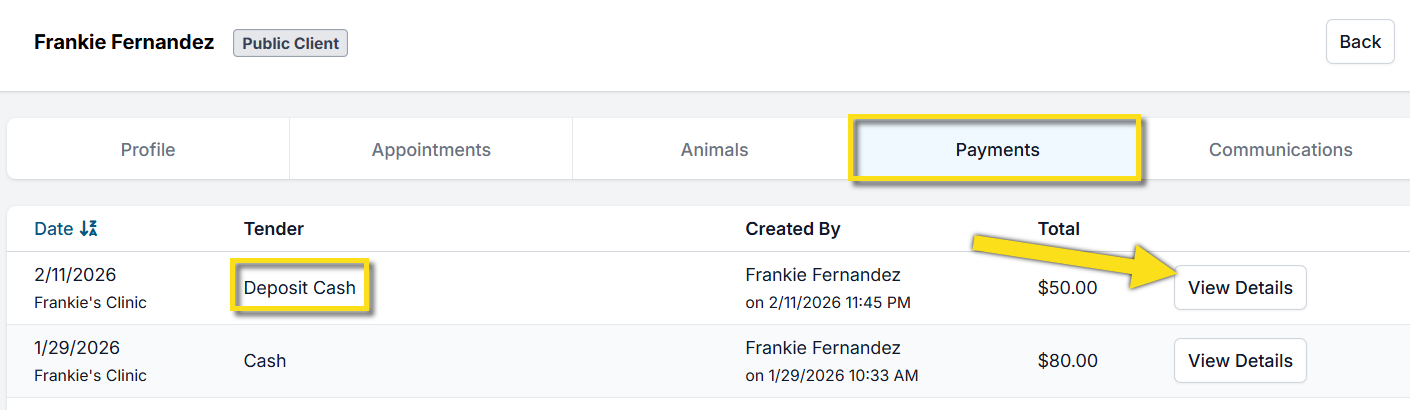
- Open the Payments tab.
- Locate the transaction labeled Deposit and select View Details.
- Select Action.
- Select Repurpose Payment.
- Choose Donation as the repurpose option.
- Select the appropriate donation pot under Choose Fund.
- Select the red Repurpose Payment button.
20.2.3. Straight Donation From a Grantmaking Org
A straight donation from a grant-making organization is a contribution that is not attached to a specific appointment or invoice. Examples include organizations such as Maddie’s Fund, PetSmart Charities, or Petco Love.
20.2.5. Donations at Checkout Counter (or any financial screen)
There are three ways to take donations at the checkout counter.